partaker
partaker B17 desktop PC Xeon D-1581 Quadro K620 32GB 1TB
- Nettop Computer
- Silver
US$656.99
0.00840807BTC
มีสินค้าเรารับชำระด้วยคริปโต — เหรียญที่คุณถืออยู่จึงนำมาซื้อฮาร์ดแวร์ของจริงได้จ่ายด้วยคริปโต แล้วนำไปซื้อฮาร์ดแวร์ของจริง จัดส่งฟรีพร้อมประกันภัยทั่วโลก เมื่อสั่งซื้อเกิน US$399 กล่องพัสดุเรียบไม่มีตราสินค้า จัดส่งจากประเทศเยอรมนีจัดส่งฟรีพร้อมประกันภัย เมื่อสั่งซื้อเกิน US$399 อัตราแลกเปลี่ยนของคุณจะถูกล็อกไว้ 30 นาที ทันทีที่เปิดหน้าชำระเงินล็อกอัตราแลกเปลี่ยน 30 นาที สินค้าทุกชิ้นปิดผนึกจากโรงงาน ตรวจสอบหมายเลขซีเรียล และรับประกัน 24 เดือนปิดผนึกจากโรงงาน รับประกัน 24 เดือน


partaker
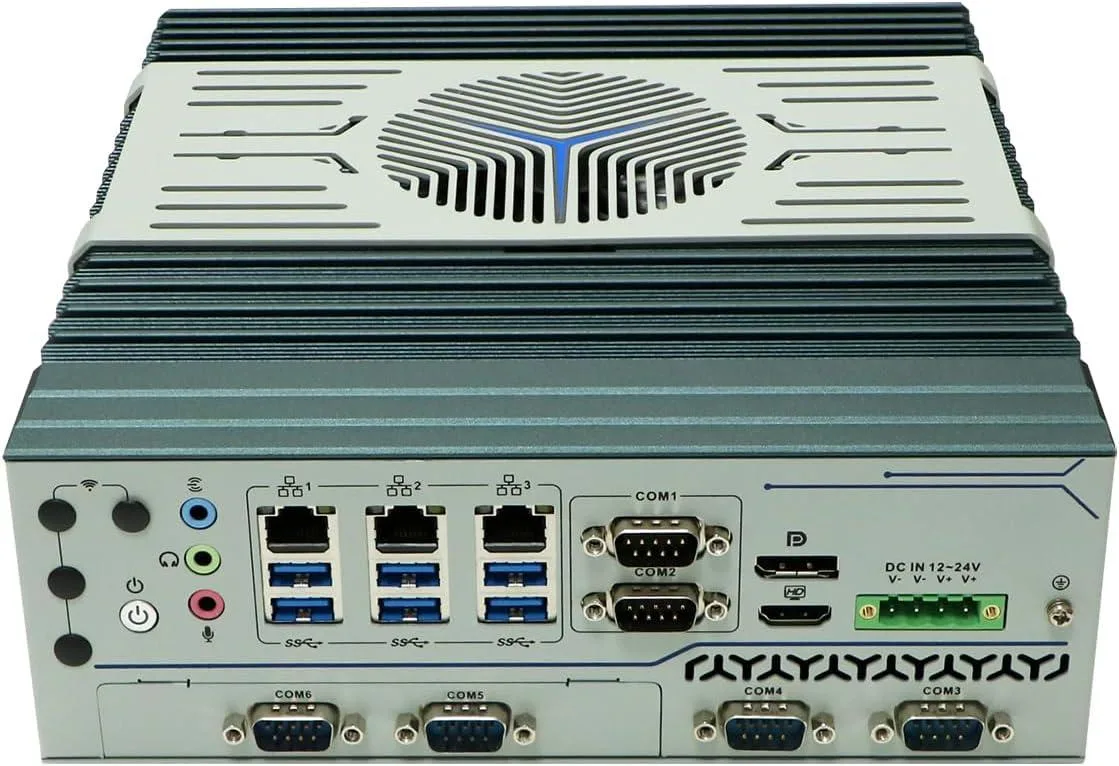
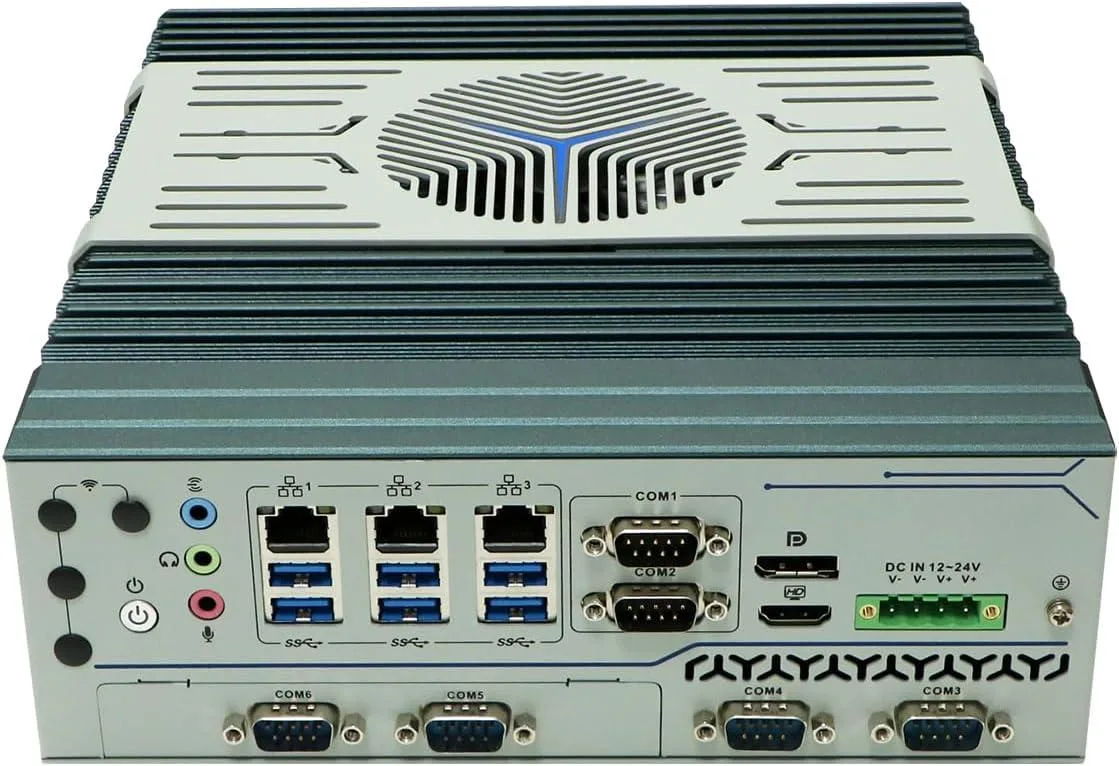
A compact desktop with a 16-core Xeon D-1581, 32 GB DDR4, 512 GB SSD and Quadro K620 graphics for multi-display workstations
The Partaker B17 packs a sixteen-core Xeon D-1581 and thirty-two gigabytes of DDR4 memory into a fan-cooled aluminium chassis. It ships with Windows 11 Pro and a Quadro K620 graphics card, making it ready for multi-threaded workloads and dual-display output from day one.
Builders moving up from low-power nettops gain sixteen cores and thirty-two threads for parallel compilation, virtualization or rendering. The jump pays off when sustained multi-thread throughput matters more than single-core burst speed.
The included SATA solid-state drive handles the operating system and active projects, while two additional M.2 sockets accept NVMe or SATA modules and a 2.5-inch bay takes larger drives. Storage headroom ends when all three M.2 slots and the 2.5-inch bay are populated.
| Type | Nettop Computer |
|---|---|
| Color | Silver |
| Monitor | Monitor not included |
| Operating System | Windows 11 Pro |
| Windows 11 | Ready |
| CPU Type | Intel Xeon |
| CPU Name | 1.80GHz |
| GPU/VGA Type | NVIDIA Quadro K620 |
| Memory Capacity | 32GB DDR4 |
| SSD | 512GB |
| HDD | No |
| Screen Size | No Screen |
รุ่นอื่นในตระกูลเดียวกัน
ตระกูลเดียวกัน แต่หน่วยความจำ คูลเลอร์ หรือสัญญาณนาฬิกาต่างกัน — เปรียบเทียบก่อนตัดสินใจ
The unit measures 280 x 200 x 52 mm and weighs 2.5 kg; the packing list includes a vertical stand for upright placement but no VESA bracket is mentioned.
Open the case, locate the two M.2 2280 slots, insert the NVME drive into the free slot at the correct angle, secure it with the screw, then reattach the cover.
Check the fan intake every six months; use compressed air to remove dust while the PC is off and unplugged.
อื่น ๆ ในหมวดนี้
หมวดเดียวกัน การชำระเงินแบบเดียวกัน — แปดสกุลเงินคริปโตและอัตราแลกเปลี่ยนที่ล็อกไว้ 30 นาที
สิ่งที่คุณใช้ชำระ และสิ่งที่คุณใช้อ่านราคา
ส่งจากกระเป๋าเงินของคุณเมื่อชำระเงิน
แสดงผลเท่านั้น — แคตตาล็อกสินค้าตั้งราคาเป็นดอลลาร์สหรัฐ
ไม่พบสกุลเงินที่ตรงกัน
เลือกภาษาที่ต้องการให้เว็บไซต์แสดงผล
ไม่พบภาษาที่ตรงกัน
ยังไม่เคยใช้งานใช่ไหม
มีบัญชีอยู่แล้วใช่ไหม
ไม่มีการรีเซ็ตแบบอัตโนมัติ ร้านนี้ไม่ส่งอีเมลใด ๆ จึงไม่มีลิงก์ใช้ครั้งเดียวให้ขอ ปล่อยที่อยู่อีเมลนี้ไว้ในบัญชี แล้วเจ้าหน้าที่จะดำเนินการให้ด้วยตนเอง
รับคำขอแล้ว
ไม่มีอะไรถูกส่งไปยังกล่องจดหมายของคุณ — ร้านนี้ไม่ส่งอีเมลใด ๆ เลย มีคนดำเนินการเรื่องนี้ให้ด้วยมือ
นึกออกแล้วใช่ไหม