

SanDisk
SanDisk Cruzer Blade 8 GB USB 2.0 USB flash drive Black SDCZ50-008G-B35
US$391.99
0.00498556BTC
มีสินค้าเรารับชำระด้วยคริปโต — เหรียญที่คุณถืออยู่จึงนำมาซื้อฮาร์ดแวร์ของจริงได้จ่ายด้วยคริปโต แล้วนำไปซื้อฮาร์ดแวร์ของจริง จัดส่งฟรีพร้อมประกันภัยทั่วโลก เมื่อสั่งซื้อเกิน US$399 กล่องพัสดุเรียบไม่มีตราสินค้า จัดส่งจากประเทศเยอรมนีจัดส่งฟรีพร้อมประกันภัย เมื่อสั่งซื้อเกิน US$399 อัตราแลกเปลี่ยนของคุณจะถูกล็อกไว้ 30 นาที ทันทีที่เปิดหน้าชำระเงินล็อกอัตราแลกเปลี่ยน 30 นาที สินค้าทุกชิ้นปิดผนึกจากโรงงาน ตรวจสอบหมายเลขซีเรียล และรับประกัน 24 เดือนปิดผนึกจากโรงงาน รับประกัน 24 เดือน
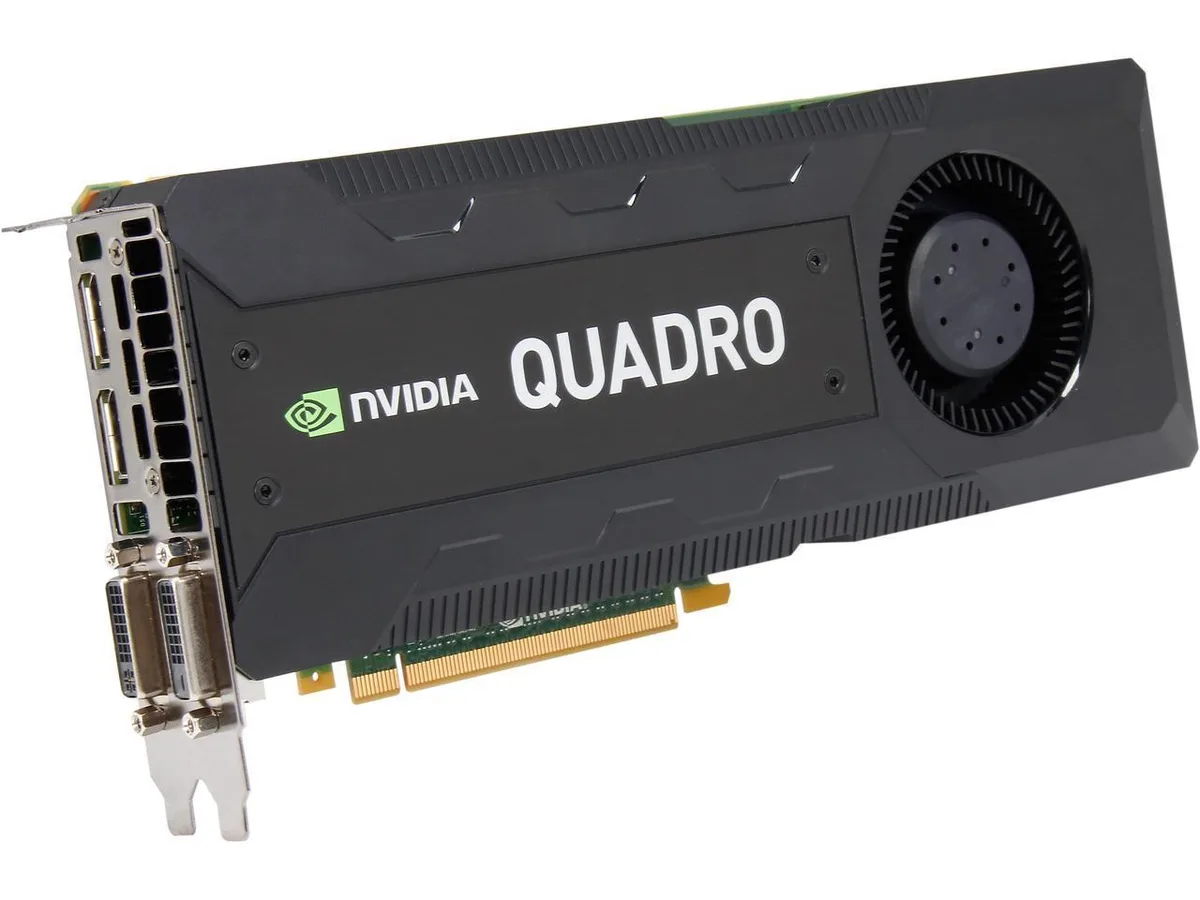


PNY Technologies, Inc.
Workstation graphics card with 8GB GDDR5, 2304 CUDA cores and four display outputs supporting 4096 × 2160 at 60 Hz
The PNY Quadro K5200 VCQK5200-PB delivers 8GB of GDDR5 memory across a 256-bit interface with 2304 CUDA cores running at a 667 MHz core clock. It targets engineers, designers and content creators who rely on certified drivers for CAD, DCC and scientific visualisation workloads on Windows or Linux platforms. The card connects through a PCI Express 3.0 x16 slot and supports DirectX 11 and OpenGL 4.4 for broad application compatibility.
Moving to this card makes sense when 8GB of frame buffer and 2304 CUDA cores remove bottlenecks in large assemblies, high-poly scenes or GPU-accelerated compute tasks that overwhelm smaller professional boards. The jump is worth it if your current GPU lacks the memory capacity or driver certification required by ISV applications you run daily. Buyers who need more than 8GB of VRAM or newer API features such as DirectX 12 should consider higher-tier professional cards.
The PCI Express 3.0 x16 link caps bandwidth at the Gen 3.0 rate, so the card cannot exploit the higher throughput of Gen 4.0 or Gen 5.0 platforms. DisplayPort 1.2 outputs max out at 4096 × 2160 at 60 Hz, while dual-link DVI-I reaches 2560 × 1600 at 60 Hz and single-link DVI-I stops at 1920 × 1200 at 60 Hz. Analogue VGA tops out at 2048 × 1536 at 85 Hz. Systems without a PCIe 3.0 x16 slot or monitors requiring higher refresh rates at 4K will not realise the card’s full display potential.
| Brand | PNY |
|---|---|
| Model | VCQK5200-PB |
| Interface | PCI Express 3.0 x16 |
| Chipset Manufacturer | NVIDIA |
| GPU | Quadro K5200 |
| Core Clock | 667 MHz |
| CUDA Cores | 2304 |
| Memory Clock | 6008 MHz effective |
| Memory Size | 8GB |
| Memory Interface | 256-bit |
| Memory Type | GDDR5 |
| DirectX | DirectX 11 |
| OpenGL | OpenGL 4.4 |
| DisplayPort | 2 |
| DVI | 2 |
| Digital Resolution | Maximum DP 1.2 Resolution: 4096 × 2160 @ 60 Hz; Maximum DVI-I DL Resolution: 2560 ×1600 @ 60 Hz; Maximum DVI-I SL Resolution: 1920 × 1200 @ 60 Hz |
| Analog Resolution | 2048 x 1536@85Hz |
| Dual-Link DVI Supported | Yes |
| HDCP Ready | Yes |
| Operating Systems Supported | Windows 10, Windows 8.1, Windows 8, 7, Linux, or Solaris |
| System Requirements | PCIe x16 expansion slot. Max Power Consumption: 150W |
| Auxiliary Power Connector | 6 Pin |
| Dimensions (L x H) | 10.50” x 4.376” |
| Slot Width | Dual Slot |
The card uses a full-height dual-slot bracket and a PCI Express 3.0 x16 slot, so it fits any ATX chassis with two adjacent rear openings and a matching motherboard slot.
After seating the card and connecting auxiliary power, install the NVIDIA Quadro driver package before Windows Update replaces it with a generic display driver.
Use compressed air to clear dust from the heatsink fins every 6 to 12 months, depending on case airflow, to keep the GPU at its 667 MHz core clock under load.
อื่น ๆ ในหมวดนี้
หมวดเดียวกัน การชำระเงินแบบเดียวกัน — แปดสกุลเงินคริปโตและอัตราแลกเปลี่ยนที่ล็อกไว้ 30 นาที
สิ่งที่คุณใช้ชำระ และสิ่งที่คุณใช้อ่านราคา
ส่งจากกระเป๋าเงินของคุณเมื่อชำระเงิน
แสดงผลเท่านั้น — แคตตาล็อกสินค้าตั้งราคาเป็นดอลลาร์สหรัฐ
ไม่พบสกุลเงินที่ตรงกัน
เลือกภาษาที่ต้องการให้เว็บไซต์แสดงผล
ไม่พบภาษาที่ตรงกัน
ยังไม่เคยใช้งานใช่ไหม
มีบัญชีอยู่แล้วใช่ไหม
ไม่มีการรีเซ็ตแบบอัตโนมัติ ร้านนี้ไม่ส่งอีเมลใด ๆ จึงไม่มีลิงก์ใช้ครั้งเดียวให้ขอ ปล่อยที่อยู่อีเมลนี้ไว้ในบัญชี แล้วเจ้าหน้าที่จะดำเนินการให้ด้วยตนเอง
รับคำขอแล้ว
ไม่มีอะไรถูกส่งไปยังกล่องจดหมายของคุณ — ร้านนี้ไม่ส่งอีเมลใด ๆ เลย มีคนดำเนินการเรื่องนี้ให้ด้วยมือ
นึกออกแล้วใช่ไหม



