

SanDisk
SanDisk Cruzer Blade 8 GB USB 2.0 USB flash drive Black SDCZ50-008G-B35
391.99 US$
0.00501664BTC
متوفرنقبل الدفع بالعملة المشفرة — لذلك يمكن للعملات الرقمية التي تملكها أن تشتري أجهزة حقيقية.ادفع بالعملة المشفرة، وأنفقها على أجهزة حقيقية. شحن مؤمن مجانا إلى كل أنحاء العالم لما يتجاوز 399 US$. صناديق شحن بسيطة بلا علامة تجارية، ترسل من ألمانيا.شحن مؤمن مجانا لما يتجاوز 399 US$. يُقفل سعرك لمدة 30 دقيقة بمجرد فتح صفحة الدفع.السعر مقفل لمدة 30 دقيقة. كل قطعة مختومة، ورقمها التسلسلي متحقق منه، ومشمولة بضمان 24 شهرا.مختوم، وبضمان 24 شهرا.
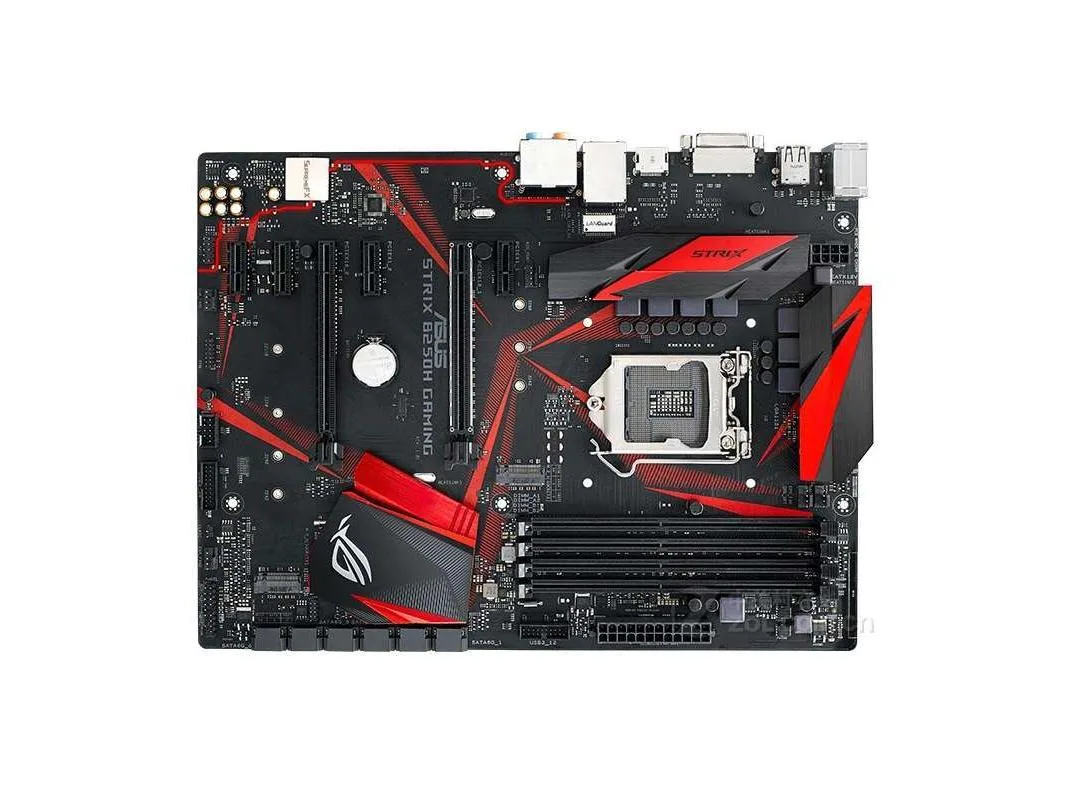


ASUS
Supports 64GB DDR4 memory on an Intel B250 ATX board with LGA 1151 socket and includes a SATA cable
This ASUS motherboard uses the Intel B250 chipset and fits an LGA 1151 socket. It supports DDR4 memory up to 64 GB in an ATX form factor. The board is supplied new with a rear I/O shield and one SATA cable.
Builders upgrading or repairing an existing LGA 1151 system will find the correct socket and chipset here. It is not suited for anyone needing a newer socket, a different chipset, or memory types other than DDR4.
The board accepts up to 64 GB of DDR4 memory across its slots. If your build requires more than 64 GB or a different memory generation, this motherboard will not meet that requirement.
| Brand | ASUS |
|---|---|
| Model | ASUS ROG STRIX B250H GAMING |
| CPU Socket Type | LGA 1151 |
| Chipset | Intel B250 |
| Maximum Memory Supported | 64GB |
The board uses DDR4 memory and the chipset allows up to 64GB of system RAM.
It fits standard ATX cases with the matching nine-hole mounting layout and rear I/O cutout.
Lift the retention lever, align the processor notches with the socket keys, lower the CPU gently without pressure, then close and lock the lever.
أيضًا في هذا القسم
نفس القسم، ونفس صفحة الدفع — ثماني عملات رقمية وقفل سعر لمدة 30 دقيقة.
ما تدفعه، وما تُعرض به الأسعار.
يُرسَل من محفظتك عند إتمام الطلب
للعرض فقط — أسعار الكتالوج بالدولار الأمريكي
لا توجد عملة مطابقة.
اختر اللغة التي يخاطبك بها الموقع.
لا توجد لغة مطابقة.
هل أنت جديد هنا؟
لديك حساب بالفعل؟
لا توجد إعادة تعيين تلقائية: هذا المتجر لا يُرسل أي بريد، فلا يوجد رابط لمرة واحدة يمكن طلبه. اترك العنوان في الحساب، وسيُعالَج الأمر يدويًا.
تم تسجيل الطلب
لا شيء في طريقه إلى بريدك الوارد — هذا المتجر لا يُرسل أي بريد إطلاقًا. يتولّى أحدهم معالجة هذه الطلبات يدويًا.
تذكّرتها؟



