
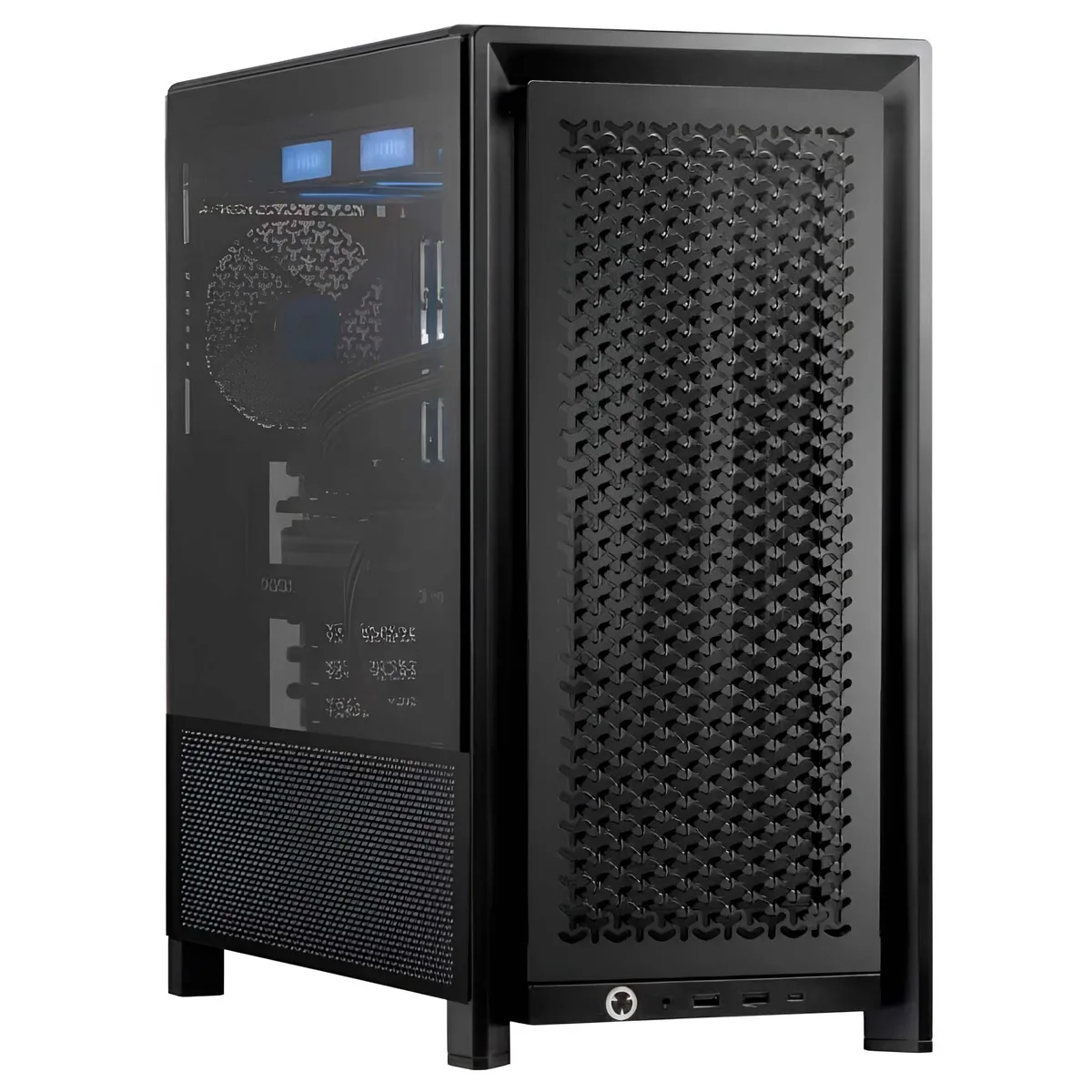
Adamant Custom
Adamant Custom Business Desktop Ryzen 7 9800X3D 128GB 8TB NVMe 10TB HDD RTX PRO 5000 Blackwell
- 2026
- Business Desktops &…
11,040.99 US$
0.14219468BTC
متوفرنقبل الدفع بالعملة المشفرة — لذلك يمكن للعملات الرقمية التي تملكها أن تشتري أجهزة حقيقية.ادفع بالعملة المشفرة، وأنفقها على أجهزة حقيقية. شحن مؤمن مجانا إلى كل أنحاء العالم لما يتجاوز 399 US$. صناديق شحن بسيطة بلا علامة تجارية، ترسل من ألمانيا.شحن مؤمن مجانا لما يتجاوز 399 US$. يُقفل سعرك لمدة 30 دقيقة بمجرد فتح صفحة الدفع.السعر مقفل لمدة 30 دقيقة. كل قطعة مختومة، ورقمها التسلسلي متحقق منه، ومشمولة بضمان 24 شهرا.مختوم، وبضمان 24 شهرا.


DELL
Provides 2 GB extended storage for Dell CMC Plus management modules
The Dell HHN7V is a 2GB CMC Plus extended storage SD card designed for Dell PowerEdge servers. It provides dedicated non-volatile memory for the Chassis Management Controller to store logs, configurations and firmware images. This component is intended for system administrators maintaining compatible rack-mounted infrastructure.
Install this card when the original CMC SD card is lost, corrupted or has reached its write-endurance limit. The upgrade is worth it if the server cannot boot the management controller or fails to retain configuration data across power cycles. It is not suited for general-purpose data storage or non-Dell hardware platforms.
| Brand | DELL |
|---|---|
| Model | HHN7V |
| Type | Rack |
The HHN7V is designed for Dell PowerEdge rack servers that include a CMC (Chassis Management Controller) with an extended-storage SD slot; verify your server’s CMC version supports “Plus” cards before installing.
Insert the card label-side up with the bevelled corner toward the rear of the chassis until it clicks; forcing it upside-down bends the CMC socket pins and prevents the server from recognising the extended storage.
أيضًا في هذا القسم
نفس القسم، ونفس صفحة الدفع — ثماني عملات رقمية وقفل سعر لمدة 30 دقيقة.
ما تدفعه، وما تُعرض به الأسعار.
يُرسَل من محفظتك عند إتمام الطلب
للعرض فقط — أسعار الكتالوج بالدولار الأمريكي
لا توجد عملة مطابقة.
اختر اللغة التي يخاطبك بها الموقع.
هل أنت جديد هنا؟
لديك حساب بالفعل؟
لا توجد إعادة تعيين تلقائية: هذا المتجر لا يُرسل أي بريد، فلا يوجد رابط لمرة واحدة يمكن طلبه. اترك العنوان في الحساب، وسيُعالَج الأمر يدويًا.
تم تسجيل الطلب
لا شيء في طريقه إلى بريدك الوارد — هذا المتجر لا يُرسل أي بريد إطلاقًا. يتولّى أحدهم معالجة هذه الطلبات يدويًا.
تذكّرتها؟


