HyperX
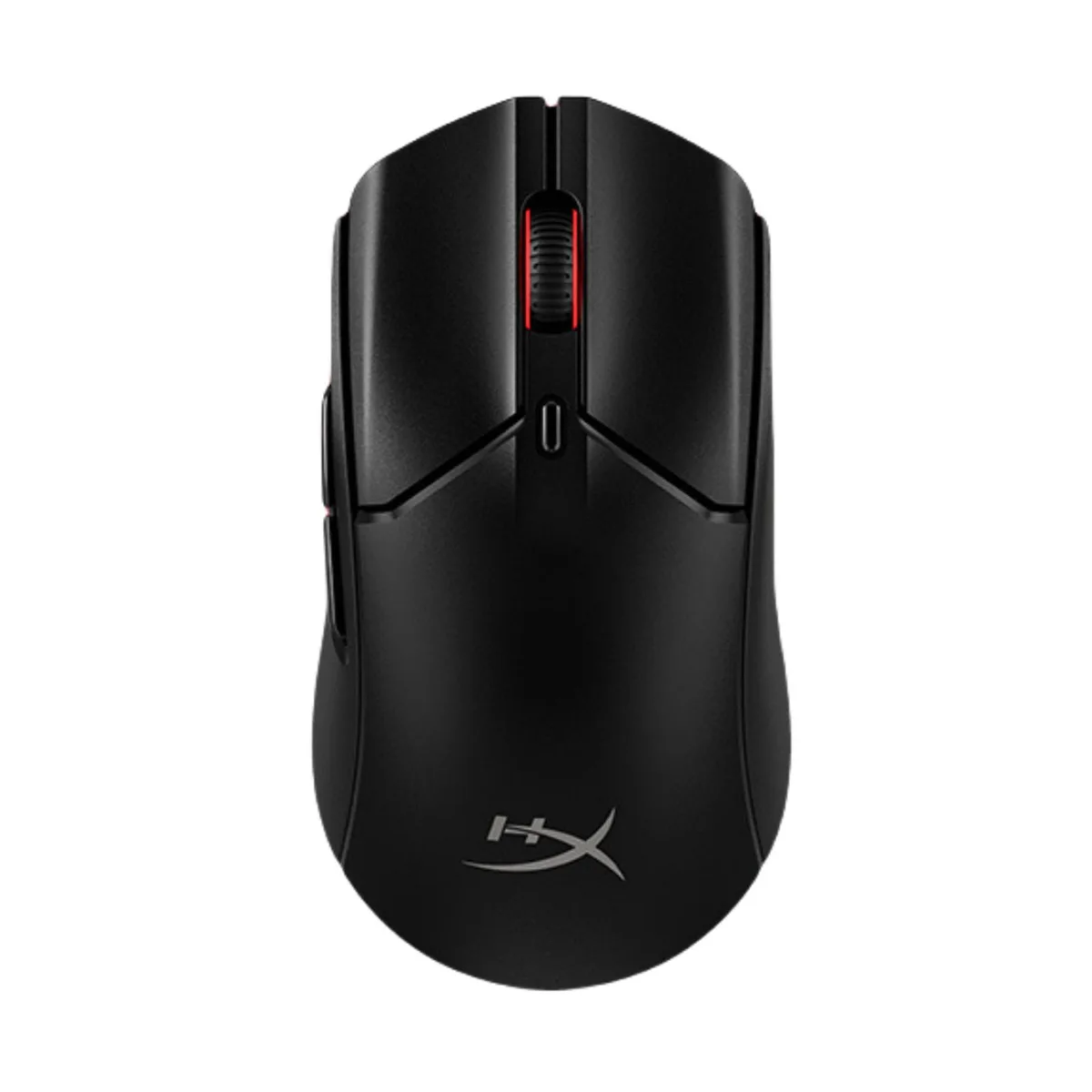
HyperX Pulsefire Haste 2 Wired Gaming Mouse White 53g 8000Hz 26000 DPI
- Wired
- 26000 dpi
52.99 US$
0.00068249BTC
متوفرنقبل الدفع بالعملة المشفرة — لذلك يمكن للعملات الرقمية التي تملكها أن تشتري أجهزة حقيقية.ادفع بالعملة المشفرة، وأنفقها على أجهزة حقيقية. شحن مؤمن مجانا إلى كل أنحاء العالم لما يتجاوز 399 US$. صناديق شحن بسيطة بلا علامة تجارية، ترسل من ألمانيا.شحن مؤمن مجانا لما يتجاوز 399 US$. يُقفل سعرك لمدة 30 دقيقة بمجرد فتح صفحة الدفع.السعر مقفل لمدة 30 دقيقة. كل قطعة مختومة، ورقمها التسلسلي متحقق منه، ومشمولة بضمان 24 شهرا.مختوم، وبضمان 24 شهرا.


HyperX
Ultra-lightweight 59g gaming mouse with dual 2.4GHz and Bluetooth wireless, 26000 DPI sensor and 100-hour battery life
MODEL Pulsefire Haste 2 Mini Wireless White
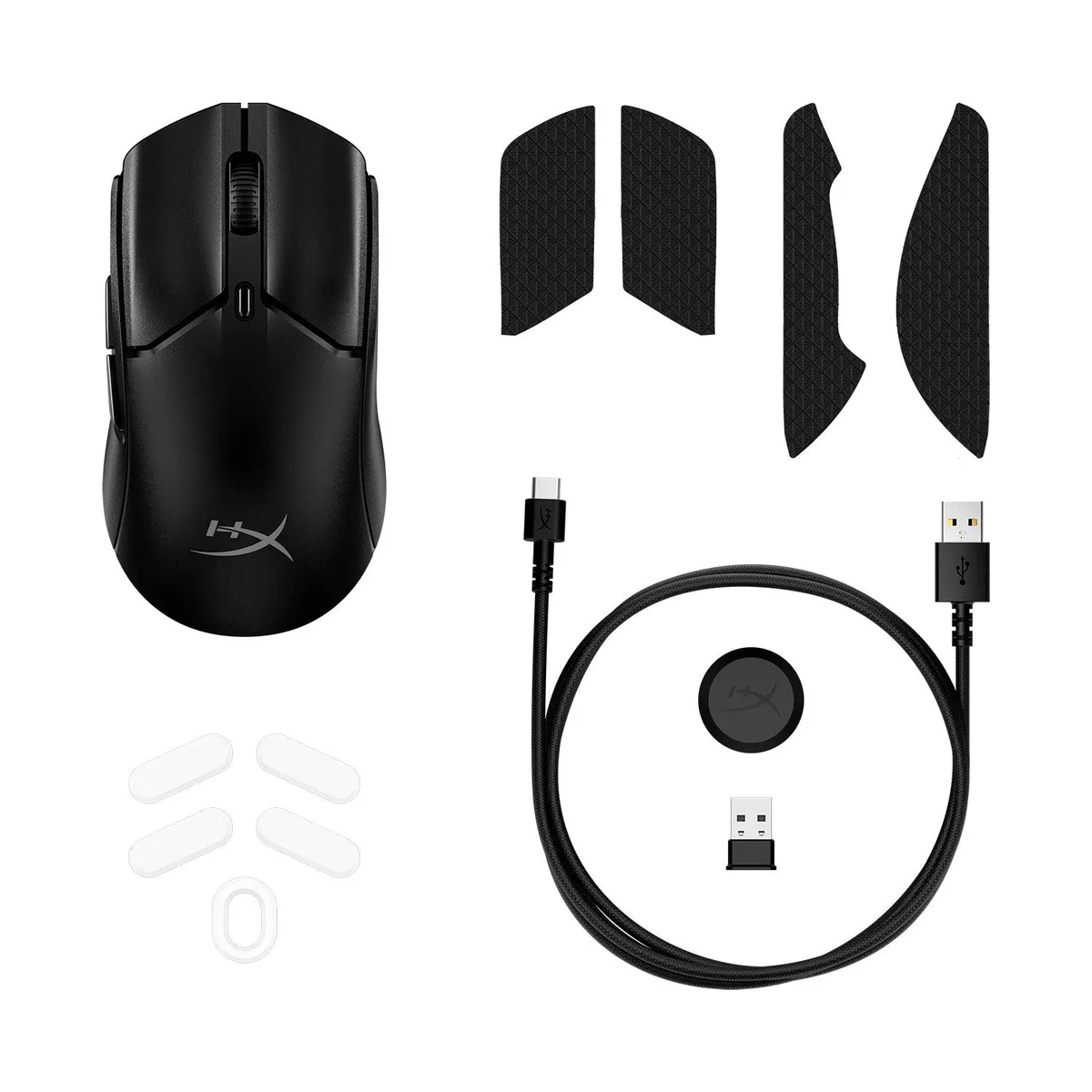
The HyperX Pulsefire Haste 2 Mini Wireless weighs 59g and is 16% smaller than the Pulsefire Haste 2 Wireless. Its compact, ambidextrous shell suits players who prefer a lighter, more agile mouse for fast-paced gaming. Low-friction feet and included grip tapes enhance control. Six programmable buttons and RGB lighting are configured via NGENUITY software.
The mouse replaces a wired or single-mode wireless pointer by offering 2.4GHz RF and Bluetooth connections. Switch between low-latency 2.4GHz for competitive play and Bluetooth for broad device compatibility. It works with PC, Xbox Series X|S, Xbox One, PS5 and PS4. The 100-hour battery life removes the need for frequent charging during long sessions.
The HyperX 26K sensor delivers 26,000 DPI and 650 IPS tracking speed, maintaining precision during extended gameplay rather than only in short bursts. Mechanical switches rated for 100 million clicks keep actuation consistent over time. The lightweight build reduces hand fatigue, supporting steady aim across marathon sessions.
| Brand | HyperX |
|---|---|
| Model | 005_xuanhuo2mini wx WHITE |
| Type | RF Wireless |
| Resolution (DPI) | 26000 dpi |
| Hand Orientation | Both Hands |
| Buttons | 6 |
| Operating System Supported | Windows XP/ Vista; Mac OS X 10.X + |
إصدارات أخرى من هذا الطراز
نفس الفئة، بذاكرة أو مبرّد أو تردد مختلف — قارن قبل أن تقرر.
The 2.4GHz receiver plugs into a standard USB-A port on your PC, Xbox Series X
Hold the pairing button until the LED flashes, then add the device in your system Bluetooth settings; the step often missed is putting the mouse into pairing mode before opening the OS menu.
Replace the feet when glide feels rough; peel off the old pads, clean the base with isopropyl alcohol, then press the new feet firmly into the recessed slots.
أيضًا في هذا القسم
نفس القسم، ونفس صفحة الدفع — ثماني عملات رقمية وقفل سعر لمدة 30 دقيقة.
ما تدفعه، وما تُعرض به الأسعار.
يُرسَل من محفظتك عند إتمام الطلب
للعرض فقط — أسعار الكتالوج بالدولار الأمريكي
لا توجد عملة مطابقة.
اختر اللغة التي يخاطبك بها الموقع.
هل أنت جديد هنا؟
لديك حساب بالفعل؟
لا توجد إعادة تعيين تلقائية: هذا المتجر لا يُرسل أي بريد، فلا يوجد رابط لمرة واحدة يمكن طلبه. اترك العنوان في الحساب، وسيُعالَج الأمر يدويًا.
تم تسجيل الطلب
لا شيء في طريقه إلى بريدك الوارد — هذا المتجر لا يُرسل أي بريد إطلاقًا. يتولّى أحدهم معالجة هذه الطلبات يدويًا.
تذكّرتها؟