HP
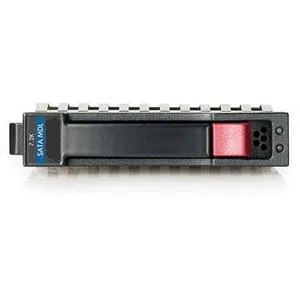
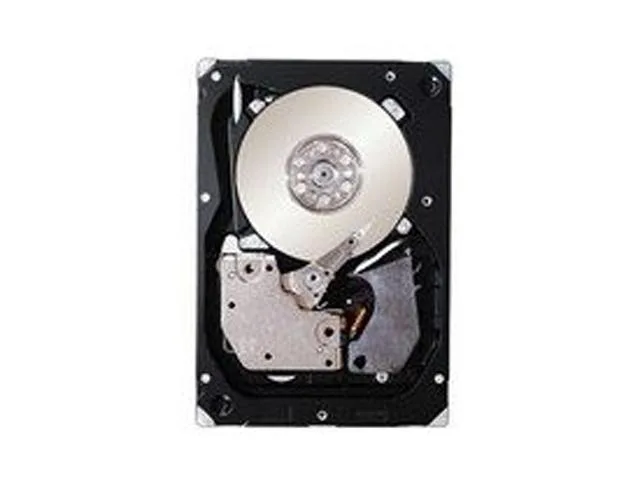
HP 507283-001 146GB 10000 RPM SAS 2.5" internal hard drive
- Bare Drive
- SATA
189.99 US$
0.00244483BTC
متوفرنقبل الدفع بالعملة المشفرة — لذلك يمكن للعملات الرقمية التي تملكها أن تشتري أجهزة حقيقية.ادفع بالعملة المشفرة، وأنفقها على أجهزة حقيقية. شحن مؤمن مجانا إلى كل أنحاء العالم لما يتجاوز 399 US$. صناديق شحن بسيطة بلا علامة تجارية، ترسل من ألمانيا.شحن مؤمن مجانا لما يتجاوز 399 US$. يُقفل سعرك لمدة 30 دقيقة بمجرد فتح صفحة الدفع.السعر مقفل لمدة 30 دقيقة. كل قطعة مختومة، ورقمها التسلسلي متحقق منه، ومشمولة بضمان 24 شهرا.مختوم، وبضمان 24 شهرا.

Intel
A 480 GB SATA internal solid-state drive in a 2.5 inch form factor using 3D NAND TLC technology
This internal solid state drive provides 480GB of storage using 3D NAND TLC technology. It connects through a SATA 6Gb/s interface in a 2.5-inch form factor. The drive weighs 3.0000 grams and is designed for desktop or laptop upgrades.
This drive suits users adding capacity to a system with a 2.5-inch SATA bay. Buyers whose motherboard only accepts M.2 modules should look at a different form factor. Those needing higher throughput than the SATA bus provides will require an alternative interface.
| Device Type | Internal Solid State Drive (SSD) |
|---|---|
| Weight | 3.0000 |
The drive follows the standard 2.5-inch form factor and 7 mm height, so it fits any 2.5-inch SATA bay or caddy that accepts 7 mm drives.
Slide the drive into the SATA connector until it clicks, then fasten the mounting screws; the step often skipped is tightening the screws, which prevents vibration and connection loss.
أيضًا في هذا القسم
نفس القسم، ونفس صفحة الدفع — ثماني عملات رقمية وقفل سعر لمدة 30 دقيقة.
ما تدفعه، وما تُعرض به الأسعار.
يُرسَل من محفظتك عند إتمام الطلب
للعرض فقط — أسعار الكتالوج بالدولار الأمريكي
لا توجد عملة مطابقة.
اختر اللغة التي يخاطبك بها الموقع.
هل أنت جديد هنا؟
لديك حساب بالفعل؟
لا توجد إعادة تعيين تلقائية: هذا المتجر لا يُرسل أي بريد، فلا يوجد رابط لمرة واحدة يمكن طلبه. اترك العنوان في الحساب، وسيُعالَج الأمر يدويًا.
تم تسجيل الطلب
لا شيء في طريقه إلى بريدك الوارد — هذا المتجر لا يُرسل أي بريد إطلاقًا. يتولّى أحدهم معالجة هذه الطلبات يدويًا.
تذكّرتها؟