MSI
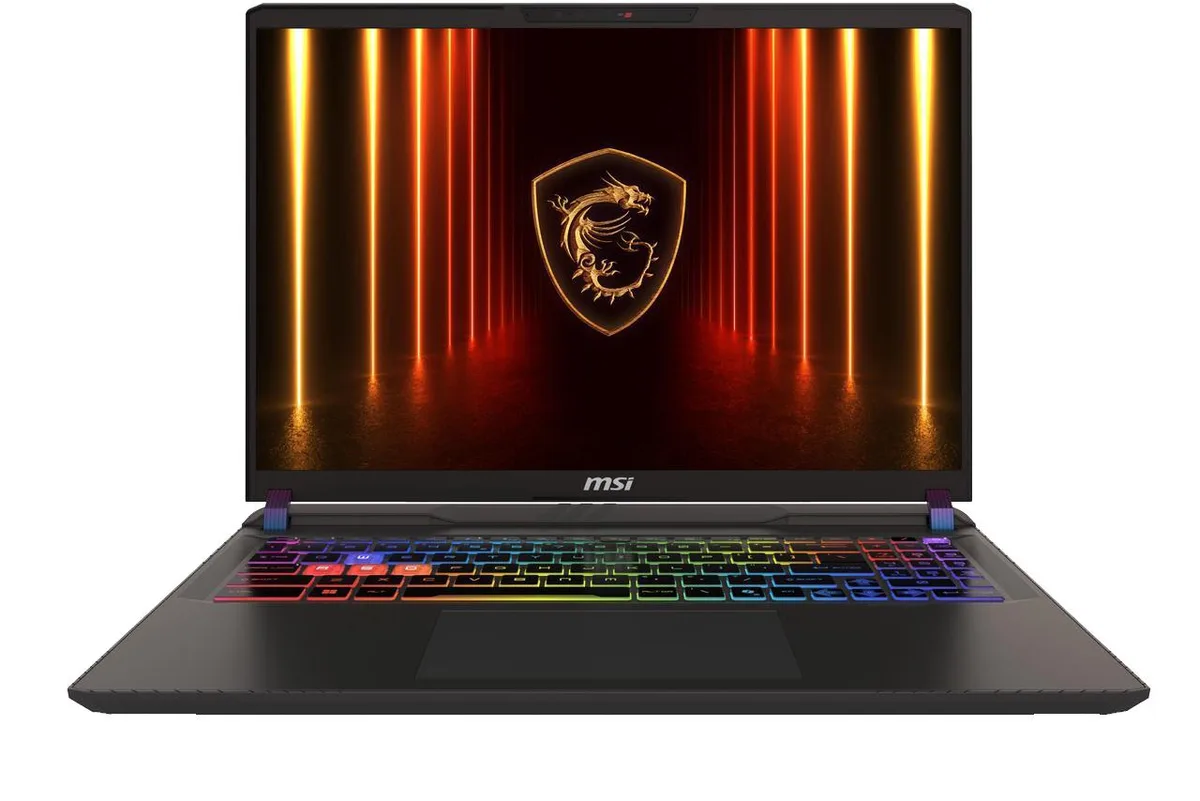
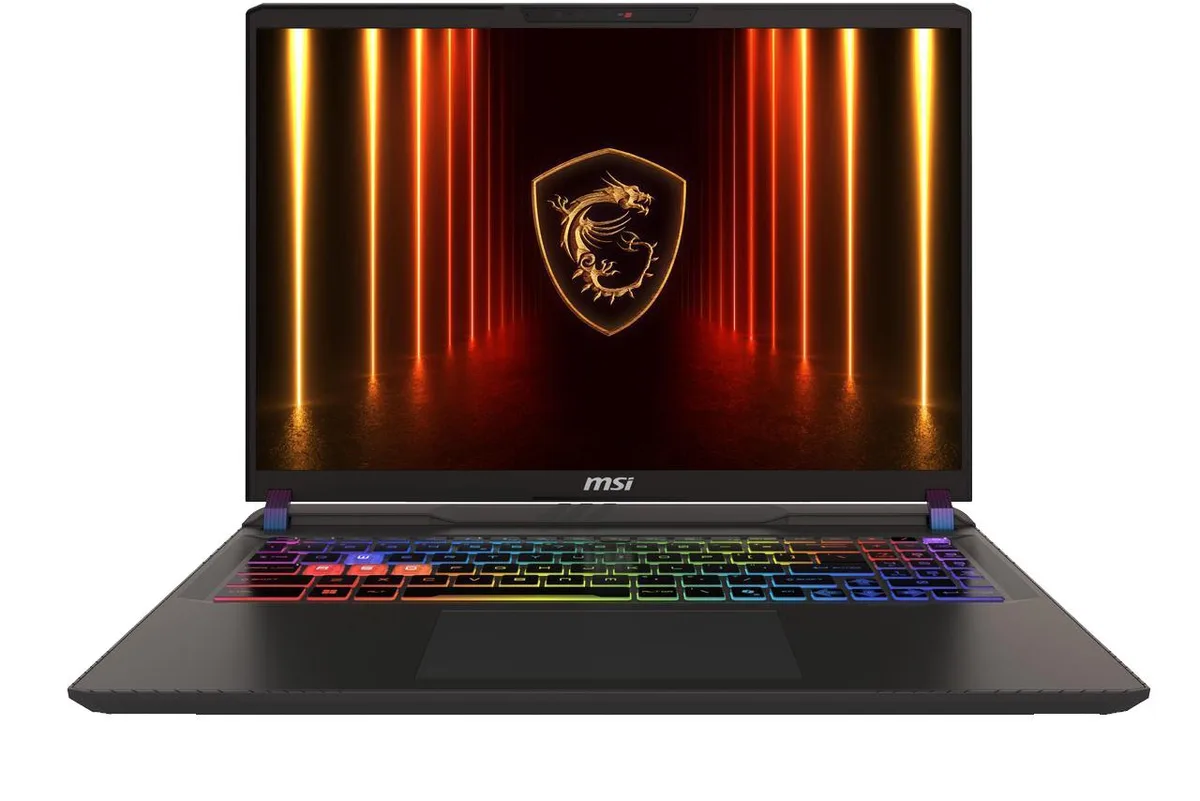
MSI Vector 16 HX AI laptop 16" QHD+ 240Hz Ultra 9 275HX 16GB 1TB RTX 5080 16GB
- Black
- Windows 11 Home
1,889.99 US$
0.02471415BTC
متوفرنقبل الدفع بالعملة المشفرة — لذلك يمكن للعملات الرقمية التي تملكها أن تشتري أجهزة حقيقية.ادفع بالعملة المشفرة، وأنفقها على أجهزة حقيقية. شحن مؤمن مجانا إلى كل أنحاء العالم لما يتجاوز 399 US$. صناديق شحن بسيطة بلا علامة تجارية، ترسل من ألمانيا.شحن مؤمن مجانا لما يتجاوز 399 US$. يُقفل سعرك لمدة 30 دقيقة بمجرد فتح صفحة الدفع.السعر مقفل لمدة 30 دقيقة. كل قطعة مختومة، ورقمها التسلسلي متحقق منه، ومشمولة بضمان 24 شهرا.مختوم، وبضمان 24 شهرا.


MSI
16-inch QHD+ 240Hz gaming laptop with Intel 24-core Ultra 9 275HX, RTX 5080 16GB graphics, 16GB DDR5 and 2TB SSD
Option 16GB RAM 2TB SSD
The MSI Vector 16 HX AI is a 16-inch Windows 11 gaming laptop powered by an Intel Core Ultra 9 275HX processor with 24 cores and a maximum boost clock of 5.4GHz. It pairs that CPU with a dedicated GeForce RTX 5080 16GB GPU and 16GB of DDR5 memory. A 2TB SSD provides the primary storage pool.
This machine suits creators and engineers who need desktop-class compute and graphics in a portable chassis with a 240Hz QHD+ IPS display. Buyers who want more system memory or a larger battery for extended unplugged sessions should look at something else.
The 16GB frame buffer on the RTX 5080 sets the hard limit for texture-heavy workloads and high-resolution rendering. If your pipeline demands more video memory, this configuration will not meet the requirement.
| Brand | MSI |
|---|---|
| Model | MSI Vector 16 HX AI |
| Color | Black |
| Operating System | Windows 11 Home |
| CPU Type | Intel Core Ultra 9 (Series 2) |
| Processor Name | 2.70GHz |
| Screen Size | 16.0" |
| Resolution | 2560x1600 |
| GPU/VPU | GeForce RTX 5080 Laptop GPU |
| Graphic Type | Dedicated Card |
| SSD | 2 TB |
| HDD | No |
| Memory | 16GB |
| Type | Gaming |
إصدارات أخرى من هذا الطراز
نفس الفئة، بذاكرة أو مبرّد أو تردد مختلف — قارن قبل أن تقرر.
The laptop measures 11.1 inches wide by 14.05 inches deep by 1.12 inches thick and weighs approximately 5.96 pounds.
Remove the base screws, lift the panel, align the SO-DIMM notch at the correct angle, press firmly until the side clips click, then reseat the panel before tightening screws; the missed step is forgetting to press down until both clips engage.
The 90Wh battery is the primary wear item; replacement requires removing the bottom cover, disconnecting the battery cable, unscrewing the pack, and fitting a new unit.
أيضًا في هذا القسم
نفس القسم، ونفس صفحة الدفع — ثماني عملات رقمية وقفل سعر لمدة 30 دقيقة.
ما تدفعه، وما تُعرض به الأسعار.
يُرسَل من محفظتك عند إتمام الطلب
للعرض فقط — أسعار الكتالوج بالدولار الأمريكي
لا توجد عملة مطابقة.
اختر اللغة التي يخاطبك بها الموقع.
لا توجد لغة مطابقة.
هل أنت جديد هنا؟
لديك حساب بالفعل؟
لا توجد إعادة تعيين تلقائية: هذا المتجر لا يُرسل أي بريد، فلا يوجد رابط لمرة واحدة يمكن طلبه. اترك العنوان في الحساب، وسيُعالَج الأمر يدويًا.
تم تسجيل الطلب
لا شيء في طريقه إلى بريدك الوارد — هذا المتجر لا يُرسل أي بريد إطلاقًا. يتولّى أحدهم معالجة هذه الطلبات يدويًا.
تذكّرتها؟