
Simmtec, Inc
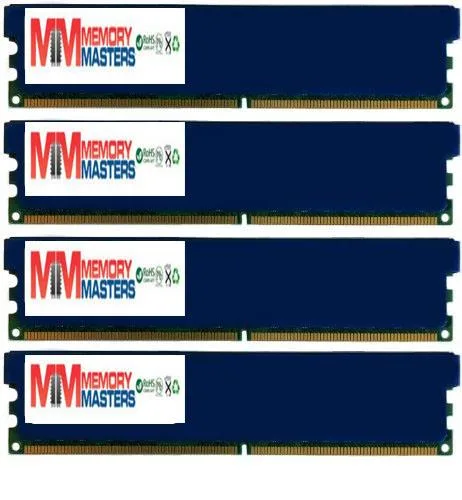
Simmtec, Inc 32GB (4x 8GB) DDR3 1600MHz Desktop RAM with Blue Heatspreaders
32 GB DDR3 desktop kit in four 8 GB DIMMs running at 1600 MHz with 11-11-11-28 timings and blue heatspreaders
- Capacity32GB (4 x 8GB)
- SpeedDDR3 1600 (PC3 12800)
- 32 GB total capacity from four 8 GB modules
- DDR3 1600 MHz speed rated at PC3-12800 bandwidth
- Low 11-11-11-28 CAS latency for responsive performance
- Blue heatspreaders dissipate heat during sustained loads
- Tested 1.5 V unbuffered non-ECC DIMMs for Intel and AMD platforms
32GB DDR3 kit for legacy desktop builds
This 32GB kit contains four 8GB DDR3 DIMMs rated at 1600MHz with 11-11-11-28 timings. It targets owners of older Intel LGA 1155, 1156, 1366, 2011 or AMD AM3, AM3+, Llano and FM1 platforms who need maximum unbuffered non-ECC capacity.
Upgrade from lower-capacity or mixed-speed DDR3 sets
Replacing mismatched modules with this matched quad-channel kit eliminates timing conflicts and enables the full 32GB limit supported by many late-generation DDR3 motherboards. The jump is worthwhile when the board has four slots and the workload demands more than 16GB of addressable memory.
32GB headroom for heavy multitasking
At 1.5V the modules deliver 32GB of headroom for large datasets, multiple virtual machines or content-creation projects on compatible chipsets. The ceiling arrives when the platform's memory controller or chipset cannot address more than 32GB, leaving no room for further expansion within the DDR3 standard.
أبرز المميزات
- 32 GB total capacity from four 8 GB modules
- DDR3 1600 MHz speed rated at PC3-12800 bandwidth
- Low 11-11-11-28 CAS latency for responsive performance
- Blue heatspreaders dissipate heat during sustained loads
- Tested 1.5 V unbuffered non-ECC DIMMs for Intel and AMD platforms
المواصفات
| Capacity | 32GB (4 x 8GB) |
|---|---|
| Speed | DDR3 1600 (PC3 12800) |
أسئلة حول هذا المنتج
Will the 240-pin DIMM modules with blue heatspreaders fit my motherboard's DDR3 slots?
The kit contains four 240-pin DDR3 DIMMs designed for standard desktop DDR3 slots; the blue heatspreaders add height, so verify CPU-cooler clearance before installing.
How do I install the 4×8 GB kit at 1600 MHz with 11-11-11-28 timings, and what step is often missed?
Insert all four modules into the motherboard's DDR3 slots, then enable the XMP profile in BIOS so the kit runs at 1600 MHz with the rated 11-11-11-28 timings; skipping the XMP step leaves the memory at default lower speeds.
When will the unbuffered non-ECC DDR3 modules running at 1.5 V need replacement?
The modules are tested before shipping and have no moving parts; they typically last the life of the platform unless physical damage or a voltage event occurs, at which point the failed stick would be swapped.
أيضًا في هذا القسم
عملاء قارنوا هذه المنتجات
نفس القسم، ونفس صفحة الدفع — ثماني عملات رقمية وقفل سعر لمدة 30 دقيقة.


Mushkin Enhanced
Mushkin Enhanced 4GB DDR2-800 CL6 SoDIMM Apple 971741A memory upgrade
104.99 US$
0.00133516BTC
متوفر

SK hynix
SK hynix HYMD232M646C6-J 256MB DDR 333MHz PC2700 CL2.5 SODIMM laptop RAM
- 4GB (2 x 2GB)
7.99 US$
0.00010161BTC
متوفر