

SanDisk
SanDisk Cruzer Blade 8 GB USB 2.0 USB flash drive Black SDCZ50-008G-B35
391,99 US$
0.00501895BTC
SklademPřijímáme kryptoměny — takže to, co držíte, můžete utratit za skutečný hardware.Plaťte kryptem, utrácejte ho za skutečný hardware. Pojištěná doprava zdarma po celém světě nad 399 $. Neutrální přepravní krabice bez loga, odesílané z Německa.Pojištěná doprava zdarma nad 399 $. Jakmile se otevře pokladna, je váš kurz zablokovaný na 30 minut.Kurz zablokovaný na 30 minut. Každý výrobek je zapečetěný, jeho sériové číslo je zkontrolované a vztahuje se na něj 24měsíční záruka.Zapečetěno, záruka 24 měsíců.


A-Tech
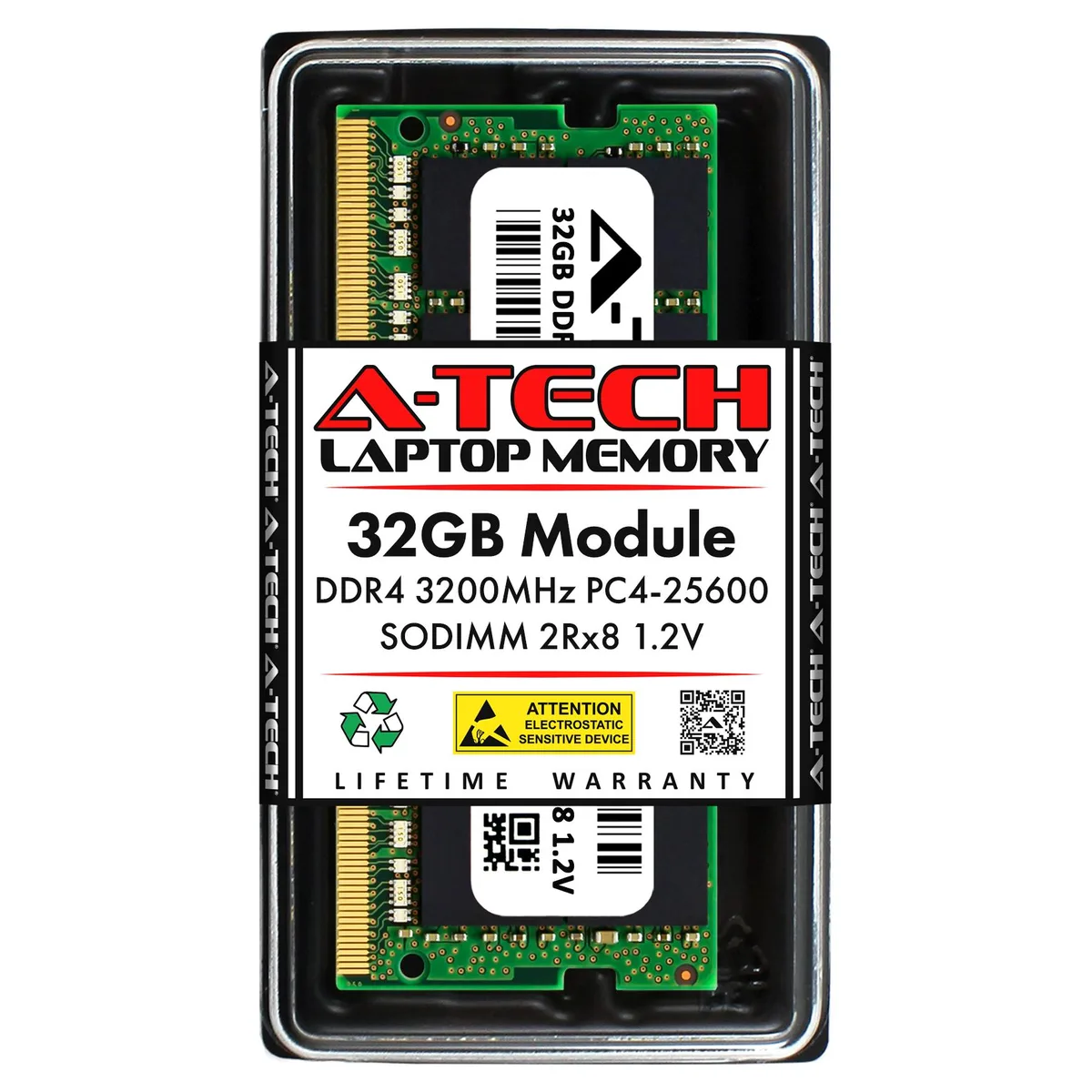
32GB DDR4 3200MHz CL22 SO-DIMM laptop memory upgrade with 260-pin form factor and 1.2V operation
This module is a 32GB DDR4 3200MHz CL22 SO-DIMM built for laptop and all-in-one upgrades. It runs at 1.20V and uses 260-pin unbuffered non-ECC memory with major-brand chips. The kit contains a single stick ready to install.
Buyers whose system limits each slot to a lower capacity cannot use this module. Machines that require ECC or registered memory are not supported. Verify your laptop's maximum per-slot limit before ordering.
The single-stick 32GB density is the specification that determines fit. If your board only accepts smaller modules this upgrade will not work. Check the manufacturer's qualified vendor list for 32GB SO-DIMM support.
| Brand | A-Tech |
|---|---|
| Capacity | 32GB |
| Type | 260-Pin DDR4 SO-DIMM |
| Speed | DDR4 3200 (PC4 25600) |
| CAS Latency | CL22 |
| Voltage | 1.20V |
| ECC | No |
| Buffered/Registered | Unbuffered |
| Features | Major Brand Chips |
| Recommend Use | AMD & Intel Compatible |
This module uses the standard 260-pin DDR4 SO-DIMM form factor. It fits any laptop or all-in-one system that accepts DDR4 SO-DIMM memory at 1.2V.
Power off the laptop, disconnect the battery if possible, open the memory compartment, align the notch on the module with the slot key, insert at a slight angle, then press down firmly until both side clips click into place.
No firmware updates are required for this memory. It is a passive component with no moving parts and does not need scheduled replacement under normal use.
Také v této kategorii
Stejná kategorie, stejná pokladna — osm měn a kurz zamčený na 30 minut.
Měna, ve které platíte, a měna, ve které se zobrazují ceny.
Odesláno z vaší peněženky u pokladny
Pouze pro zobrazení — katalog je veden v dolarech
Žádná měna neodpovídá.
Vyberte jazyk, ve kterém s vámi bude web komunikovat.
Žádný jazyk neodpovídá.
Poprvé tady?
Už účet máte?
Neexistuje žádná automatická obnova hesla: tento obchod neposílá žádné e-maily, takže neexistuje jednorázový odkaz, o který by bylo možné požádat. Nechte adresu uvedenou u účtu, vyřídíme ji ručně.
Žádost zaznamenána
Do vaší schránky nic nedorazí — tento obchod neposílá žádné e-maily. Někdo se o to postará ručně.
Vzpomněli jste si?



