Lenovo
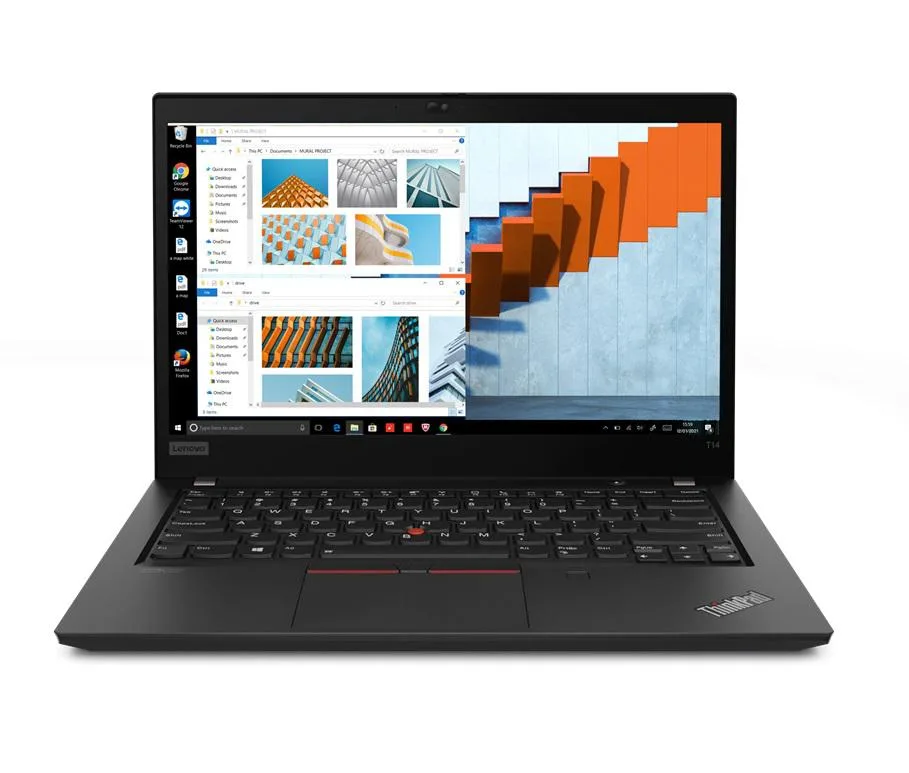
Lenovo Thinkpad T14 Gen 2 i5-1135G7 8GB 500GB SSD 14.0" FHD Dual Boot
- 8GB
- DDR4
703,99 US$
0.00905919BTC
SklademPřijímáme kryptoměny — takže to, co držíte, můžete utratit za skutečný hardware.Plaťte kryptem, utrácejte ho za skutečný hardware. Pojištěná doprava zdarma po celém světě nad 399 $. Neutrální přepravní krabice bez loga, odesílané z Německa.Pojištěná doprava zdarma nad 399 $. Jakmile se otevře pokladna, je váš kurz zablokovaný na 30 minut.Kurz zablokovaný na 30 minut. Každý výrobek je zapečetěný, jeho sériové číslo je zkontrolované a vztahuje se na něj 24měsíční záruka.Zapečetěno, záruka 24 měsíců.


Lenovo
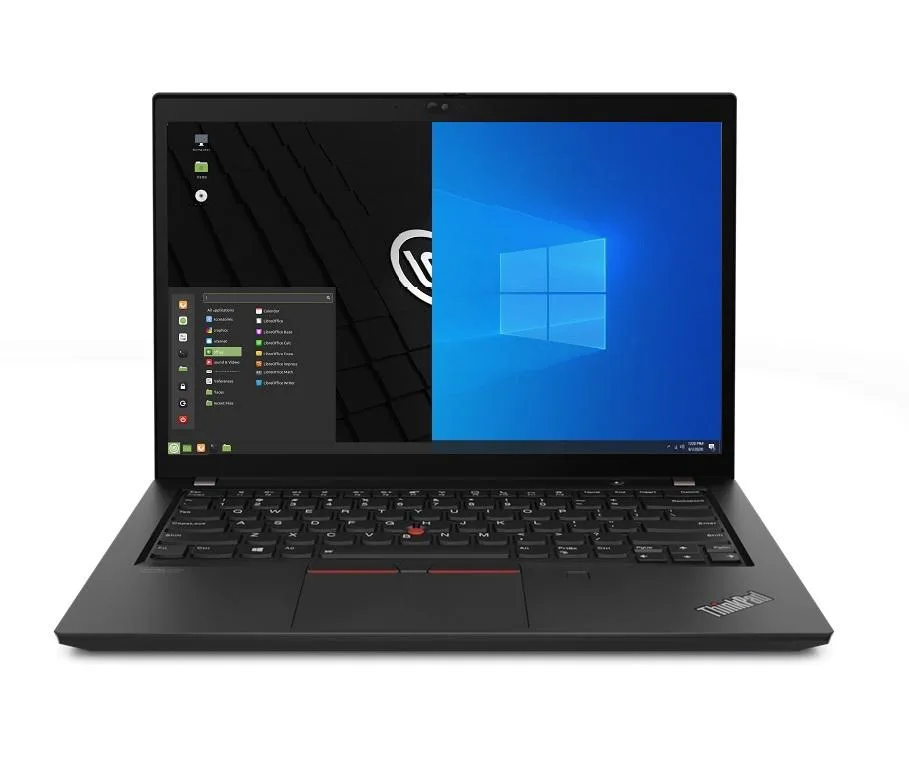
A 14.0" business laptop with an 11th Gen Intel Core i5-1135G7, 16GB DDR4, 500GB PCIe SSD and dual-boot Windows 10 Pro plus Linux Mint
Options 16GB/500GB
The Lenovo Thinkpad T14 Gen 2 ships new with Windows 10 Pro and Linux Mint 20 already installed in a dual-boot configuration. An 11th Gen Intel Core i5-1135G7 processor with four cores and a 4.2 GHz maximum turbo frequency handles office workloads. Sixteen gigabytes of DDR4 memory and a 500 GB PCIe SSD provide responsive multitasking and fast boot times for either operating system.
Two USB-C Thunderbolt 4 ports supply video output, data transfer and charging through a single cable. Two USB-A 3.2 Gen 1 ports keep legacy peripherals working, while HDMI drives an external monitor. Gigabit Ethernet, Wi-Fi 6 and Bluetooth 5.2 cover wired and wireless networks, and a micro SD reader adds removable storage without an adapter.
Selecting Windows or Linux at the boot menu gives each operating system full access to the processor, memory and storage. No hypervisor layer means native graphics performance from Intel Iris Xe and maximum battery efficiency from the 50 Whr pack. A 65 W power supply recharges the system, and the 720p webcam supports video calls on either platform.
| Memory | 16GB |
|---|---|
| Memory Speed | DDR4 |
| Type | Work / Business |
| Resolution | 1920 x 1080 |
| Screen Size | 14.0" |
| Display Type | Full HD |
| Touchscreen | No |
| SSD | 500 GB |
| HDD | No |
| Storage Spec | 500GB PCIe SSD |
| Brand | Lenovo |
| Series | Thinkpad T14 Gen 2 |
| Part Number | T14 |
| Model | Thinkpad |
| Color | Black |
| GPU/VPU | Intel Iris Xe Graphics |
| Operating System | Linux |
| WiFi Generation | Wi-Fi 6 |
| LAN | 10/100/1000Mbps |
| WLAN | Wi-Fi 6 |
| Bluetooth | Bluetooth 5.2 |
| CPU Type | Intel Core i5 11th Gen |
| Optical Drive Type | No |
| Webcam | Yes |
| Touchpad | ThinkPad UltraNav |
| Keyboard | Standard |
| Card Reader | Micro SD |
| Battery | Lithium Polymer |
| USB | 2 x USB 3.2 Gen 1 |
| Thunderbolt | 2 x Thunderbolt 4 |
| Video Port | 1 x HDMI |
| Ethernet | 1 x RJ-45 |
| Audio Ports | 1 x Headphone/Microphone Combo Jack |
| Audio | Integrated Sound card |
| Speaker | Integrated Stereo Speakers |
Další verze tohoto modelu
Stejná řada, jiná paměť, chladič nebo takt — porovnejte, než se rozhodnete.
The 50WHr Li-Polymer pack and 65W supply limit sustained high-performance runtime; expect thermal throttling once the cooling saturates under continuous 4.2 GHz boost.
The thin 0.70" chassis relies on a single fan; under all-day load the keyboard deck reaches noticeable warmth and fan noise rises to an audible whir.
You need Thunderbolt 4 or USB-C cables for the two Type-C ports and a standard HDMI cable for the HDMI port; no adapters are included.
Také v této kategorii
Stejná kategorie, stejná pokladna — osm měn a kurz zamčený na 30 minut.
Měna, ve které platíte, a měna, ve které se zobrazují ceny.
Odesláno z vaší peněženky u pokladny
Pouze pro zobrazení — katalog je veden v dolarech
Žádná měna neodpovídá.
Vyberte jazyk, ve kterém s vámi bude web komunikovat.
Žádný jazyk neodpovídá.
Poprvé tady?
Už účet máte?
Neexistuje žádná automatická obnova hesla: tento obchod neposílá žádné e-maily, takže neexistuje jednorázový odkaz, o který by bylo možné požádat. Nechte adresu uvedenou u účtu, vyřídíme ji ručně.
Žádost zaznamenána
Do vaší schránky nic nedorazí — tento obchod neposílá žádné e-maily. Někdo se o to postará ručně.
Vzpomněli jste si?