Lenovo
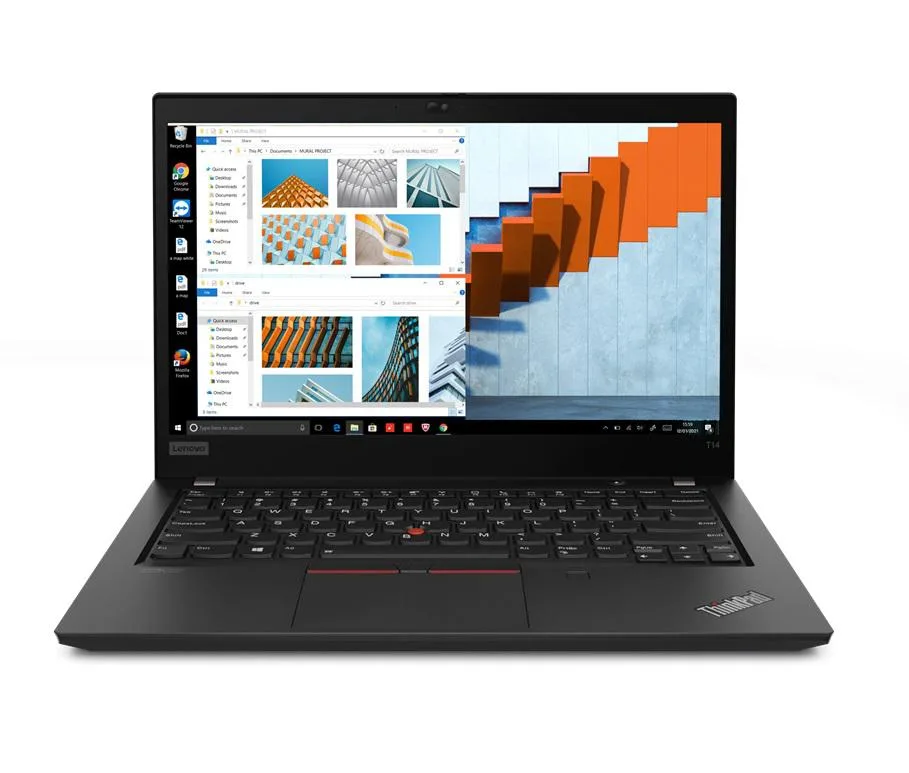
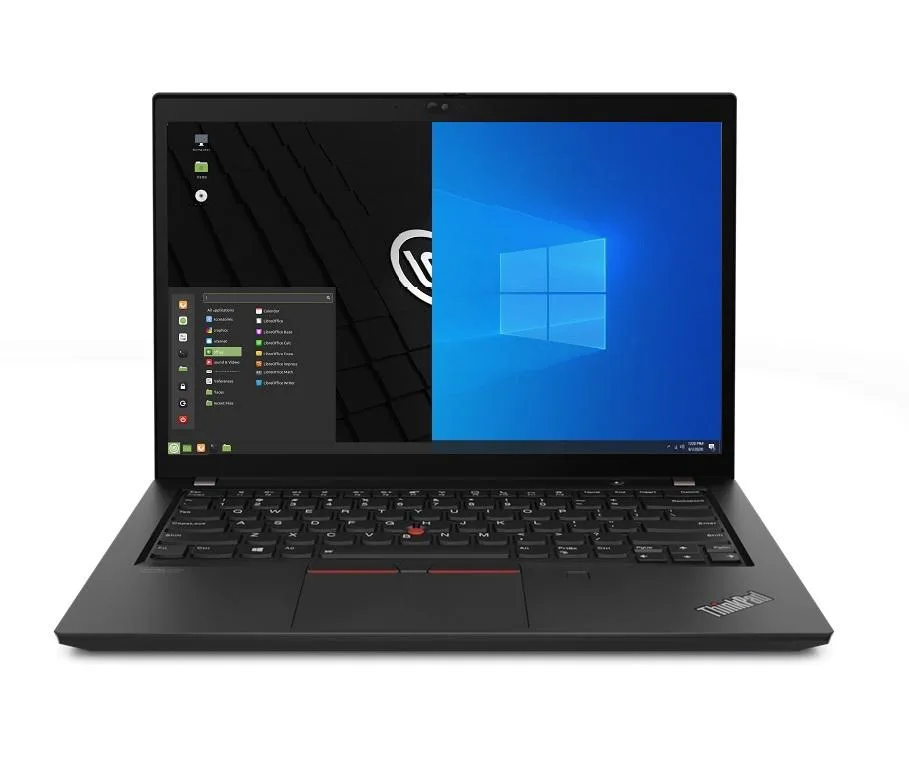
Lenovo Thinkpad T14 Gen 2 i5-1135G7 8GB 500GB SSD 14.0" FHD Dual Boot
- 8GB
- DDR4
703,99 USD
0.00903269BTC
DostępnyAkceptujemy kryptowaluty — posiadane środki można więc wykorzystać na zakup prawdziwego sprzętu.Płatność kryptowalutą — realny sprzęt w zamian. Bezpłatna, ubezpieczona dostawa na całym świecie powyżej 399 $. Neutralne kartony, bez oznaczeń, wysyłane z Niemiec.Bezpłatna, ubezpieczona dostawa powyżej 399 $. Kurs zostaje zablokowany na 30 minut od otwarcia kasy.Kurs zablokowany na 30 minut. Każdy produkt jest fabrycznie zapieczętowany, jego numer seryjny jest sprawdzany, a całość objęta jest 24-miesięczną gwarancją.Zapieczętowane fabrycznie, 24 miesiące gwarancji.


Lenovo
A 14.0" business laptop with an 11th Gen Intel Core i5-1135G7, 16GB DDR4, 500GB PCIe SSD and dual-boot Windows 10 Pro plus Linux Mint
Options 16GB/500GB
The Lenovo Thinkpad T14 Gen 2 ships new with Windows 10 Pro and Linux Mint 20 already installed in a dual-boot configuration. An 11th Gen Intel Core i5-1135G7 processor with four cores and a 4.2 GHz maximum turbo frequency handles office workloads. Sixteen gigabytes of DDR4 memory and a 500 GB PCIe SSD provide responsive multitasking and fast boot times for either operating system.
Two USB-C Thunderbolt 4 ports supply video output, data transfer and charging through a single cable. Two USB-A 3.2 Gen 1 ports keep legacy peripherals working, while HDMI drives an external monitor. Gigabit Ethernet, Wi-Fi 6 and Bluetooth 5.2 cover wired and wireless networks, and a micro SD reader adds removable storage without an adapter.
Selecting Windows or Linux at the boot menu gives each operating system full access to the processor, memory and storage. No hypervisor layer means native graphics performance from Intel Iris Xe and maximum battery efficiency from the 50 Whr pack. A 65 W power supply recharges the system, and the 720p webcam supports video calls on either platform.
| Memory | 16GB |
|---|---|
| Memory Speed | DDR4 |
| Type | Work / Business |
| Resolution | 1920 x 1080 |
| Screen Size | 14.0" |
| Display Type | Full HD |
| Touchscreen | No |
| SSD | 500 GB |
| HDD | No |
| Storage Spec | 500GB PCIe SSD |
| Brand | Lenovo |
| Series | Thinkpad T14 Gen 2 |
| Part Number | T14 |
| Model | Thinkpad |
| Color | Black |
| GPU/VPU | Intel Iris Xe Graphics |
| Operating System | Linux |
| WiFi Generation | Wi-Fi 6 |
| LAN | 10/100/1000Mbps |
| WLAN | Wi-Fi 6 |
| Bluetooth | Bluetooth 5.2 |
| CPU Type | Intel Core i5 11th Gen |
| Optical Drive Type | No |
| Webcam | Yes |
| Touchpad | ThinkPad UltraNav |
| Keyboard | Standard |
| Card Reader | Micro SD |
| Battery | Lithium Polymer |
| USB | 2 x USB 3.2 Gen 1 |
| Thunderbolt | 2 x Thunderbolt 4 |
| Video Port | 1 x HDMI |
| Ethernet | 1 x RJ-45 |
| Audio Ports | 1 x Headphone/Microphone Combo Jack |
| Audio | Integrated Sound card |
| Speaker | Integrated Stereo Speakers |
Inne wersje tego modelu
Ta sama rodzina, inna pamięć, inne chłodzenie lub taktowanie — proszę porównać przed decyzją.
The 50WHr Li-Polymer pack and 65W supply limit sustained high-performance runtime; expect thermal throttling once the cooling saturates under continuous 4.2 GHz boost.
The thin 0.70" chassis relies on a single fan; under all-day load the keyboard deck reaches noticeable warmth and fan noise rises to an audible whir.
You need Thunderbolt 4 or USB-C cables for the two Type-C ports and a standard HDMI cable for the HDMI port; no adapters are included.
Także w tym dziale
Ten sam dział, ta sama kasa — osiem kryptowalut i 30-minutowa blokada kursu.
Waluta płatności i waluta wyświetlania cen.
Wysyłane z portfela przy kasie
Tylko podgląd — katalog wyceniony jest w dolarach
Brak pasującej waluty.
Wybierz język, w którym wyświetla się strona.
Brak pasującego języka.
Pierwsza wizyta?
Konto już założone?
Nie ma automatycznego resetowania hasła: ten sklep nie wysyła żadnych e-maili, więc nie ma jednorazowego linku, o który można by poprosić. Adres pozostawiony przy koncie zostanie obsłużony ręcznie.
Zgłoszenie zapisane
Do skrzynki odbiorczej nic nie trafi — ten sklep nie wysyła żadnych e-maili. Zgłoszenia są obsługiwane ręcznie.
Hasło się przypomniało?