


Lenovo
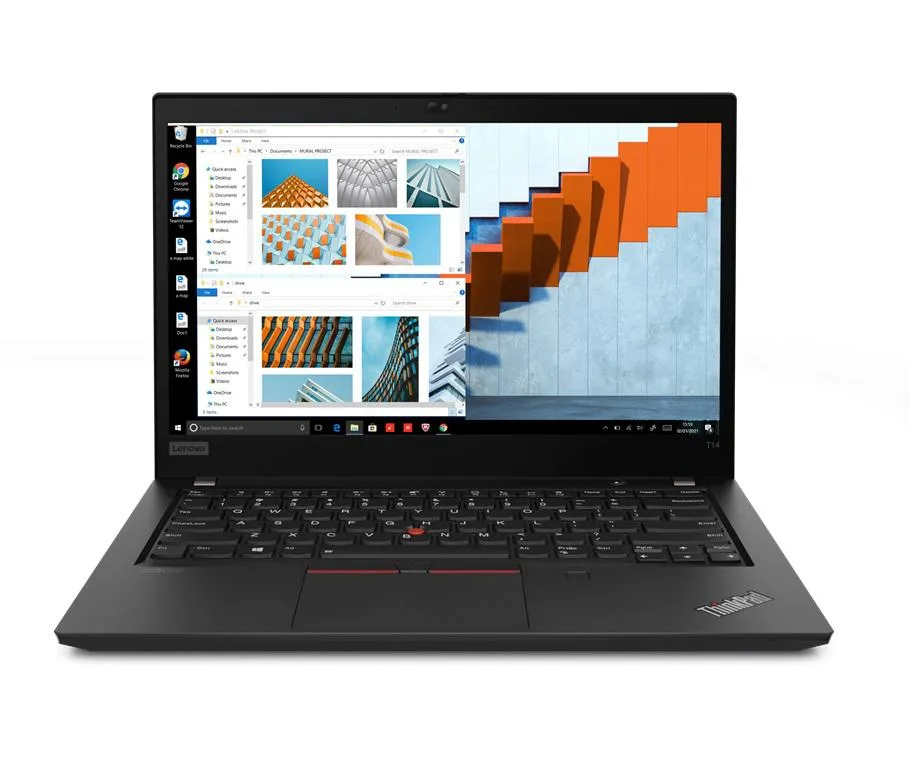
Lenovo Thinkpad T14 Gen 2 laptop i5-1135G7 32GB 256GB 14.0" FHD Win 10 Pro
A business laptop with an 11th Gen Intel Core i5-1135G7 processor, 32GB DDR4 memory, 256GB PCIe SSD storage, and a 14.0" Full HD IPS display running Windows 10 Pro
- Memory32GB
- Memory SpeedDDR4
- TypeWork / Business
- Resolution1920 x 1080
- Screen Size14.0"
- Display TypeFull HD
Options 32GB/256GB
- 32GB/256GB
- 8GB/500GB
- 8GB/4TB
- 8GB/2TB
- 8GB/256GB
- 8GB/1TB
- 48GB/500GB
- 48GB/4TB
- 48GB/2TB
- 48GB/256GB
- 48GB/1TB
- 40GB/500GB
Zobrazit dalších 18 konfigurací
- 11th Gen Intel Core i5-1135G7 up to 4.2 GHz for responsive business performance
- 32GB DDR4 memory enables smooth multitasking across demanding workloads
- 256GB PCIe SSD provides fast boot and application load times
- 0" Full HD IPS display delivers clear 1920 x 1080 visuals
- Wi-Fi 6, Bluetooth 5.2 and Ethernet LAN ensure reliable wired and wireless connectivity
ThinkPad T14 Gen 2 Business Laptop
The Lenovo ThinkPad T14 Gen 2 is a 14.0-inch business laptop powered by an 11th Gen Intel Core i5-1135G7 processor with four cores and up to 4.2 GHz boost. It comes equipped with 32GB of DDR4 memory and a 256GB PCIe SSD running Windows 10 Pro. The Full HD IPS display delivers a 1920 x 1080 resolution in a 16:9 aspect ratio.
Suits mobile professionals needing integrated
This configuration suits professionals who need a lightweight 3.23 lb chassis with Thunderbolt 4 ports, HDMI, RJ-45 Ethernet, Wi-Fi 6 and Bluetooth 5.2 for docked or remote work. Buyers who require a dedicated GPU for heavy 3D rendering, discrete graphics memory, or a touchscreen display should consider other models. The 720p webcam supports standard video conferencing.
32GB DDR4 memory soldered configuration
The single specification that decides fit is the 32GB DDR4 capacity, which is soldered and not upgradeable. Verify that this memory amount meets your workload requirements before purchase, as no SO-DIMM slots are available for future expansion. The 256GB PCIe SSD provides the primary storage volume.
Přednosti
- 11th Gen Intel Core i5-1135G7 up to 4.2 GHz for responsive business performance
- 32GB DDR4 memory enables smooth multitasking across demanding workloads
- 256GB PCIe SSD provides fast boot and application load times
- 0" Full HD IPS display delivers clear 1920 x 1080 visuals
- Wi-Fi 6, Bluetooth 5.2 and Ethernet LAN ensure reliable wired and wireless connectivity
Specifikace
| Memory | 32GB |
|---|---|
| Memory Speed | DDR4 |
| Type | Work / Business |
| Resolution | 1920 x 1080 |
| Screen Size | 14.0" |
| Display Type | Full HD |
| Touchscreen | No |
| SSD | 256 GB |
| HDD | No |
| Storage Spec | 256GB PCIe SSD |
| Brand | Lenovo |
| Series | Thinkpad T14 Gen 2 |
| Part Number | T14 |
| Model | Thinkpad |
| Color | Black |
| GPU/VPU | Intel Iris Xe Graphics |
| Operating System | Windows 10 Pro |
| WiFi Generation | Wi-Fi 6 |
| LAN | 10/100/1000Mbps |
| WLAN | Wi-Fi 6 |
| Bluetooth | Bluetooth 5.2 |
| CPU Type | Intel Core i5 11th Gen |
| Optical Drive Type | No |
| Webcam | Yes |
| Touchpad | ThinkPad UltraNav |
| Keyboard | Standard |
| Card Reader | Micro SD |
| Battery | Lithium Polymer |
| USB | 2 x USB 3.2 Gen 1 |
| Thunderbolt | 2 x Thunderbolt 4 |
| Video Port | 1 x HDMI |
| Ethernet | 1 x RJ-45 |
| Audio Ports | 1 x Headphone/Microphone Combo Jack |
| Audio | Integrated Sound card |
| Speaker | Integrated Stereo Speakers |
Další verze tohoto modelu
Dalších 5 v této řadě
Stejná řada, jiná paměť, chladič nebo takt — porovnejte, než se rozhodnete.


Lenovo
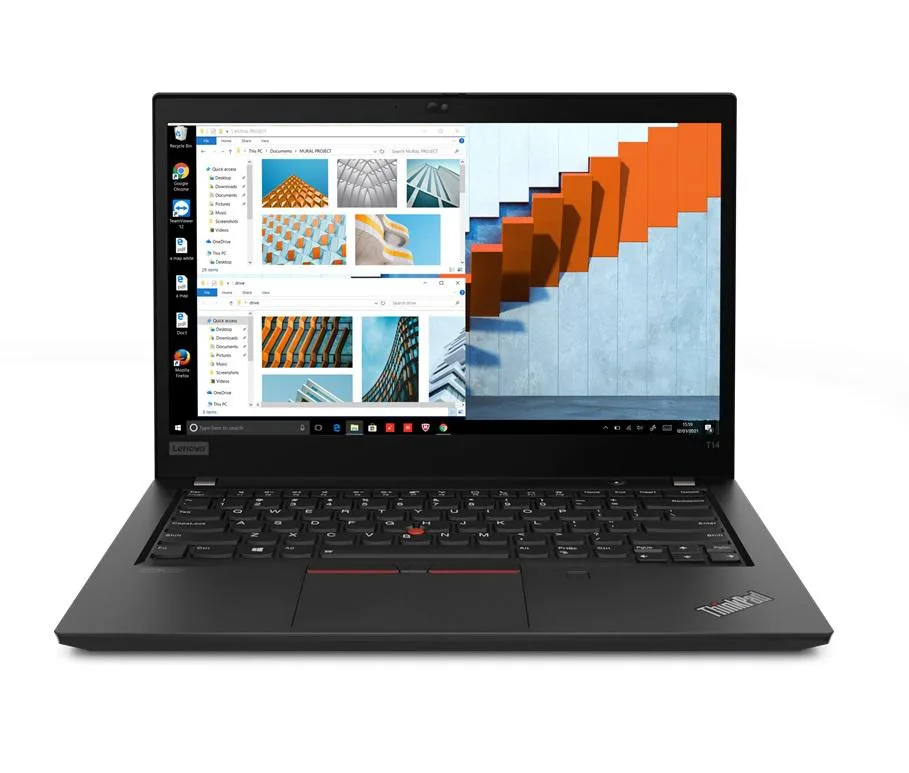
Lenovo Thinkpad T14 Gen 2 i5-1135G7 16GB 2TB 14.0" FHD laptop
- 16GB
- DDR4
857,99 US$
0.01109632BTC
Skladem
Lenovo
Lenovo ThinkPad T14 Gen 2 i5-1135G7 24GB 256GB 14.0" FHD Ubuntu
- 24GB
- DDR4
858,99 US$
0.01110926BTC
Skladem
Lenovo
Lenovo ThinkPad T14 Gen 2 i5-1135G7 24GB 256GB 14.0" FHD Windows 11 Pro
- 24GB
- DDR4
862,99 US$
0.01116099BTC
Skladem
Lenovo
Lenovo Thinkpad T14 Gen 2 laptop i5-1135G7 24GB 256GB 14.0" FHD Linux Mint 20
- 24GB
- DDR4
864,99 US$
0.01118685BTC
SklademOtázky k tomuto produktu
Does the 14.0 inch chassis have a standard VESA mount pattern for desk arms?
The laptop measures 12.9 by 8.9 by 0.70 inches and weighs 3.23 lb; it has no VESA holes and is designed for flat or stand use only.
What is the correct order to seat the 65 W Thunderbolt 4 charger so the 50 WHr battery charges?
Plug the USB-C connector into either Thunderbolt 4 port first, then connect the AC cord to the wall outlet; reversing the order can delay power negotiation.
Which user-replaceable part will need attention after the 50 WHr battery loses capacity?
The integrated Li-Polymer 50 WHr battery is not user-replaceable; service requires a Lenovo authorised technician.
Také v této kategorii
Zákazníci také porovnávali
Stejná kategorie, stejná pokladna — osm měn a kurz zamčený na 30 minut.


Microsoft
Microsoft Surface 3 1657 128GB CRB 2-in-1 laptop
- Silver
- Windows 10 Pro
244,99 US$
0.00316844BTC
Skladem
Microsoft
Microsoft Surface Pro FGG-2D-00001-RFB 2-in-1 laptop 16 GB 512 GB 12.0" touchscreen 2736 x 1824 refurbished
- 12.0"
- Touch Screen
687,99 US$
0.00889773BTC
Skladem
Lenovo
Lenovo Chromebook 500e Gen 5 M89 83TA0004US 12.2" MediaTek 8GB 64GB
- 12.2"
392,99 US$420,99 US$−7%
0.00508251BTC
Skladem