

NEMIX RAM
NEMIX RAM DDR5-5600 2TB (16x128GB) ECC RDIMM CL46 1.1V Supermicro H14SST-G memory upgrade
- 2TB (16 x 128GB)
- 288-Pin DDR5 RDIMM
62.908,99 US$
0.7866377BTC
På lagerVi tager imod kryptovaluta — så den krypto, du ejer, kan købe rigtig hardware.Betal med krypto, brug det på rigtig hardware. Gratis, forsikret levering til hele verden ved køb over 399 $. Neutrale, umærkede papkasser, sendt fra Tyskland.Gratis, forsikret levering over 399 $. Din kurs låses i 30 minutter, så snart kassen åbner.Kurs låst i 30 minutter. Hver vare er forseglet, har kontrolleret serienummer og er dækket af 24 måneders garanti.Forseglet, 24 måneders garanti.
Simmtec, Inc
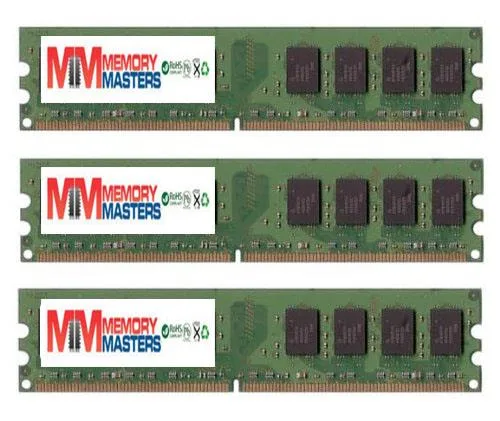
A 6 GB DDR2 kit of three 2 GB DIMMs running at 667 MHz and rated PC2 5400 or PC2 5300 for the Biostar TF8200 A2+ motherboard
This 6GB kit contains three 2GB DDR2 DIMMs built to run at 667MHz on the PC2 5400 and PC2 5300 standards. The 240-pin modules are verified for 100 percent compatibility with the Biostar TForce TF8200 A2+ motherboard. It suits owners of that specific board who need to populate three slots with matching capacity.
DDR2 memory operates without active cooling and produces no audible noise during typical desktop workloads. Power consumption stays low because the modules draw only the current required for standard JEDEC voltage operation. Heat output is minimal and handled passively by the motherboard airflow. Builders seeking RGB lighting or high-frequency overclocking headroom should look elsewhere.
| Capacity | 6GB (3 x 2GB) |
|---|
Align each module's notch with the slot key, press straight down until both side clips click, then verify the 667 MHz speed is detected in BIOS — the step most people miss is seating all three sticks before powering on.
DDR2 memory has no moving parts; keep the slots dust‑free with compressed air and reseat the modules if the system fails to POST — no scheduled replacement is required.
Også på denne hylde
Samme hylde, samme kasse — otte mønter og 30 minutters kurslås.
Det du betaler med, og det du ser priserne i.
Sendes fra din tegnebog i kassen
Kun til visning — kataloget er prissat i USD
Ingen valuta matcher det.
Vælg det sprog, siden taler til dig på.
Ny her?
Har du allerede en?
Der findes ingen automatisk nulstilling: denne butik sender ingen e-mails, så der er intet engangslink at bede om. Efterlad adressen på kontoen, så bliver den behandlet manuelt.
Anmodning registreret
Der er intet på vej til din indbakke — denne butik sender slet ingen e-mails. Nogen behandler dem manuelt.
Kom du i tanke om den?


