DELL
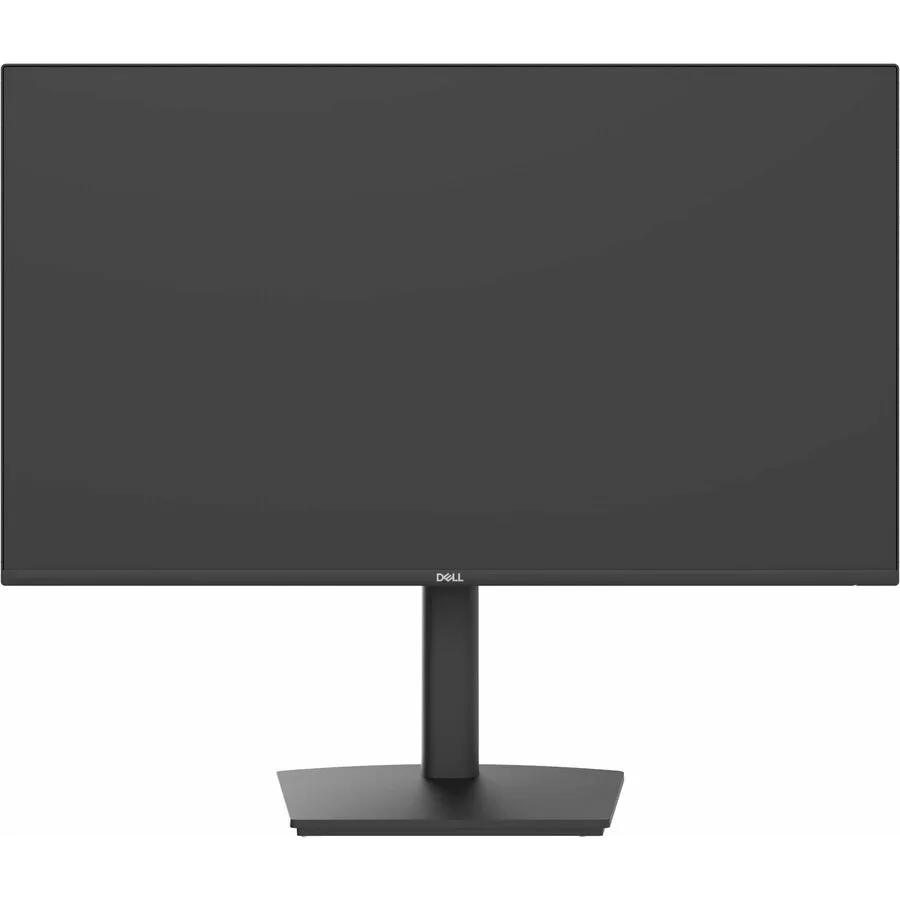
DELL DELL-P2426HE monitor 24" 100Hz USB-C 90W PD
A 24 inch Full HD IPS monitor with 100 Hz refresh rate, USB-C docking and 90 W power delivery for a single-cable workspace
- Cabinet ColorBlack
- Screen Size24 inch
- Glare ScreenAnti-Glare
- LED BacklightYes
- OLEDNo
- WidescreenYes
- Sharp 1920 x 1080 Full HD detail on a 24 inch IPS panel
- Single USB-C cable carries video, data and up to 90W power delivery
- Built-in Gigabit Ethernet port provides a stable wired network link through the dock
- 100Hz refresh rate makes scrolling and motion smoother during the workday
- Height, pivot, swivel and tilt adjustments let you set the screen for comfort
24 inch Full HD IPS monitor
The Dell Pro P2426HE is a 24 inch IPS panel with a 1920 x 1080 resolution and a 100 Hz refresh rate. It includes a USB-C docking solution that delivers up to 90W power delivery alongside Gigabit Ethernet and a built-in USB hub. The anti-glare screen offers 300 nit brightness and a 1500:1 contrast ratio. Wide 178/178 viewing angles and 16.7 million colours support general business and productivity tasks.
Ergonomic stand for office users
This monitor suits professionals who want a single-cable docking setup for a compatible laptop and value flexible positioning. The fully adjustable stand provides height, pivot, swivel and tilt movement to match different desk layouts. Buyers needing higher pixel density for detailed design work or faster response times for competitive gaming should look at alternative models. The 16:9 aspect ratio and 5 ms response time define the core visual experience.
Standard VESA mount and cable routing
Installation is straightforward thanks to VESA compatibility and a stand that assembles without tools. The USB-C connection handles video, data, network and charging simultaneously, reducing cable count on the desk. Some users find the on-screen display menu navigation less intuitive at first. Ensuring the connected laptop supports the required USB-C alternate mode and power profile avoids the most common setup issues.
Besonderheiten
- Sharp 1920 x 1080 Full HD detail on a 24 inch IPS panel
- Single USB-C cable carries video, data and up to 90W power delivery
- Built-in Gigabit Ethernet port provides a stable wired network link through the dock
- 100Hz refresh rate makes scrolling and motion smoother during the workday
- Height, pivot, swivel and tilt adjustments let you set the screen for comfort
Technische Daten
| Brand | Dell |
|---|---|
| Series | Pro P |
| Model | P2426HE |
| Part Number | DELL-P2426HE |
| Cabinet Color | Black |
| Screen Size | 24 inch |
| Glare Screen | Anti-Glare |
| LED Backlight | Yes |
| OLED | No |
| Widescreen | Yes |
| Maximum Resolution | 1920 x 1080 |
| Resolution | 1920 x 1080 |
| 3D Ready | No |
| Refresh Rate | 100 Hz |
| Viewing Angle | 178/178 |
| Display Colors | 16.7 Million Colors |
| Brightness | 300 Nit |
| Contrast Ratio | 1500:1 |
| Aspect Ratio | 16:9 |
| Response Time | 5 ms |
| Horizontal Refresh Rate | 100 Hz |
| Vertical Refresh Rate | 100 Hz |
| Versandgewicht | 6.80 kg |
| Paketgröße | 592 × 409 × 173 mm |
Fragen zu diesem Artikel
What laptop port is needed to use the 90W power delivery and video over the single USB-C cable?
A laptop USB-C port that supports DisplayPort Alt Mode and USB Power Delivery 90W is required to drive the 1920 x 1080 100Hz signal and charge the notebook simultaneously.
Will a desktop PC with only HDMI and DisplayPort outputs still get the 100Hz refresh rate on this 24" panel?
Yes, the HDMI and DisplayPort inputs each support the full 1920 x 1080 resolution at 100Hz, so older desktops without USB-C can still use the higher refresh rate.
How can I confirm the monitor is running at the advertised 100Hz after connecting it?
Open the on-screen display menu, select Information, and verify the current timing reads 1920 x 1080 at 100Hz; Windows Advanced Display Settings will show the same refresh value.
Ebenfalls in dieser Kategorie
Kunden haben diese ebenfalls verglichen
Gleiche Abteilung, gleiche Kasse — acht Kryptowährungen und ein für 30 Minuten fixierter Kurs.