

SanDisk
SanDisk Cruzer Blade 8 GB USB 2.0 USB flash drive Black SDCZ50-008G-B35
391,99 $
0.00502609BTC
Auf LagerWir akzeptieren Kryptowährungen — so können die Coins, die Sie besitzen, echte Hardware kaufen.Zahlen Sie mit Krypto, geben Sie sie für echte Hardware aus. Weltweit kostenloser versicherter Versand ab 399 $. Neutrale Kartons ohne Markenaufdruck, versendet aus Deutschland.Kostenloser versicherter Versand ab 399 $. Ihr Kurs wird 30 Minuten lang gesperrt, sobald die Kasse geöffnet wird.Kurs 30 Minuten gesperrt. Jeder Artikel ist versiegelt, die Seriennummer wird geprüft, und es gilt eine Garantie von 24 Monaten.Versiegelt, 24 Monate Garantie.


LORDWORLD
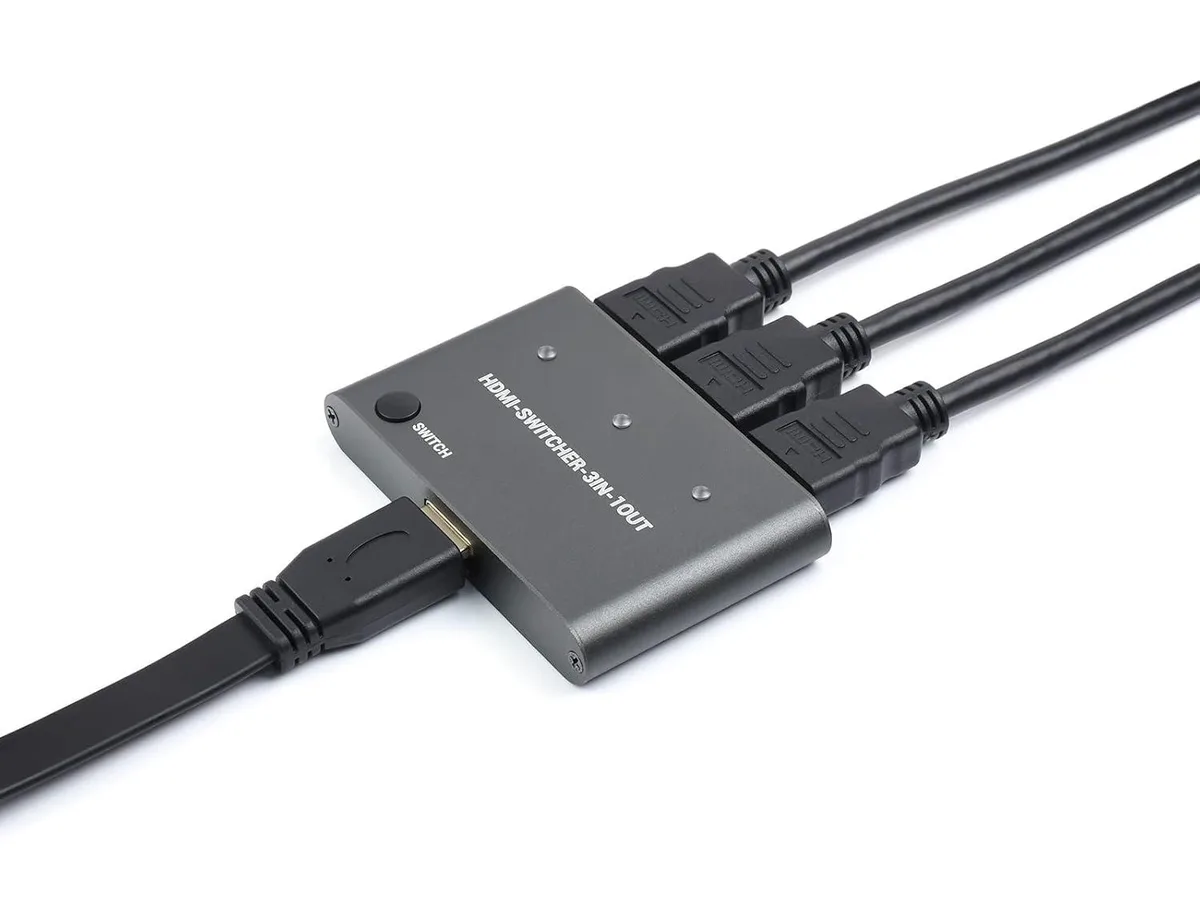
Three-input HDMI switcher routes 4K at 30 Hz or 60 Hz YCbCr 4:2:0 from Raspberry Pi, PC or smartphone to one display with one-button switching
The LORDWORLD HDMI switcher accepts three HDMI sources and routes one to a single display with a button press. It is built for makers and engineers who need to share a monitor between a Raspberry Pi, a PC and a smartphone during prototyping. The board handles 4K at 30 Hz and 4K YCbCr 4:2:0 at 60 Hz for clear test output.
The switcher operates from the HDMI signal itself so no separate supply is needed on the workbench. It supports HDMI 1.4b and DVI 1.0 inputs, letting you connect mixed legacy and current devices directly. The built-in equalisation compensates for different cable lengths up to the rated 3 Gbps bandwidth.
A tactile switch on the board cycles through the three inputs instantly without software configuration. The automatic input/output adjustment lets you swap cables of varying quality while maintaining a stable link. No driver installation is required on the host devices.
| Brand | LORDWORLD |
|---|
The board provides three HDMI inputs that share one output, so you can connect up to three source devices at once.
The unit has no fan and draws minimal power, so it stays cool and silent during all-day operation.
You need standard HDMI cables for each source and a compatible HDMI display; the board itself requires no extra adapters for Pi, PC or smartphone connections.
Ebenfalls in dieser Kategorie
Gleiche Abteilung, gleiche Kasse — acht Kryptowährungen und ein für 30 Minuten fixierter Kurs.
Womit Sie bezahlen und in welcher Währung Sie die Preise sehen.
Wird von Ihrem Wallet an der Kasse gesendet
Nur zur Anzeige — der Katalog ist in US-Dollar ausgezeichnet
Keine passende Währung gefunden.
Wählen Sie die Sprache, in der die Seite mit Ihnen spricht.
Keine passende Sprache gefunden.
Neu hier?
Haben Sie bereits eins?
Es gibt keine automatische Zurücksetzung: Dieser Shop versendet keine E-Mails, daher gibt es auch keinen Einmal-Link, den Sie anfordern könnten. Lassen Sie die im Konto hinterlegte Adresse stehen, sie wird von Hand bearbeitet.
Anfrage vermerkt
Es ist nichts auf dem Weg in Ihr Postfach — dieser Shop versendet grundsätzlich keine E-Mails. Jemand bearbeitet diese Anfragen von Hand.
Wieder eingefallen?



