

SanDisk
SanDisk Cruzer Blade 8 GB USB 2.0 USB flash drive Black SDCZ50-008G-B35
391,99 $
0.00501587BTC
Auf LagerWir akzeptieren Kryptowährungen — so können die Coins, die Sie besitzen, echte Hardware kaufen.Zahlen Sie mit Krypto, geben Sie sie für echte Hardware aus. Weltweit kostenloser versicherter Versand ab 399 $. Neutrale Kartons ohne Markenaufdruck, versendet aus Deutschland.Kostenloser versicherter Versand ab 399 $. Ihr Kurs wird 30 Minuten lang gesperrt, sobald die Kasse geöffnet wird.Kurs 30 Minuten gesperrt. Jeder Artikel ist versiegelt, die Seriennummer wird geprüft, und es gilt eine Garantie von 24 Monaten.Versiegelt, 24 Monate Garantie.


MCDODO
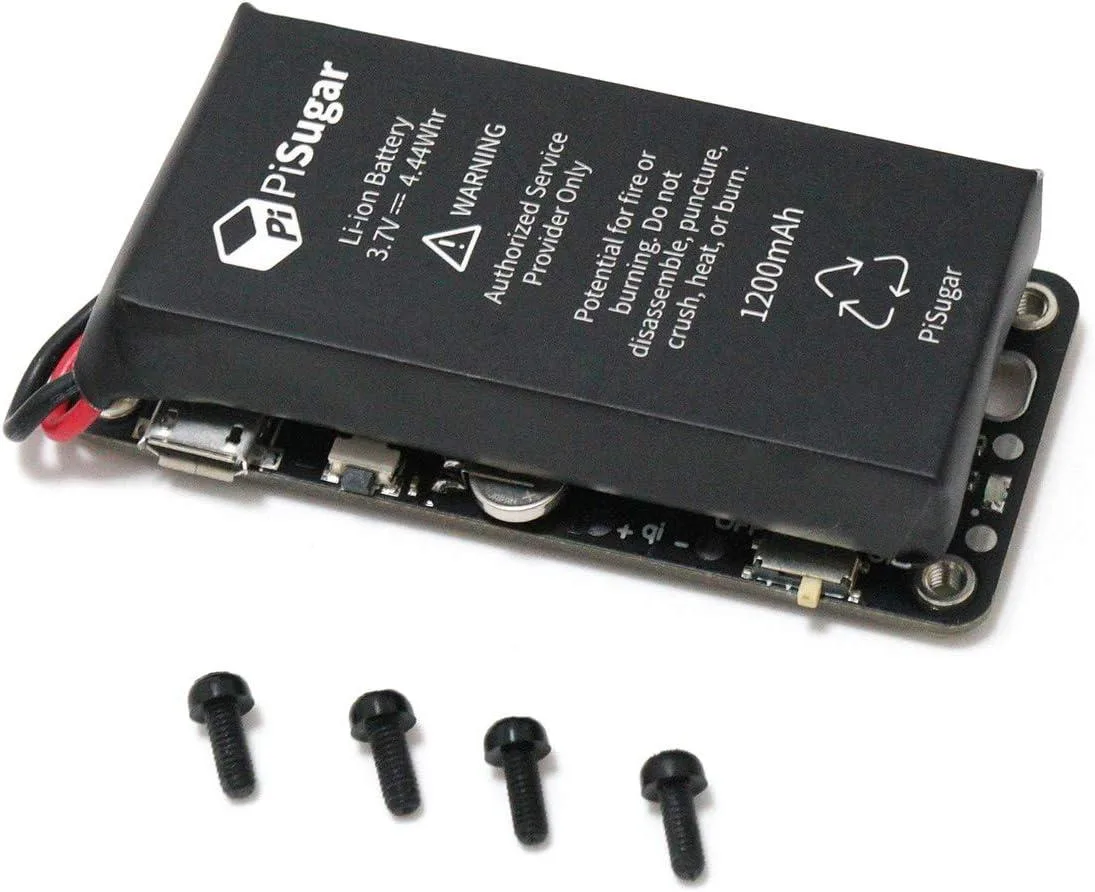
Adds battery power, real-time clock and button controls to a Raspberry Pi Zero W/WH with a solder-free 10-second install
The MCDODO PiSugar2 is a compact add-on board designed for the Raspberry Pi Zero W and WH, turning the single-board computer into a handheld wireless auditing platform. It targets makers, security researchers and hobbyists who want a portable, battery-powered device for on-the-go packet capture and analysis without soldering.
Installation takes roughly 10 seconds using a small test-pad connection that leaves every GPIO pin free for other hats or sensors. The board matches the standard Pi Zero footprint so it fits existing open-source 3D-printed cases, and it works whether or not GPIO headers are already fitted to the Raspberry Pi.
A built-in real-time clock supplies accurate system time and enables timed startup, while a customer-configurable button accepts independent short, double and long-press actions via shell commands. A visual management interface lets you monitor battery status and adjust advanced settings without editing configuration files manually.
| Type | Single Board Computers |
|---|
It connects through a small test pad for power, leaving all GPIO pins free and requiring no soldering.
It matches the standard Raspberry Pi Zero footprint so it fits open-source 3D-printed cases.
Align the board with the Pi Zero and press firmly for about 10 seconds until the test pad seats securely.
Ebenfalls in dieser Kategorie
Gleiche Abteilung, gleiche Kasse — acht Kryptowährungen und ein für 30 Minuten fixierter Kurs.
Womit Sie bezahlen und in welcher Währung Sie die Preise sehen.
Wird von Ihrem Wallet an der Kasse gesendet
Nur zur Anzeige — der Katalog ist in US-Dollar ausgezeichnet
Keine passende Währung gefunden.
Wählen Sie die Sprache, in der die Seite mit Ihnen spricht.
Keine passende Sprache gefunden.
Neu hier?
Haben Sie bereits eins?
Es gibt keine automatische Zurücksetzung: Dieser Shop versendet keine E-Mails, daher gibt es auch keinen Einmal-Link, den Sie anfordern könnten. Lassen Sie die im Konto hinterlegte Adresse stehen, sie wird von Hand bearbeitet.
Anfrage vermerkt
Es ist nichts auf dem Weg in Ihr Postfach — dieser Shop versendet grundsätzlich keine E-Mails. Jemand bearbeitet diese Anfragen von Hand.
Wieder eingefallen?



