


usbroway
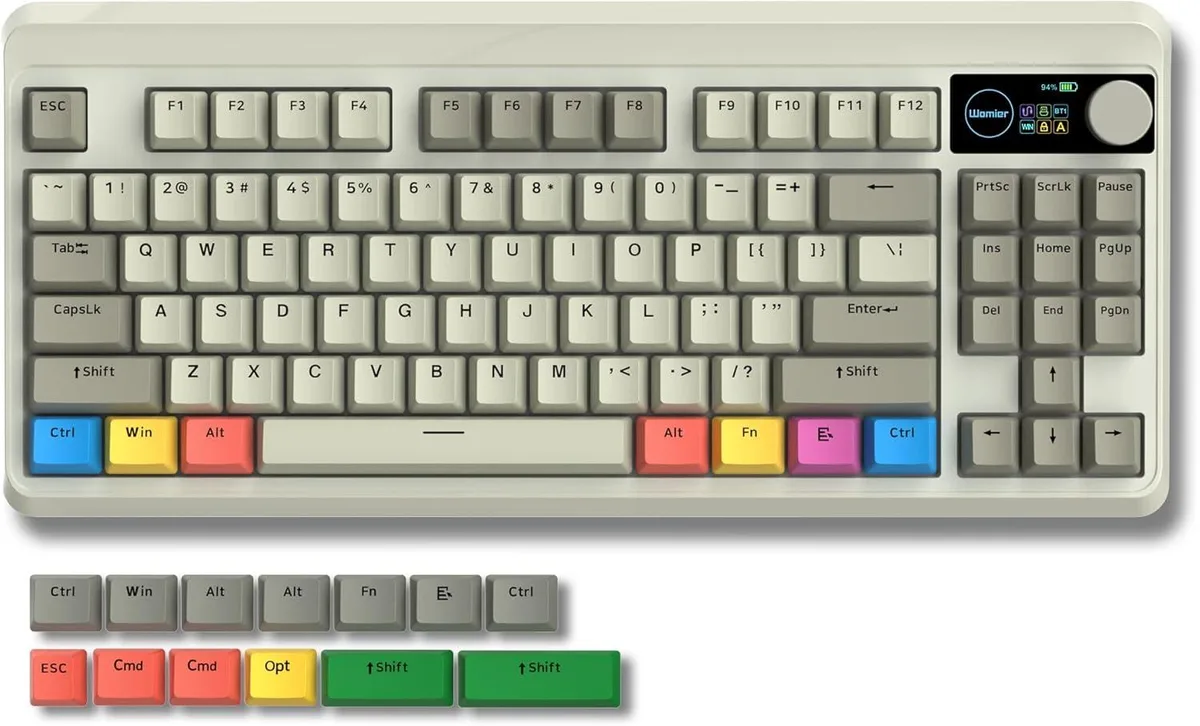
usbroway 75% gaming keyboard with OLED knob, Bluetooth 5.1, 2.4 GHz wireless, grey
A compact 75 % mechanical keyboard with a smart OLED display, rotary knob, hot-swappable switches, triple-layer silencing and Bluetooth 5.1 plus 2.4 GHz wireless modes
- Layout75%
- Smart OLED display shows status and custom GIFs at a glance
- Mechanical knob gives instant control over volume, lighting and connection
- Bluetooth 5.1 and 2.4 GHz wireless plus USB-C wired for flexible setups
- Hot-swappable PCB accepts almost any 3-pin or 5-pin switch without soldering
- Triple-layer sound dampening with EVA, IXPE and case foam for quieter typing
Compact 75% layout for desk space
The 75% layout keeps function and arrow keys while freeing room for mouse movement. Hot-swappable sockets accept most three-pin and five-pin switches so users can tailor feel without soldering. The grey finish suits minimalist setups. It targets gamers and typists who want a smaller board with full wireless flexibility.
Triple-layer silencing for quieter typing
EVA foam, an IXPE switch pad and case sponge combine with extra space-bar foam to dampen resonance and sharpen key return. The construction lowers clack without adding bulk. Wired USB-C, Bluetooth 5.1 and 2.4 GHz modes all draw power from the internal battery, which the OLED reports in real time.
OLED knob consolidates on-the-fly control
The colour display shows connection mode, caps lock, OS profile and battery level plus custom GIFs. The rotary knob adjusts volume, RGB brightness, lighting effects and language switching without software layers. Hot-swap freedom lets enthusiasts experiment, but buyers needing dedicated macro keys or a numpad should look elsewhere.
Besonderheiten
- Smart OLED display shows status and custom GIFs at a glance
- Mechanical knob gives instant control over volume, lighting and connection
- Bluetooth 5.1 and 2.4 GHz wireless plus USB-C wired for flexible setups
- Hot-swappable PCB accepts almost any 3-pin or 5-pin switch without soldering
- Triple-layer sound dampening with EVA, IXPE and case foam for quieter typing
Technische Daten
| Layout | 75% |
|---|
Fragen zu diesem Artikel
How do I pair the keyboard with Bluetooth 5.1 on a new device?
Hold the designated Bluetooth key combination until the OLED display shows pairing mode, then select the keyboard from your device's Bluetooth menu; the knob can also cycle connection modes if configured.
Which parts of the silencing stack might compress or degrade after heavy daily use?
The EVA sound-absorbing foam, IXPE switch pad, sponge case foam and the dedicated space-bar silencer foam can gradually lose rebound, altering the typing feel and sound profile over time.
At what point does the 2.4 GHz wireless link become unstable during long sessions?
Sustained 2.4 GHz use in crowded RF environments can introduce latency spikes or drop-outs before the wired USB-C connection shows any degradation.
Ebenfalls in dieser Kategorie
Kunden haben diese ebenfalls verglichen
Gleiche Abteilung, gleiche Kasse — acht Kryptowährungen und ein für 30 Minuten fixierter Kurs.



Cherry
Cherry MX 3.1 Mechanical Wired Gaming Keyboard White MX2A Silent Red
- Red Switch
- White
116,99 $
0.00145784BTC
Auf Lager