

BFKK
BFKK 3U Rackmount Server Chassis EATX/ATX/MATX 4x5.25 6x3.5 Top/Side Cooling
- Rackmount
214,99 $
0.00277185BTC
ΔιαθέσιμοΔεχόμαστε κρυπτονομίσματα — έτσι ώστε αυτά που κατέχετε να μπορούν να αγοράσουν πραγματικό εξοπλισμό.Πληρώστε σε κρυπτονομίσματα, ξοδέψτε τα σε πραγματικό εξοπλισμό. Δωρεάν ασφαλισμένη αποστολή παγκοσμίως άνω των 399 $. Ουδέτερες κούτες αποστολής, χωρίς σήμανση, από τη Γερμανία.Δωρεάν ασφαλισμένη αποστολή άνω των 399 $. Η ισοτιμία σας κλειδώνει για 30 λεπτά μόλις ανοίξει το ταμείο.Κλείδωμα ισοτιμίας 30 λεπτών. Κάθε προϊόν είναι σφραγισμένο, ελεγμένο ως προς τον σειριακό αριθμό του, και καλύπτεται από εγγύηση 24 μηνών.Σφραγισμένο, με εγγύηση 24 μηνών.
KHACHIMO
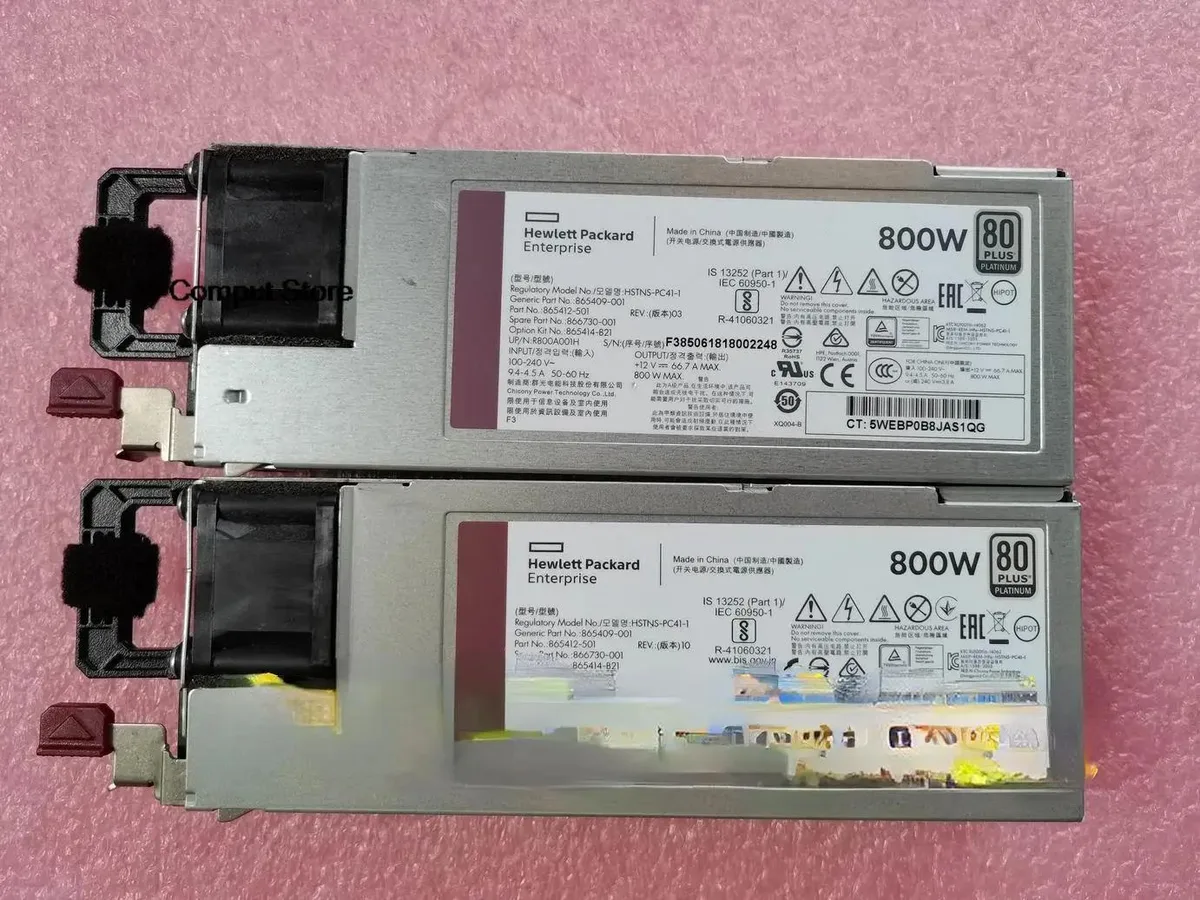
800 W ATX power supply tested working for HPE part numbers HSTNS-PC41-1, 865414-B21, 865409-001 and 866730-001
The KHACHIMO G10 delivers 800 watts of ATX power for desktop builds and workstation replacements. It suits system integrators and technicians who need a tested unit for compatible HP chassis using the listed part numbers. This new supply is verified working before dispatch. Buyers requiring modular cables or higher efficiency ratings should look elsewhere.
The unit operates at its rated 800 W capacity under normal load conditions. Cooling performance and acoustic output match standard ATX expectations for this class. No specific fan curves or decibel figures are provided by the supplier. Power draw scales with connected hardware up to the maximum rated output.
| Type | ATX |
|---|
Mount the unit with the four rear screws, orient the fan toward the case vent, then firmly seat the 24-pin ATX connector into the motherboard socket until the latch clicks.
Use compressed air to clear dust from the fan grill and internal heatsinks once a year; if the fan becomes noisy or stops spinning, replace the entire power supply unit.
Επίσης σε αυτό το ράφι
Ίδιο ράφι, ίδιο ταμείο — οκτώ νομίσματα και κλείδωμα ισοτιμίας 30 λεπτών.
Το νόμισμα στο οποίο πληρώνετε, και αυτό στο οποίο βλέπετε τις τιμές.
Αποστέλλεται από το πορτοφόλι σας στο ταμείο
Μόνο για προβολή — ο κατάλογος αναγράφεται σε δολάρια
Κανένα νόμισμα δεν αντιστοιχεί.
Επιλέξτε τη γλώσσα στην οποία σας μιλάει ο ιστότοπος.
Καμία γλώσσα δεν ταιριάζει.
Πρώτη επίσκεψη;
Έχετε ήδη λογαριασμό;
Δεν υπάρχει αυτόματη επαναφορά κωδικού: αυτό το κατάστημα δεν στέλνει e-mail, άρα δεν υπάρχει σύνδεσμος μίας χρήσης να ζητήσετε. Αφήστε τη διεύθυνση στον λογαριασμό σας και κάποιος θα την επεξεργαστεί με το χέρι.
Το αίτημα καταχωρίστηκε
Δεν θα λάβετε τίποτα στα εισερχόμενά σας — το κατάστημα δεν στέλνει κανένα e-mail. Κάποιος το διαχειρίζεται με το χέρι.
Τον θυμηθήκατε;



