

NEMIX RAM
NEMIX RAM DDR5-5600 2TB (16x128GB) ECC RDIMM CL46 1.1V Supermicro H14SST-G memory upgrade
- 2TB (16 x 128GB)
- 288-Pin DDR5 RDIMM
62 908,99 US$
0.77892365BTC
Em stockAceitamos criptomoeda — para que as moedas que detém possam comprar material informático real.Pague em cripto, gaste-a em material informático real. Envio seguro gratuito para todo o mundo acima de 399 $. Caixas neutras, sem marca, expedidas a partir da Alemanha.Envio seguro gratuito acima de 399 $. A sua taxa fica bloqueada durante 30 minutos assim que abre a finalização da compra.Taxa bloqueada 30 minutos. Cada artigo é selado, o seu número de série é verificado, e está coberto por uma garantia de 24 meses.Selado, garantido 24 meses.
KHACHIMO
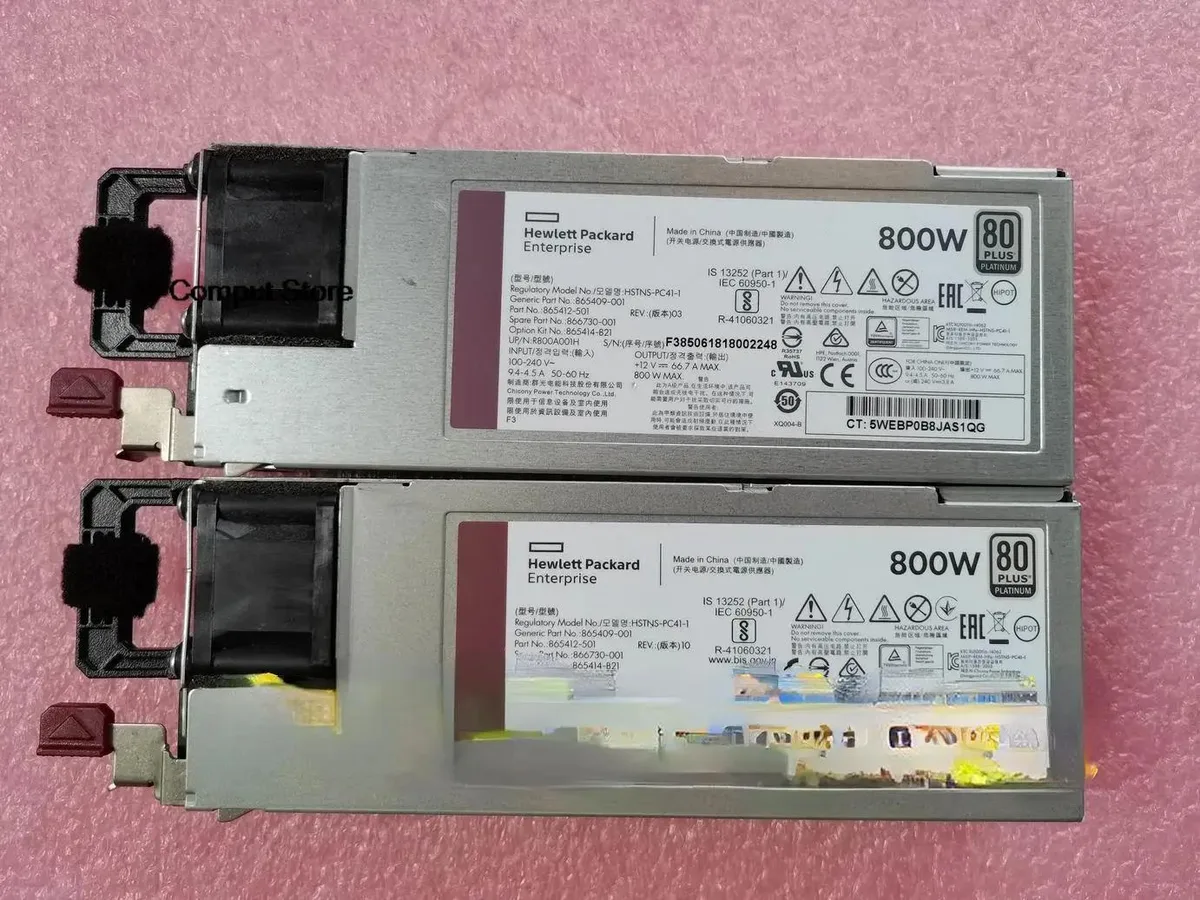
800 W ATX power supply tested working for HPE part numbers HSTNS-PC41-1, 865414-B21, 865409-001 and 866730-001
The KHACHIMO G10 delivers 800 watts of ATX power for desktop builds and workstation replacements. It suits system integrators and technicians who need a tested unit for compatible HP chassis using the listed part numbers. This new supply is verified working before dispatch. Buyers requiring modular cables or higher efficiency ratings should look elsewhere.
The unit operates at its rated 800 W capacity under normal load conditions. Cooling performance and acoustic output match standard ATX expectations for this class. No specific fan curves or decibel figures are provided by the supplier. Power draw scales with connected hardware up to the maximum rated output.
| Type | ATX |
|---|
Mount the unit with the four rear screws, orient the fan toward the case vent, then firmly seat the 24-pin ATX connector into the motherboard socket until the latch clicks.
Use compressed air to clear dust from the fan grill and internal heatsinks once a year; if the fan becomes noisy or stops spinning, replace the entire power supply unit.
Também nesta secção
Mesma prateleira, mesma finalização da compra — oito moedas e uma taxa bloqueada durante 30 minutos.
O que paga, e a moeda em que vê os preços.
Enviado da sua carteira ao finalizar a compra
Apenas informativo — o catálogo está em dólares
Nenhuma moeda corresponde.
Escolha o idioma em que o site lhe fala.
Ainda não tem conta?
Já tem conta?
Não existe reposição automática: esta loja não envia qualquer e-mail, pelo que não há nenhum link de utilização única para pedir. Deixe o endereço na conta e ele será tratado manualmente.
Pedido registado
Não vai chegar nada à sua caixa de entrada — esta loja não envia qualquer e-mail. Alguém trata disto manualmente.
Recordou-se dela?


