

NEMIX RAM
NEMIX RAM DDR5-5600 2TB (16x128GB) ECC RDIMM CL46 1.1V Supermicro H14SST-G memory upgrade
- 2TB (16 x 128GB)
- 288-Pin DDR5 RDIMM
62.908,99 $
0.78363923BTC
Auf LagerWir akzeptieren Kryptowährungen — so können die Coins, die Sie besitzen, echte Hardware kaufen.Zahlen Sie mit Krypto, geben Sie sie für echte Hardware aus. Weltweit kostenloser versicherter Versand ab 399 $. Neutrale Kartons ohne Markenaufdruck, versendet aus Deutschland.Kostenloser versicherter Versand ab 399 $. Ihr Kurs wird 30 Minuten lang gesperrt, sobald die Kasse geöffnet wird.Kurs 30 Minuten gesperrt. Jeder Artikel ist versiegelt, die Seriennummer wird geprüft, und es gilt eine Garantie von 24 Monaten.Versiegelt, 24 Monate Garantie.
KHACHIMO
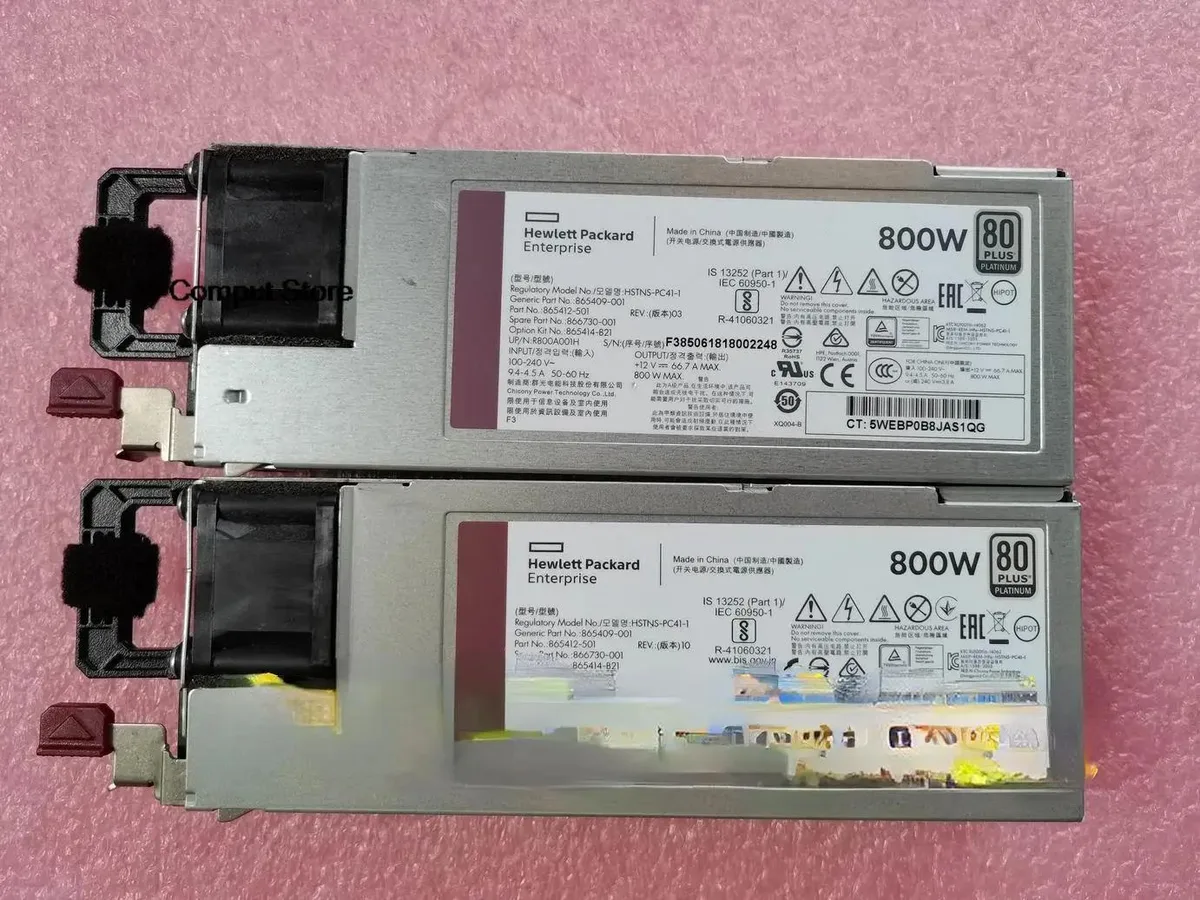
800 W ATX power supply tested working for HPE part numbers HSTNS-PC41-1, 865414-B21, 865409-001 and 866730-001
The KHACHIMO G10 delivers 800 watts of ATX power for desktop builds and workstation replacements. It suits system integrators and technicians who need a tested unit for compatible HP chassis using the listed part numbers. This new supply is verified working before dispatch. Buyers requiring modular cables or higher efficiency ratings should look elsewhere.
The unit operates at its rated 800 W capacity under normal load conditions. Cooling performance and acoustic output match standard ATX expectations for this class. No specific fan curves or decibel figures are provided by the supplier. Power draw scales with connected hardware up to the maximum rated output.
| Type | ATX |
|---|
Mount the unit with the four rear screws, orient the fan toward the case vent, then firmly seat the 24-pin ATX connector into the motherboard socket until the latch clicks.
Use compressed air to clear dust from the fan grill and internal heatsinks once a year; if the fan becomes noisy or stops spinning, replace the entire power supply unit.
Ebenfalls in dieser Kategorie
Gleiche Abteilung, gleiche Kasse — acht Kryptowährungen und ein für 30 Minuten fixierter Kurs.
Womit Sie bezahlen und in welcher Währung Sie die Preise sehen.
Wird von Ihrem Wallet an der Kasse gesendet
Nur zur Anzeige — der Katalog ist in US-Dollar ausgezeichnet
Keine passende Währung gefunden.
Wählen Sie die Sprache, in der die Seite mit Ihnen spricht.
Neu hier?
Haben Sie bereits eins?
Es gibt keine automatische Zurücksetzung: Dieser Shop versendet keine E-Mails, daher gibt es auch keinen Einmal-Link, den Sie anfordern könnten. Lassen Sie die im Konto hinterlegte Adresse stehen, sie wird von Hand bearbeitet.
Anfrage vermerkt
Es ist nichts auf dem Weg in Ihr Postfach — dieser Shop versendet grundsätzlich keine E-Mails. Jemand bearbeitet diese Anfragen von Hand.
Wieder eingefallen?


