

BFKK
BFKK 3U Rackmount Server Chassis EATX/ATX/MATX 4x5.25 6x3.5 Top/Side Cooling
- Rackmount
214,99 USD
0.00281088BTC
RaktáronElfogadjuk a kriptovalutát — így az Ön birtokában lévő érmékből valódi hardvert vásárolhat.Fizessen kriptóval, és költse el valódi hardverre. 399 $ felett világszerte díjmentes a biztosított szállítás. Egyszerű, jelöletlen külső kartonok, Németországból küldve.399 $ felett díjmentes a biztosított szállítás. Az Ön árfolyama a pénztár megnyitásától számított 30 percre zárolva marad.Árfolyam zárolva 30 percre. Minden termék gyárilag zárt, sorozatszáma ellenőrzött, és 24 hónapos garancia fedezi.Zárt csomagolás, 24 hónap garancia.
KHACHIMO
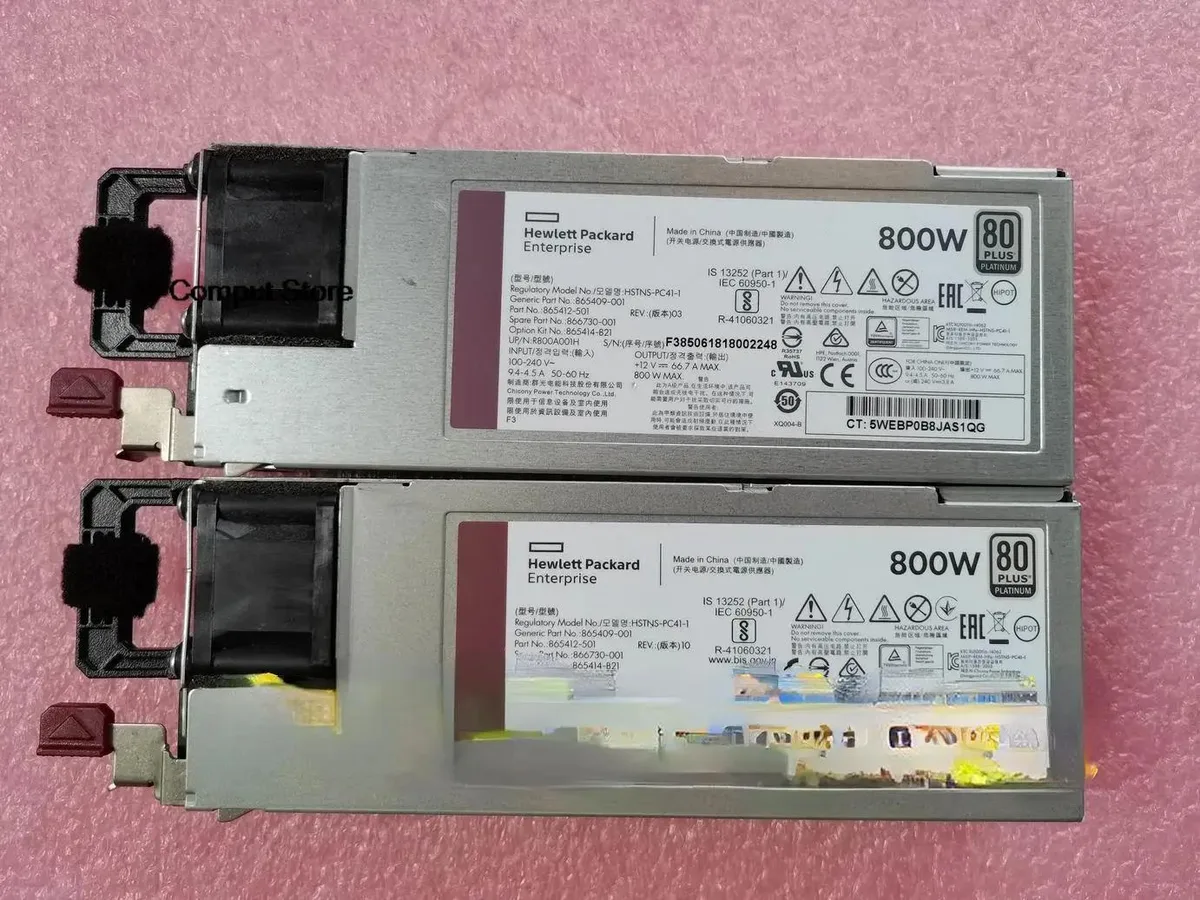
800 W ATX power supply tested working for HPE part numbers HSTNS-PC41-1, 865414-B21, 865409-001 and 866730-001
The KHACHIMO G10 delivers 800 watts of ATX power for desktop builds and workstation replacements. It suits system integrators and technicians who need a tested unit for compatible HP chassis using the listed part numbers. This new supply is verified working before dispatch. Buyers requiring modular cables or higher efficiency ratings should look elsewhere.
The unit operates at its rated 800 W capacity under normal load conditions. Cooling performance and acoustic output match standard ATX expectations for this class. No specific fan curves or decibel figures are provided by the supplier. Power draw scales with connected hardware up to the maximum rated output.
| Type | ATX |
|---|
Mount the unit with the four rear screws, orient the fan toward the case vent, then firmly seat the 24-pin ATX connector into the motherboard socket until the latch clicks.
Use compressed air to clear dust from the fan grill and internal heatsinks once a year; if the fan becomes noisy or stops spinning, replace the entire power supply unit.
Szintén ezen a polcon
Ugyanaz a polc, ugyanaz a pénztár — nyolc pénznem és 30 perces árfolyamzár.
Amivel fizet, és amiben az árakat olvassa.
A pénztárnál küldi el a tárcájából
Csak tájékoztató jellegű — a katalógus dollárban van árazva
Nincs ilyen pénznem.
Válassza ki, milyen nyelven szóljon Önhöz az oldal.
Nincs egyező nyelv.
Először jár itt?
Már van fiókja?
Nincs automatikus visszaállítás: ez a bolt nem küld e-mailt, tehát nincs kérhető egyszer használatos link. Hagyja meg a fiókhoz tartozó címet, azt valaki kézzel átnézi.
Kérés rögzítve
Semmi nem érkezik a postafiókjába — ez a bolt egyáltalán nem küld e-mailt. Ezeket valaki kézzel intézi.
Eszébe jutott?



