
KHACHIMO
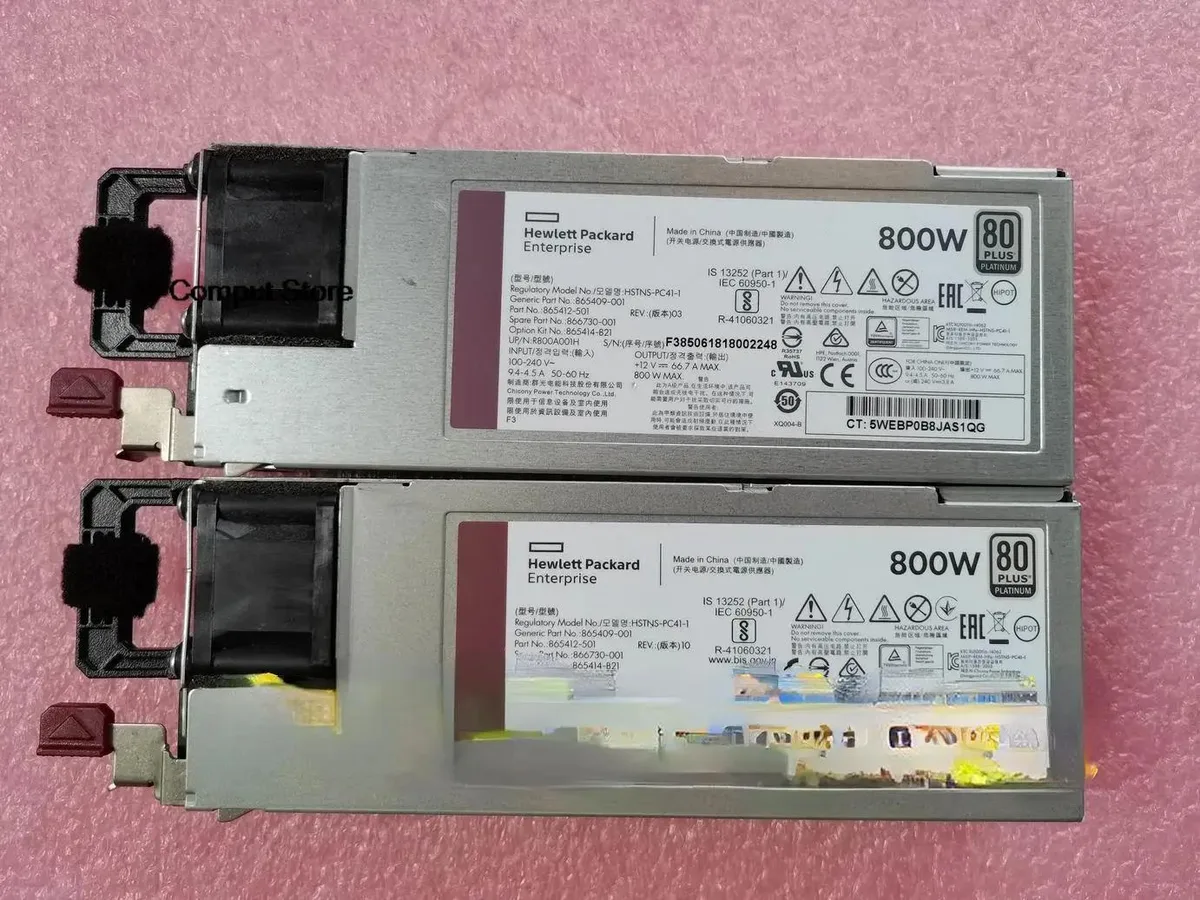
KHACHIMO G10 800W power supply HSTNS-PC41-1 865414-B21 865409-001 866730-001
800 W ATX power supply tested working for HPE part numbers HSTNS-PC41-1, 865414-B21, 865409-001 and 866730-001
- TypeATX
- Delivers 800 W for demanding builds
- ATX form factor fits standard cases
- Tested working for reliable operation
- Replaces HP part numbers 865414-B21 865409-001 866730-001
KHACHIMO G10 800W ATX power supply
The KHACHIMO G10 delivers 800 watts of ATX power for desktop builds and workstation replacements. It suits system integrators and technicians who need a tested unit for compatible HP chassis using the listed part numbers. This new supply is verified working before dispatch. Buyers requiring modular cables or higher efficiency ratings should look elsewhere.
Thermals noise and power draw
The unit operates at its rated 800 W capacity under normal load conditions. Cooling performance and acoustic output match standard ATX expectations for this class. No specific fan curves or decibel figures are provided by the supplier. Power draw scales with connected hardware up to the maximum rated output.
Istaknuto
- Delivers 800 W for demanding builds
- ATX form factor fits standard cases
- Tested working for reliable operation
- Replaces HP part numbers 865414-B21 865409-001 866730-001
Specifikacije
| Type | ATX |
|---|
Pitanja o ovom artiklu
How do I install this ATX power supply into a standard chassis and connect the 24-pin motherboard cable?
Mount the unit with the four rear screws, orient the fan toward the case vent, then firmly seat the 24-pin ATX connector into the motherboard socket until the latch clicks.
What maintenance will the internal cooling fan need over time?
Use compressed air to clear dust from the fan grill and internal heatsinks once a year; if the fan becomes noisy or stops spinning, replace the entire power supply unit.
Također u ovoj kategoriji
Kupci su usporedili ovo
Ista polica, ista blagajna — osam valuta i blokada tečaja na 30 minuta.


Mushkin Enhanced
Mushkin Enhanced 4GB DDR2-800 CL6 SoDIMM Apple 971741A memory upgrade
104,99 USD
0.00134511BTC
Na zalihi

SK hynix
SK hynix HYMD232M646C6-J 256MB DDR 333MHz PC2700 CL2.5 SODIMM laptop RAM
- 4GB (2 x 2GB)
7,99 USD
0.00010237BTC
Na zalihi