


A-Tech
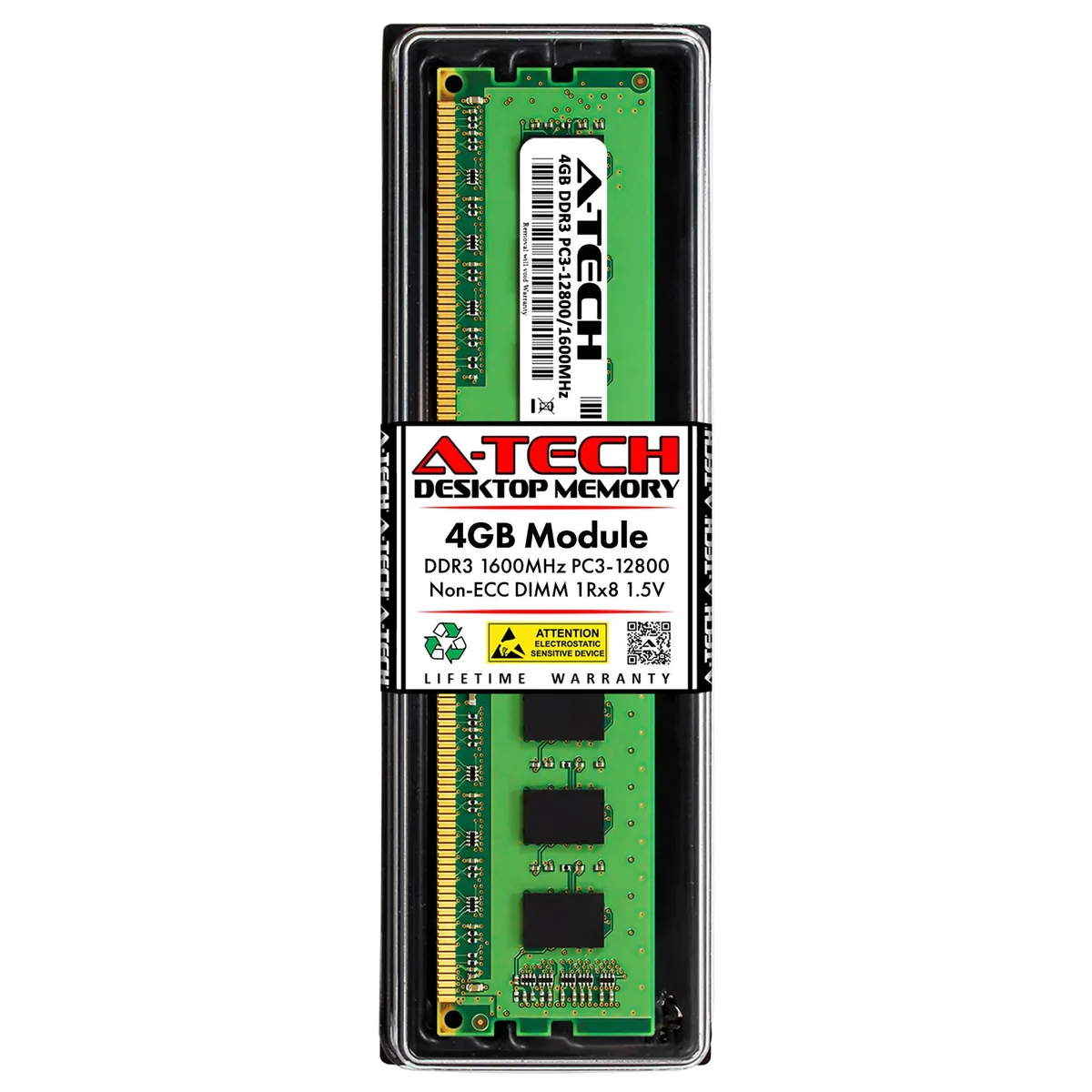
A-Tech 4GB DDR3 1600MHz CL11 1.5V Desktop Memory
4GB DDR3 1600MHz CL11 1.5V 240-pin unbuffered DIMM for desktop upgrades
- Capacity4GB
- SpeedDDR3 1600 (PC3 12800)
- Tested Frequency1600
- CAS LatencyCL11
- Voltage1.50V
- ECCNo
- Boosts system responsiveness with 4 GB DDR3 1600 MHz capacity
- Fits standard desktop slots using 240-pin DIMM form factor
- Runs at standard 1.5 V DDR3 voltage for broad compatibility
- Non-ECC unbuffered design suits mainstream AMD and Intel platforms
- Tested at CL11 latency for reliable everyday performance
A-Tech 4GB DDR3 1600MHz Module
This single 4GB DDR3 DIMM runs at 1600MHz with CL11 latency at the standard 1.5V. It uses unbuffered, non-ECC memory built with major brand chips. The 240-pin form factor fits desktop motherboards that support DDR3 PC3-12800 specifications.
Desktop Upgrade Suitability
The module suits owners of older desktop systems needing a straightforward 4GB capacity increase for everyday multitasking. Builders requiring ECC error correction, registered buffering, higher densities per stick, or laptop SO-DIMM form factors should select different memory.
240-Pin DDR3 DIMM Form Factor
This memory uses the 240-pin DDR3 DIMM interface, which is physically and electrically distinct from later DDR generations. Verify that your motherboard specifically lists DDR3 1600MHz unbuffered non-ECC support before ordering.
Points forts
- Boosts system responsiveness with 4 GB DDR3 1600 MHz capacity
- Fits standard desktop slots using 240-pin DIMM form factor
- Runs at standard 1.5 V DDR3 voltage for broad compatibility
- Non-ECC unbuffered design suits mainstream AMD and Intel platforms
- Tested at CL11 latency for reliable everyday performance
Caractéristiques
| Brand | A-Tech |
|---|---|
| Capacity | 4GB |
| Speed | DDR3 1600 (PC3 12800) |
| Tested Frequency | 1600 |
| CAS Latency | CL11 |
| Voltage | 1.50V |
| ECC | No |
| Buffered/Registered | Unbuffered |
| Chipset | Major Brand Chips |
| Features | Major Brand Chipset |
| Recommend Use | AMD & Intel Compatible |
Questions sur cet article
Does this module use a 240-pin DIMM connector?
Yes, it is a DDR3 DIMM with 240 pins, the standard desktop form factor for this generation.
What is the correct way to seat the stick so the motherboard recognises the full 4 GB?
Align the notch with the slot key, press down evenly until both side clips click shut, then verify 1600 MHz operation in the BIOS.
When should the module be replaced if errors appear?
Run a full memory test; if errors persist after reseating and cleaning the gold contacts, replace the stick.
Également dans ce rayon
Les clients ont aussi comparé
Même rayon, même caisse — huit monnaies et un taux bloqué 30 minutes.


PrimoChill
PrimoChill Praxis Wetbench Open-Air Test Bench 461.8mm
- Open-Air
274,89 $US
0.0035499BTC
En stock
Silverstone Technology
SilverStone Technology Strider 1200W 80 Plus Platinum Modular Power Supply
- ATX Mid Tower
- 1200W
324,03 $US
0.00418449BTC
En stock