


A-Tech
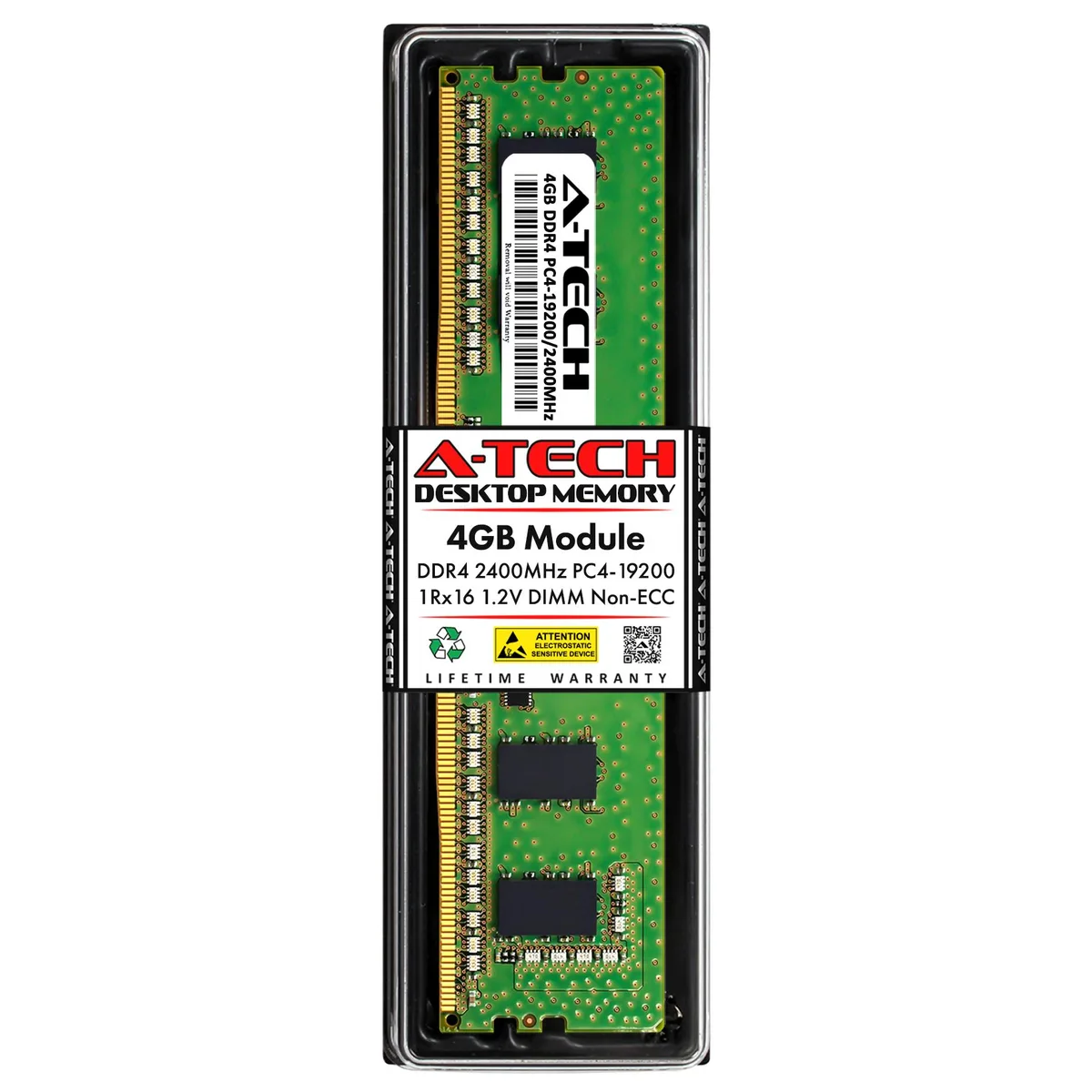
A-Tech 4GB DDR4 2400MHz CL17 Desktop Memory
A 4 GB DDR4 2400 MHz DIMM with CL17 latency and 1.2 V operation for desktop upgrades
- Capacity4GB
- SpeedDDR4 2400 (PC4 19200)
- Tested Frequency2400
- CAS LatencyCL17
- Voltage1.20V
- ECCNo
- Boosts system responsiveness with 4GB DDR4 2400MHz memory
- Low CL17 latency speeds up data access for everyday tasks
- Standard 1.2V voltage reduces power draw and heat output
- 288-pin UDIMM fits most desktop DDR4 slots
- Tested with major-brand chips for reliable long-term operation
Desktop DDR4 Upgrade Module
This 4 GB DDR4 DIMM runs at 2400 MHz with CL17 timing and 1.2 V operation. It uses a 288-pin unbuffered non-ECC design built with major-brand chips. The module is tested as a direct replacement for Crucial CT4G4DFS624A and is compatible with AMD and Intel desktop platforms.
Thermals and Power in Daily Use
Standard 1.2 V DDR4 voltage keeps power draw low during typical desktop workloads. Unbuffered single-rank layout produces minimal heat so no active cooling is required. Silent operation is assured because the module has no moving parts.
Quality Assurance and Support Extras
Every unit undergoes rigorous quality-assurance testing before shipment to verify reliable performance. A lifetime warranty covers the module for as long as you own it. United States based technical support is available before, during and after purchase at no extra charge.
Points forts
- Boosts system responsiveness with 4GB DDR4 2400MHz memory
- Low CL17 latency speeds up data access for everyday tasks
- Standard 1.2V voltage reduces power draw and heat output
- 288-pin UDIMM fits most desktop DDR4 slots
- Tested with major-brand chips for reliable long-term operation
Caractéristiques
| Brand | A-Tech |
|---|---|
| Capacity | 4GB |
| Speed | DDR4 2400 (PC4 19200) |
| Tested Frequency | 2400 |
| CAS Latency | CL17 |
| Voltage | 1.20V |
| ECC | No |
| Buffered/Registered | Unbuffered |
| Chipset | Major Brand Chips |
| Features | Major Brand Chipset |
| Recommend Use | AMD & Intel Compatible |
Questions sur cet article
How do I install this 288-pin DDR4 DIMM and which notch alignment do people get wrong?
Power off the PC, open the case, line up the module's single off-centre notch with the slot key, press straight down until both retention clips click, then close the case and power on.
Will this CL17 1.20 V module need any firmware updates or thermal-pad replacement later?
No firmware or thermal pads are involved; the module is a passive DRAM board, so the only future action is reseating it if the system ever fails to POST after a move or cleaning.
At what point does the 2400 MT/s rating become the bottleneck during sustained workloads?
The memory controller will cap throughput at the rated 2400 MT/s, so any sustained workload that demands higher bandwidth will hit that ceiling first.
Également dans ce rayon
Les clients ont aussi comparé
Même rayon, même caisse — huit monnaies et un taux bloqué 30 minutes.


PrimoChill
PrimoChill Praxis Wetbench Open-Air Test Bench 461.8mm
- Open-Air
274,89 $US
0.00353779BTC
En stock
Silverstone Technology
SilverStone Technology Strider 1200W 80 Plus Platinum Modular Power Supply
- ATX Mid Tower
- 1200W
324,03 $US
0.00417022BTC
En stock