


A-Tech
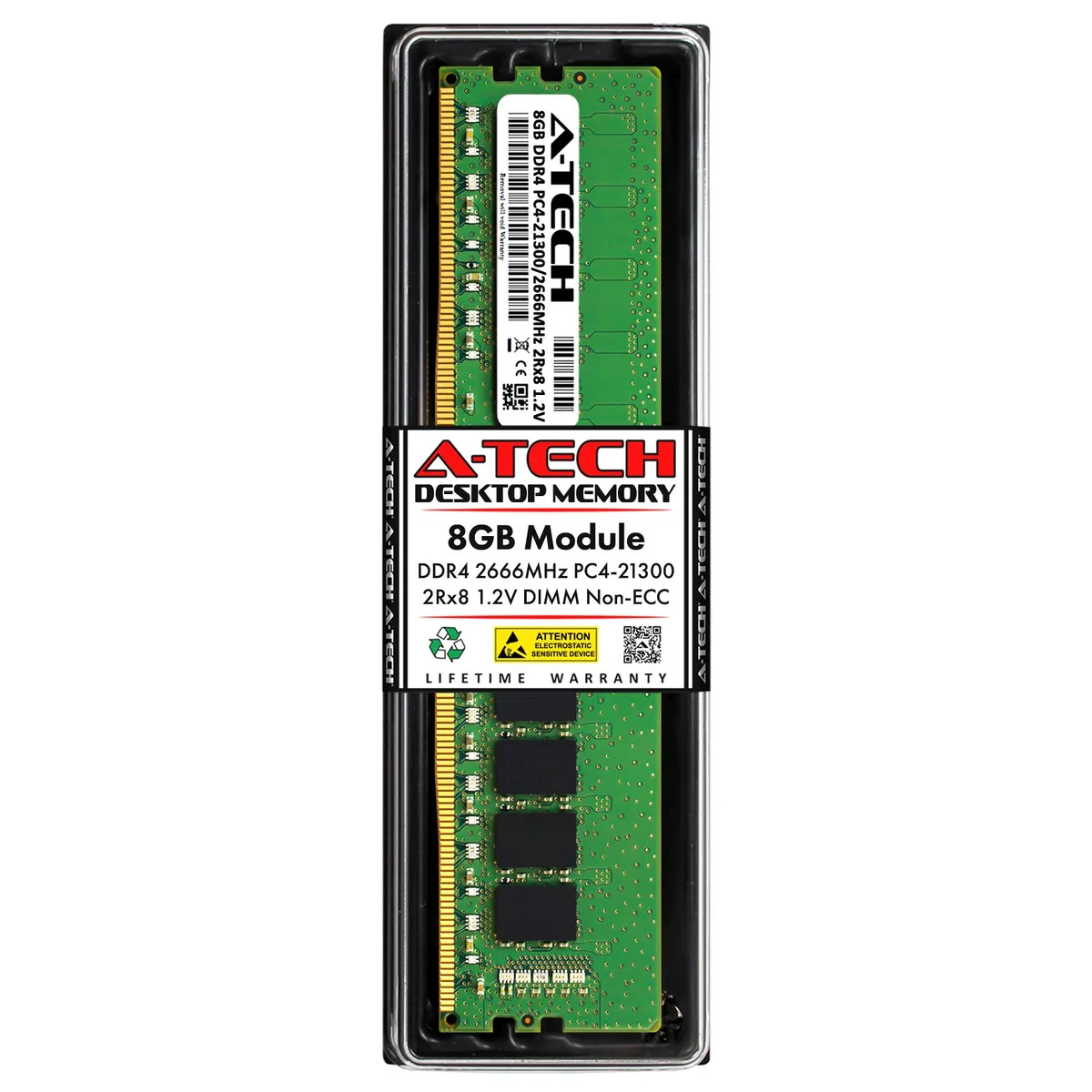
A-Tech 8GB DDR4 2666MHz Desktop RAM
8GB DDR4 2666MHz desktop DIMM module running at 1.2V for AMD and Intel systems
- Capacity8GB
- SpeedDDR4 2666 (PC4 21300)
- Tested Frequency2666
- Voltage1.20V
- ECCNo
- Buffered/RegisteredUnbuffered
- 8GB capacity expands multitasking headroom for everyday workloads
- 2666 MHz DDR4 speed delivers responsive application loading
- 20 V standard voltage keeps power draw low
- 288-pin DIMM fits standard desktop motherboard slots
- Non-ECC unbuffered design ensures broad AMD and Intel compatibility
8GB DDR4 2666MHz Desktop Module
This A-Tech module adds 8GB of DDR4 2666MHz memory to a desktop computer. It uses the standard 288-pin DIMM form factor and runs at the JEDEC 1.20V specification. The stick is an unbuffered, non-ECC design built as a direct replacement for Micron MTA16ATF1G64AZ-2G6 modules.
Thermals and power at 1.20V
Operating at the standard DDR4 voltage of 1.20V keeps power draw low during normal workloads. The module produces minimal heat, so it stays cool without requiring active cooling or high airflow. Silent operation is assured because there are no moving parts on the memory stick itself.
Tested reliability and lifetime support
Every unit passes quality assurance testing before it ships, reducing the chance of compatibility issues or early failure. A-Tech backs the module with a lifetime warranty and provides US-based technical support for installation questions. No additional software or accessories are included in the package.
Points forts
- 8GB capacity expands multitasking headroom for everyday workloads
- 2666 MHz DDR4 speed delivers responsive application loading
- 20 V standard voltage keeps power draw low
- 288-pin DIMM fits standard desktop motherboard slots
- Non-ECC unbuffered design ensures broad AMD and Intel compatibility
Caractéristiques
| Brand | A-Tech |
|---|---|
| Capacity | 8GB |
| Speed | DDR4 2666 (PC4 21300) |
| Tested Frequency | 2666 |
| Voltage | 1.20V |
| ECC | No |
| Buffered/Registered | Unbuffered |
| Recommend Use | AMD & Intel Compatible |
Questions sur cet article
How do I install the 288-pin DDR4 DIMM and which notch alignment do people miss?
Power off the PC, open the case, line up the single off-centre notch on the module with the key in the DDR4 slot, press straight down until both retention clips snap shut, then power on to confirm the 8 GB appears in BIOS.
What maintenance or replacement will this 1.20 V unbuffered module need later?
No scheduled maintenance is required; keep the contacts dust-free with compressed air, and if a memory test ever reports errors the module itself would be replaced under the lifetime warranty.
What limit appears first when the 2666 MHz kit runs sustained heavy workloads?
The JEDEC-standard 1.2 V operating voltage caps frequency at 2666 MT/s, so thermal throttling or voltage limits are reached before any higher data rate can be sustained.
Également dans ce rayon
Les clients ont aussi comparé
Même rayon, même caisse — huit monnaies et un taux bloqué 30 minutes.


PrimoChill
PrimoChill Praxis Wetbench Open-Air Test Bench 461.8mm
- Open-Air
274,89 $US
0.00355155BTC
En stock
Silverstone Technology
SilverStone Technology Strider 1200W 80 Plus Platinum Modular Power Supply
- ATX Mid Tower
- 1200W
324,03 $US
0.00418643BTC
En stock