
DELL
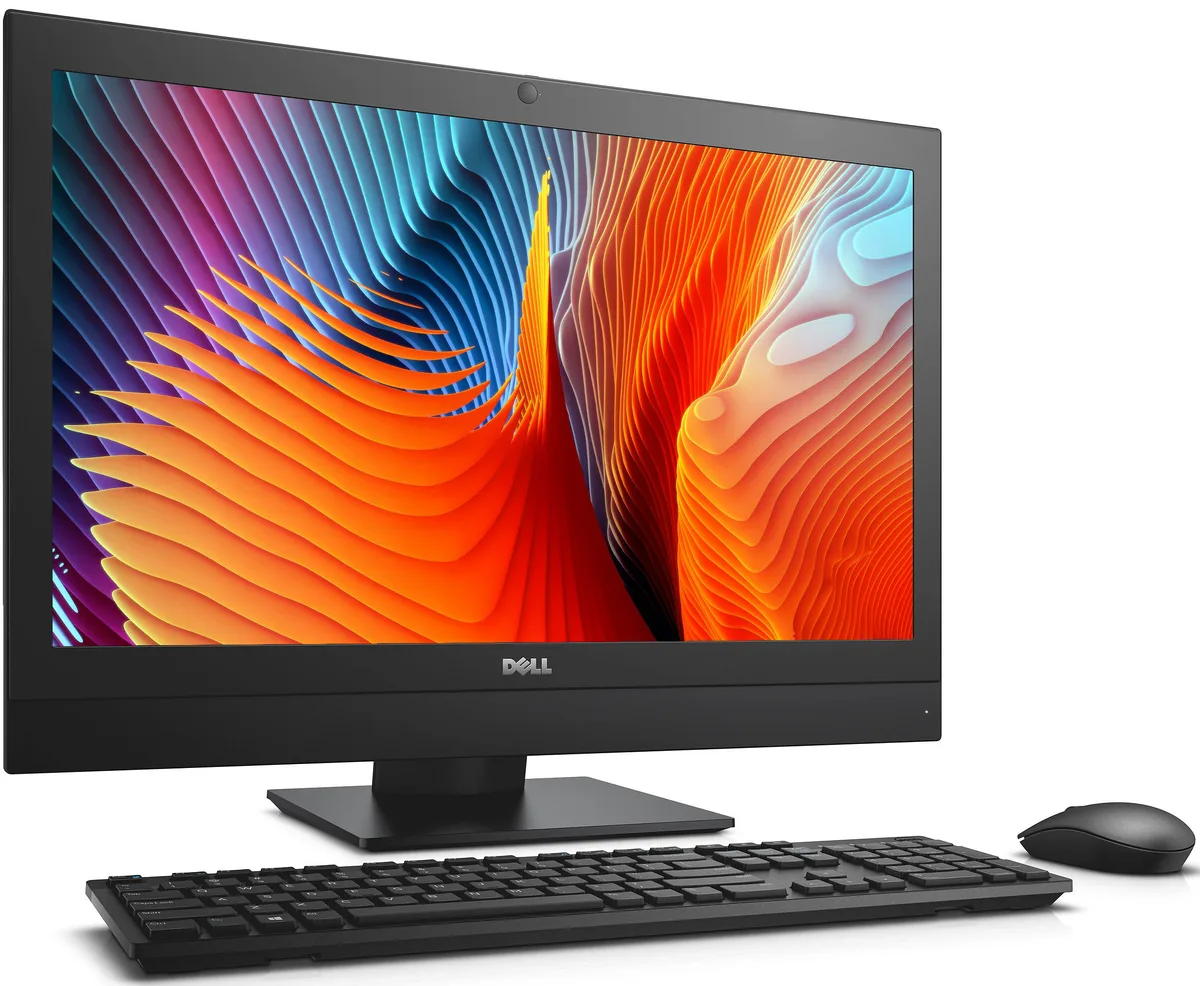
DELL OptiPlex 7440 All-in-One i5-6500 8 GB 500 GB 23.8
- All-in-One PC
- All-in-One
232,99 $US
0.00296285BTC
En stockNous acceptons la cryptomonnaie — les cryptos que vous détenez peuvent ainsi acheter du matériel réel.Payez en crypto, dépensez-la en matériel réel. Livraison assurée offerte partout dans le monde au-delà de 399 $. Cartons neutres, sans marque, expédiés depuis l’Allemagne.Livraison assurée offerte au-delà de 399 $. Votre taux est bloqué pendant 30 minutes dès l’ouverture de la caisse.Taux bloqué 30 minutes. Chaque article est scellé, son numéro de série est vérifié, et il est couvert par une garantie de 24 mois.Scellé, garanti 24 mois.


Adamant Custom
A 24-core Intel i9-14900K desktop with 32GB DDR5, 2TB NVMe, 10TB HDD and RTX PRO 6000 Blackwell 96GB GPU for professional CAD and AI workloads
The Adamant Custom desktop pairs a 24-core Intel Core i9-14900K processor with an Nvidia RTX PRO 6000 Blackwell GPU carrying 96GB of memory. It ships with 32GB of DDR5 RAM, a 2TB NVMe SSD and a 10TB hard drive. A 360mm liquid cooler and a 1200W 80 PLUS Gold power supply support sustained workloads in a sound-dampened mid-tower case running Windows 11 Pro.
Engineers running SolidWorks, CAM or CAE packages benefit from the high core count, large GPU frame buffer and fast PCIe 4.0 storage. The four memory slots allow expansion up to 192GB for larger datasets. Buyers who need multiple GPU compute cards or a rackmount chassis should look at a different platform.
The Antec P10 FLUX case provides three internal 3.5-inch bays and three 2.5-inch bays for additional drives. The Z790 motherboard offers three M.2 connectors and four SATA ports alongside 2.5Gb Ethernet, Wi-Fi 6 and Bluetooth 5.2. Front-panel I/O includes USB 3.0 and a fan control button for thermal management.
| Release Year | 2026 |
|---|---|
| Form Factor | Desktop |
| AI Features | AI Ready |
| Color | Black |
| Cooling System | Liquid Cooling |
| Operating System | Windows 11 Pro |
| Windows 11 | Ready |
| CPU Type | Intel Core i9 14th Gen |
| CPU Name | Intel Core i9-14900K |
| CPU Socket Type | LGA 1700 |
| GPU/VGA Type | Nvidia RTX PRO 6000 Blackwell |
| Memory Capacity | 32GB DDR5 |
| Memory Slots (Available/Total) | 4 total |
| Maximum Memory Supported | 192 GB |
| SSD | 2TB NVMe |
| HDD | 10TB |
| Optical Drive Type | No |
| Screen Size | No Screen |
| Audio Chipset | Integrated |
| Audio Channels | 7.1 channels |
| LAN Chipset | Integrated |
| LAN Speed | 2.5Gbps |
| WLAN | 802.11ax Wireless LAN |
| WiFi Generation | Wi-Fi 6 |
| Bluetooth | Bluetooth 5.2 |
| RJ45 | 1 port |
No, the Nvidia RTX PRO 6000 Blackwell GPU with 96 GB memory provides the video outputs; the CPU integrated graphics are not used for the primary display.
Yes, the 2.5 Gb Ethernet port auto-negotiates down to 1 Gb speeds, so it connects to older switches without any configuration changes.
Open Task Manager, go to the Performance tab, select Memory and verify the speed shown matches the DDR5 rating; you can also check the BIOS memory information screen for the exact frequency.
Également dans ce rayon
Même rayon, même caisse — huit monnaies et un taux bloqué 30 minutes.
Ce que vous envoyez, et ce dans quoi vous lisez les prix.
Envoyé depuis votre portefeuille à la caisse
Affichage seul — le catalogue est libellé en dollars
Aucune monnaie ne correspond.
Choisissez la langue dans laquelle le site vous parle.
Première visite ?
Vous avez déjà un compte ?
Il n’y a pas de réinitialisation automatique : cette boutique n’envoie aucun e-mail, il n’existe donc aucun lien à usage unique à demander. Laissez l’adresse sur le compte, elle sera traitée à la main.
Demande enregistrée
Rien n’arrivera dans votre boîte de réception — cette boutique n’envoie aucun e-mail. Quelqu’un s’en occupe à la main.
Vous l’avez retrouvé ?


