
DELL
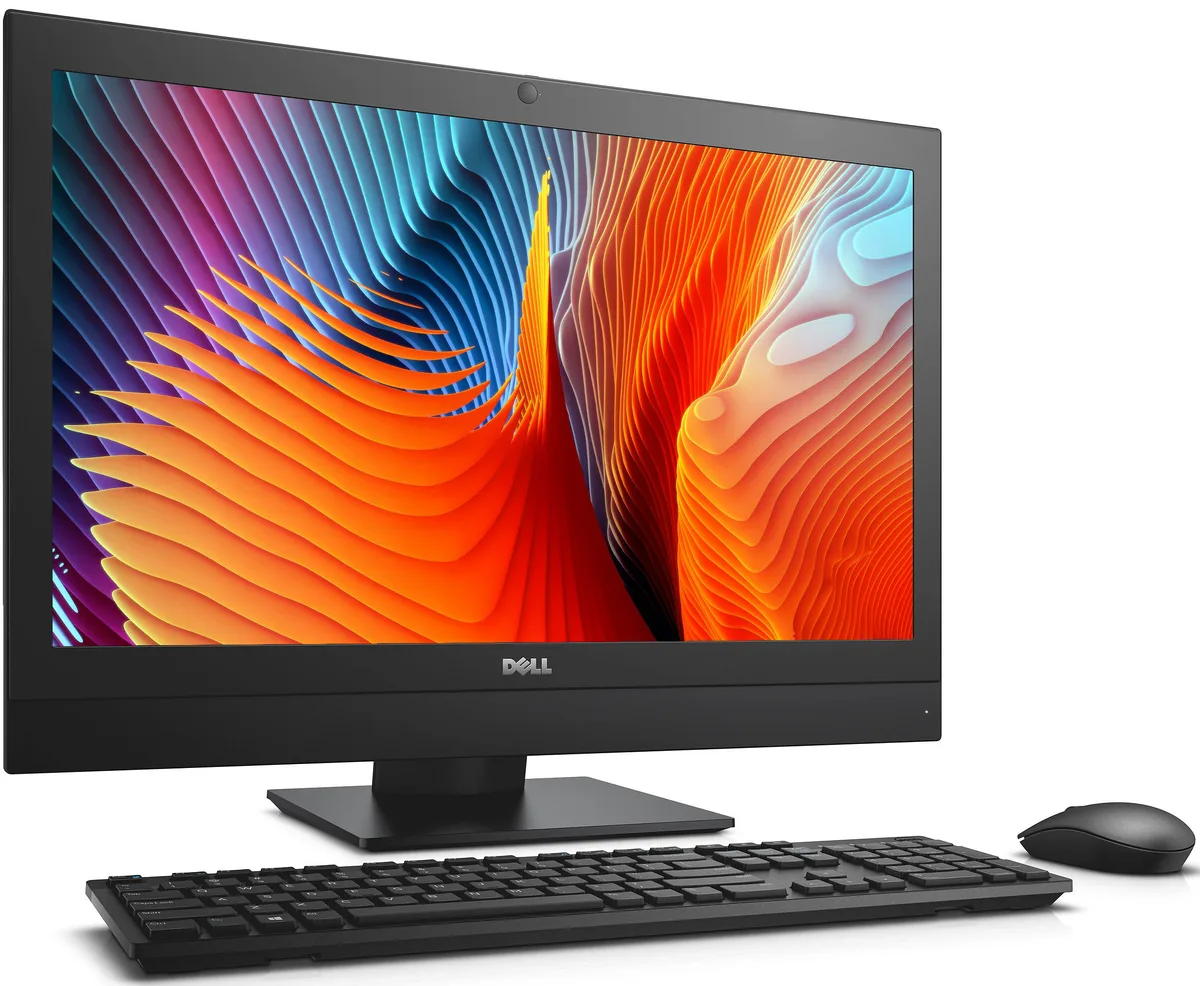
DELL OptiPlex 7440 All-in-One i5-6500 8 GB 500 GB 23.8
- All-in-One PC
- All-in-One
232,99 $US
0.00295373BTC
En stockNous acceptons la cryptomonnaie — les cryptos que vous détenez peuvent ainsi acheter du matériel réel.Payez en crypto, dépensez-la en matériel réel. Livraison assurée offerte partout dans le monde au-delà de 399 $. Cartons neutres, sans marque, expédiés depuis l’Allemagne.Livraison assurée offerte au-delà de 399 $. Votre taux est bloqué pendant 30 minutes dès l’ouverture de la caisse.Taux bloqué 30 minutes. Chaque article est scellé, son numéro de série est vérifié, et il est couvert par une garantie de 24 mois.Scellé, garanti 24 mois.


Adamant Custom
Business desktop with 24-core Intel Core i9-14900K, 64GB DDR5, 2TB NVMe SSD, 10TB HDD and Nvidia RTX PRO 4000 Blackwell 24GB for SolidWorks CAD, CAM and CAE modelling
This business desktop centres on a 24-core Intel Core i9-14900K processor paired with an Nvidia RTX PRO 4000 Blackwell graphics card carrying 24GB of memory. The system arrives with 64GB of DDR5 RAM, a 2TB NVMe SSD and a 10TB hard drive, all cooled by a 360mm liquid cooler inside a tempered-glass mid-tower case. It is built for engineers and designers who need certified GPU drivers and strong single-thread speed for CAD, CAM and CAE modelling workloads.
The platform uses an LGA 1700 socket on a Z790 motherboard with four memory slots, allowing expansion from the supplied 64GB up to 192GB of DDR5 when larger datasets demand it. Four M.2 connectors and six SATA ports give room for additional NVMe or SATA storage beyond the factory 2TB SSD and 10TB hard drive. The 850W 80 PLUS Bronze power supply provides headroom for a more powerful graphics card if future projects require greater compute performance.
The 2TB NVMe drive delivers read speeds up to 7450 MB/s and write speeds up to 6900 MB/s, keeping active project files responsive. The 10TB hard drive with 256MB cache stores archives and bulk data economically. With 64GB of system memory and 24GB of GPU memory, the workstation handles large assemblies and high-resolution textures comfortably, though extremely complex simulations or multi-GPU rendering will exceed the single-slot graphics configuration and the current memory ceiling.
| Release Year | 2026 |
|---|---|
| Form Factor | Desktop |
| AI Features | AI Ready |
| Color | Black |
| Cooling System | Liquid Cooling |
| Operating System | Windows 11 Pro |
| Windows 11 | Ready |
| CPU Type | Intel Core i9 14th Gen |
| CPU Name | Intel Core i9-14900K |
| CPU Socket Type | LGA 1700 |
| GPU/VGA Type | Nvidia RTX PRO 4000 Blackwell |
| Memory Capacity | 64GB DDR5 |
| Memory Slots (Available/Total) | 4 total |
| Maximum Memory Supported | 192 GB |
| SSD | 2TB NVMe |
| HDD | 10TB |
| Optical Drive Type | No |
| Screen Size | No Screen |
| Audio Chipset | Integrated |
| Audio Channels | 7.1 channels |
| LAN Chipset | Integrated |
| LAN Speed | 2.5Gbps |
| WLAN | 802.11ax Wireless LAN |
| WiFi Generation | Wi-Fi 6 |
| Bluetooth | Bluetooth 5.2 |
| RJ45 | 1 port |
Yes, the Antec P20 mid-tower measures 469 x 220 x 490 mm and is designed to accommodate a 360 mm radiator, so the supplied AIO cooler fits without modification.
Insert the drive at an angle into any of the four M.2 connectors, secure it with the tiny retention screw, then enable PCIe 4.0 mode in BIOS — many builders forget the BIOS step and run at slower speeds.
Plan to replace the mechanical drive after three to five years of heavy use; watch for rising SMART reallocated-sector counts or unusual noise, which signal imminent failure.
Également dans ce rayon
Même rayon, même caisse — huit monnaies et un taux bloqué 30 minutes.
Ce que vous envoyez, et ce dans quoi vous lisez les prix.
Envoyé depuis votre portefeuille à la caisse
Affichage seul — le catalogue est libellé en dollars
Aucune monnaie ne correspond.
Choisissez la langue dans laquelle le site vous parle.
Première visite ?
Vous avez déjà un compte ?
Il n’y a pas de réinitialisation automatique : cette boutique n’envoie aucun e-mail, il n’existe donc aucun lien à usage unique à demander. Laissez l’adresse sur le compte, elle sera traitée à la main.
Demande enregistrée
Rien n’arrivera dans votre boîte de réception — cette boutique n’envoie aucun e-mail. Quelqu’un s’en occupe à la main.
Vous l’avez retrouvé ?


