


AMD
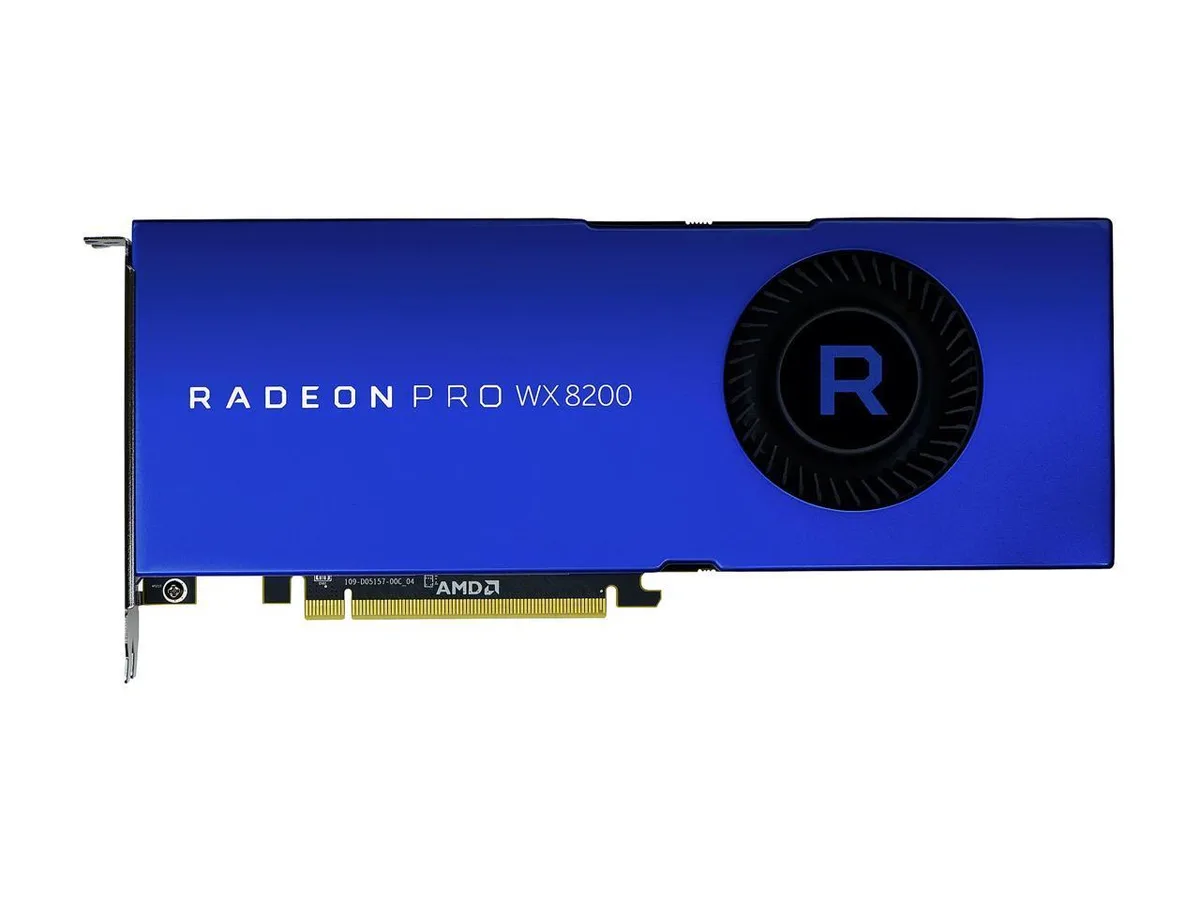
AMD Radeon Pro WX 8200 8GB HBM2 workstation graphics card
A workstation graphics card with 3584 stream processors, 8GB HBM2 memory on a 2048-bit bus, 512GB/s bandwidth, four Mini DisplayPort 1.4 outputs supporting up to 7680x4320.
- Chipset ManufacturerAMD
- GPURadeon Pro WX 8200
- Stream Processors3584
- Memory Size8GB
- Memory Interface2048-bit
- Memory TypeHBM2
- 8GB HBM2 memory delivers 512GB/s bandwidth for large datasets
- 3584 stream processors accelerate complex compute workloads
- Four Mini DisplayPort 1.4 outputs drive up to four 4K displays
- ECC memory support protects data integrity in professional applications
- 10-bit colour depth enables accurate colour-critical workflows
Professional workstation GPU for VR and compute
The AMD Radeon Pro WX 8200 delivers 8GB of HBM2 memory on a 2048-bit interface with 3584 stream processors. It targets engineers, designers and VR content creators who need certified driver stability and 10-bit colour depth for professional applications. Memory bandwidth reaches 512GB/s to handle large datasets and high-resolution textures. The card supports DirectX 12.1 and OpenGL 4.6 across Windows 10, Windows 7 and Linux.
Dual-slot cooler with four Mini DisplayPort 1.4
A blower-style fan exhausts heat through the rear bracket in a 10.50 by 4.40 inch dual-slot form factor. Four Mini DisplayPort 1.4 connectors drive up to four 3840x2160 displays, three 5120x2880 panels or a single 7680x4320 screen. The box includes adapters for full-size DisplayPort, single-link DVI and HDMI 2.0 plus a stereo 3D bracket and an OEM extension bracket. ECC memory support and EDID emulation protect data integrity and simplify multi-monitor deployments.
Upgrades from entry-level workstation cards
The jump is worthwhile when workloads demand error-correcting memory, external Genlock or Frame Lock synchronisation, or AMD DirectGMA for direct GPU-to-GPU transfers. VR Ready Creator certification ensures compatibility with professional headsets. Buyers who need more than 8GB of frame buffer or a single-slot profile should consider other models. The 230W maximum power draw requires adequate case airflow and a suitable power supply.
Points forts
- 8GB HBM2 memory delivers 512GB/s bandwidth for large datasets
- 3584 stream processors accelerate complex compute workloads
- Four Mini DisplayPort 1.4 outputs drive up to four 4K displays
- ECC memory support protects data integrity in professional applications
- 10-bit colour depth enables accurate colour-critical workflows
Caractéristiques
| Brand | AMD |
|---|---|
| Model | 100-505956 |
| Chipset Manufacturer | AMD |
| GPU | Radeon Pro WX 8200 |
| Stream Processors | 3584 |
| Memory Size | 8GB |
| Memory Interface | 2048-bit |
| Memory Type | HBM2 |
| DirectX | DirectX 12.1 |
| OpenGL | OpenGL 4.6 |
| DisplayPort | 4 x Mini DisplayPort 1.4 |
| Digital Resolution | 4 @ 1920x1080 4 @ 3840x2160 3 @ 5120x2880 1 @ 7680x4320 |
| Cooler | With Fan |
| Virtual Reality Ready | Yes |
| Operating Systems Supported | Microsoft Windows 10 Microsoft Windows 7 Linux |
| System Requirements | Max Power Consumption: 230W |
| Features | Memory Bandwidth: 512GB/s AMD Radeon VR Ready Creator High Bandwidth Cache Controller (HBCC) Error-Correcting Code (ECC) Memory Support 10-bit Color Depth Support EDID Emulation Support External Genlock/Frame Lock Sync Support AMD DirectGMA Support Display Output Post Processing (DOPP) |
| Dimensions (L x H) | 10.50" x 4.40" |
| Slot Width | Dual-Slot |
| Package Contents | Graphics Card 4 x Mini-DisplayPort to DisplayPort adapters 1 x Mini-DisplayPort to Single-Link DVI Adapter 1 x Mini-DisplayPort to HDMI 2.0 Adapter 1 x Stereo 3D Connector Bracket 1 x Board Extension Bracket for OEM Chassis (Bent) 1 x Board Extension Bracket for OEM Chassis (Flat) Quick Setup Guide |
Questions sur cet article
What bandwidth does the 2048-bit HBM2 memory provide?
The 2048-bit HBM2 interface delivers 512GB/s of memory bandwidth.
What are the physical dimensions and slot requirement?
The card measures 10.50 inches long by 4.40 inches high and occupies a dual-slot bracket.
How do I connect standard DisplayPort cables to the four Mini DisplayPort 1.4 outputs?
Use the four included Mini-DisplayPort to DisplayPort adapters; a common mistake is plugging cables directly into the mini ports without them.
Également dans ce rayon
Les clients ont aussi comparé
Même rayon, même caisse — huit monnaies et un taux bloqué 30 minutes.


PrimoChill
PrimoChill Praxis Wetbench Open-Air Test Bench 461.8mm
- Open-Air
274,89 $US
0.00353779BTC
En stock
Silverstone Technology
SilverStone Technology Strider 1200W 80 Plus Platinum Modular Power Supply
- ATX Mid Tower
- 1200W
324,03 $US
0.00417022BTC
En stock