


ASRock
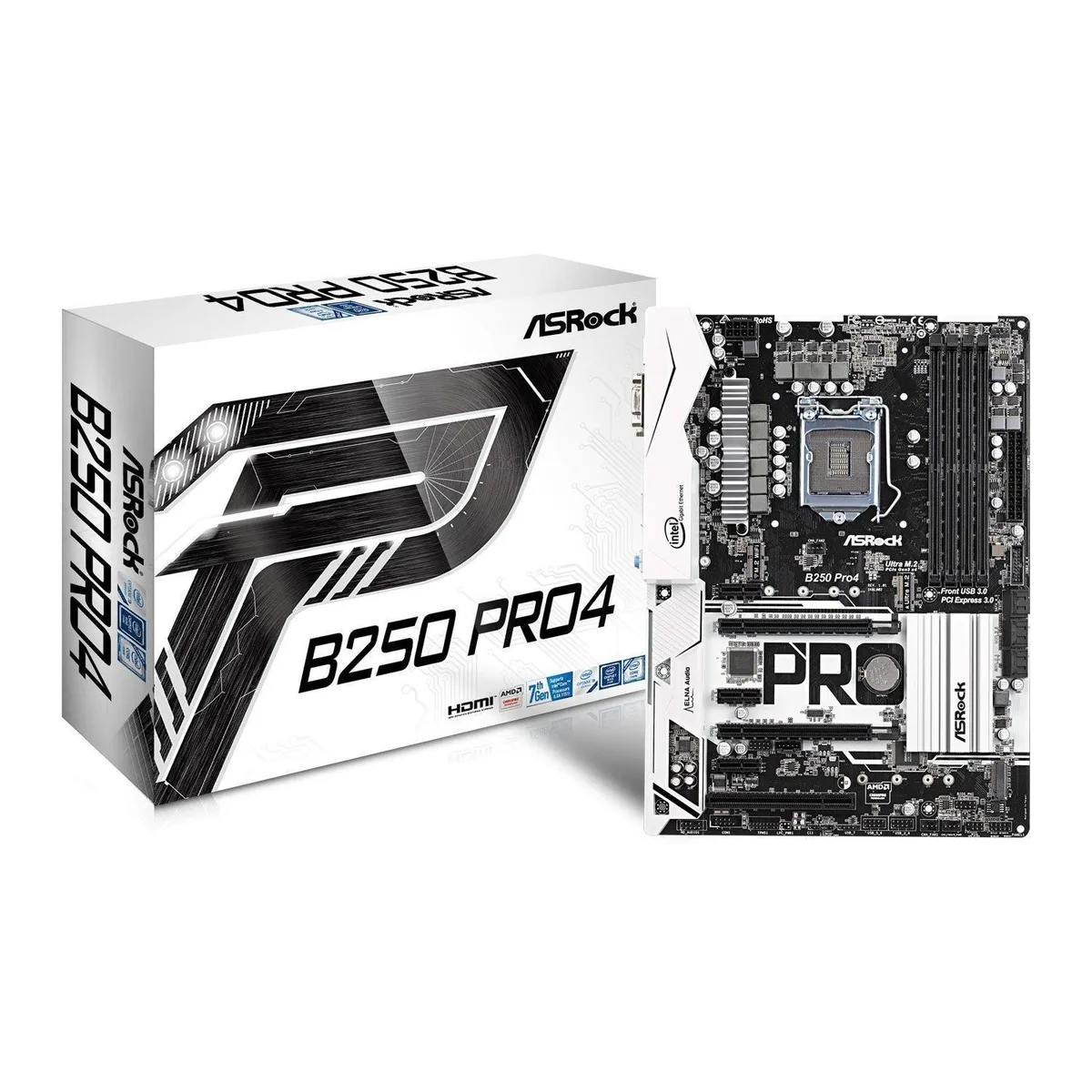
ASRock B250 Pro4 LGA 1151 Intel Motherboard
Supports LGA 1151 CPUs with four DDR4 slots up to 64 GB and multiple PCI-Express 3.0 expansion slots
- Supports up to 64 GB DDR4 memory via four DIMM slots
- Intel B250 chipset on LGA 1151 socket for 6th and 7th generation CPUs
- Dual PCI-Express 3.0 x16 slots enable multi-GPU configurations
- SATA 6 Gb/s and USB 3.0 ports provide fast storage and peripheral connectivity
- ATX form factor fits standard cases with full expansion capability
ASRock B250 Pro4 LGA 1151 Platform
This Intel B250 motherboard fits the LGA 1151 socket and supports DDR4 memory up to 2400 MT/s across four slots for a 64 GB maximum. It is aimed at builders assembling a mainstream desktop for office work or general home use.
ATX Layout with PCIe 3.0 and SATA Connectivity
The board uses a standard ATX form factor with two full-length PCIe 3.0 x16 slots, though the second operates at x4 electrical, plus three x1 slots for add-in cards. Six SATA 6 Gb/s ports and an M.2 socket provide multiple drive attachment points, while rear HDMI and Gigabit Ethernet handle display and wired network needs.
Bundled Driver Disc and Utility Software
A driver disc and ASRock utilities are included to simplify the initial operating system setup and allow basic tuning of fan speeds or boot priorities. These tools help the system reach a stable running state quickly without requiring separate downloads.
Points forts
- Supports up to 64 GB DDR4 memory via four DIMM slots
- Intel B250 chipset on LGA 1151 socket for 6th and 7th generation CPUs
- Dual PCI-Express 3.0 x16 slots enable multi-GPU configurations
- SATA 6 Gb/s and USB 3.0 ports provide fast storage and peripheral connectivity
- ATX form factor fits standard cases with full expansion capability
Caractéristiques
| Brand | ASRock |
|---|
Questions sur cet article
What does the SATA 6 Gb/s interface cap at in practice?
The board provides SATA 6 Gb/s ports that top out at the 6 Gb/s link speed for connected drives.
What clearance does the ATX form factor need in the case?
A standard ATX case with nine mounting holes and room for the 24-pin and 8-pin power connectors is required.
How is the CPU installed in the LGA 1151 socket, and what step is often missed?
Lift the load lever, align the processor notches with the socket keys, place it gently without force, lower the lever, then apply thermal paste before mounting the cooler.
Également dans ce rayon
Les clients ont aussi comparé
Même rayon, même caisse — huit monnaies et un taux bloqué 30 minutes.


PrimoChill
PrimoChill Praxis Wetbench Open-Air Test Bench 461.8mm
- Open-Air
274,89 $US
0.00355155BTC
En stock
Silverstone Technology
SilverStone Technology Strider 1200W 80 Plus Platinum Modular Power Supply
- ATX Mid Tower
- 1200W
324,03 $US
0.00418643BTC
En stock