


ASUS
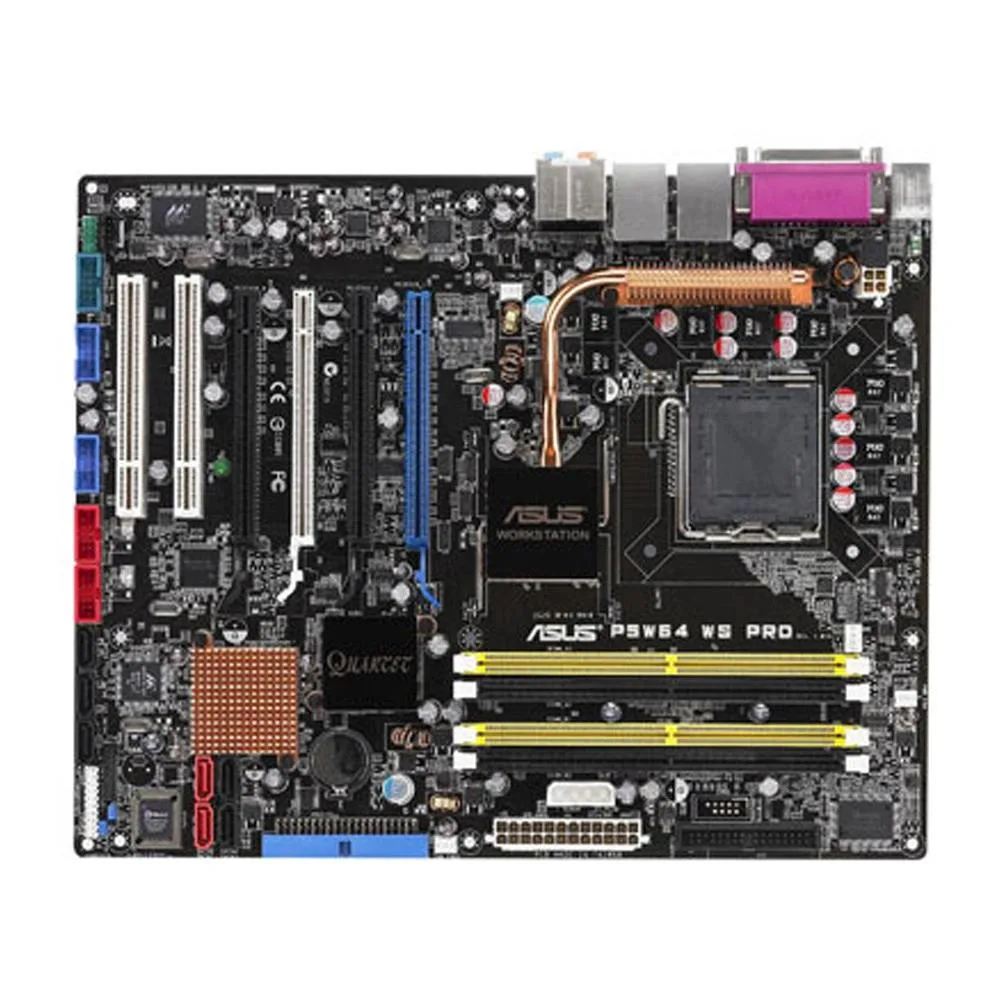
ASUS P5W64 WS PRO Intel 975X DDR2 8GB ATX motherboard
LGA 775 ATX board with Intel 975X chipset supporting DDR2 memory up to 8GB
- CPU Socket TypeLGA 775
- ChipsetIntel 975X
- Maximum Memory Supported8GB
- Supports LGA 775 processors for flexible CPU choice
- Intel 975X chipset enables dual graphics configurations
- DDR2 memory up to 8 GB for responsive multitasking
- ATX form factor fits standard desktop cases
- Includes SATA cable and I/O shield for quick setup
Intel 975X workstation board
The ASUS P5W64 WS PRO is an ATX motherboard built around the Intel 975X chipset for LGA 775 processors. It supports up to 8GB of DDR2 memory and includes a single SATA cable and the rear I/O panel in the box. The board is supplied new.
Suits LGA 775 DDR2 upgrades
This board fits owners of existing LGA 775 systems who need a replacement Intel 975X platform with DDR2 slots. Builders starting a new PC, or anyone who requires a modern socket, integrated graphics or newer memory standards, should look elsewhere.
LGA 775 socket decides fit
The CPU socket is LGA 775, so only processors made for that interface will install and function. Verify your exact processor model before purchase because no other socket type is compatible with this motherboard.
Points forts
- Supports LGA 775 processors for flexible CPU choice
- Intel 975X chipset enables dual graphics configurations
- DDR2 memory up to 8 GB for responsive multitasking
- ATX form factor fits standard desktop cases
- Includes SATA cable and I/O shield for quick setup
Caractéristiques
| Brand | ASUS |
|---|---|
| Model | ASUS P5W64 WS PRO |
| CPU Socket Type | LGA 775 |
| Chipset | Intel 975X |
| Maximum Memory Supported | 8GB |
Questions sur cet article
Will this ATX board fit in a standard ATX case and use the usual mounting holes?
Yes, the board follows the ATX form factor so it aligns with standard ATX case standoffs and the rear I/O cut-out.
What is the correct order for seating a LGA 775 processor and cooler on this board?
Open the socket lever, align the processor notches, lower the CPU gently, close the lever, then apply thermal paste and mount the cooler — skipping the lever step is the common error.
Which onboard component will need replacement first to keep BIOS settings intact?
The metal battery supplied with the board maintains the CMOS; when the system starts losing time or settings after power-off, replace that battery.
Également dans ce rayon
Les clients ont aussi comparé
Même rayon, même caisse — huit monnaies et un taux bloqué 30 minutes.


PrimoChill
PrimoChill Praxis Wetbench Open-Air Test Bench 461.8mm
- Open-Air
274,89 $US
0.00357046BTC
En stock
Silverstone Technology
SilverStone Technology Strider 1200W 80 Plus Platinum Modular Power Supply
- ATX Mid Tower
- 1200W
324,03 $US
0.00420873BTC
En stock