


ASUS
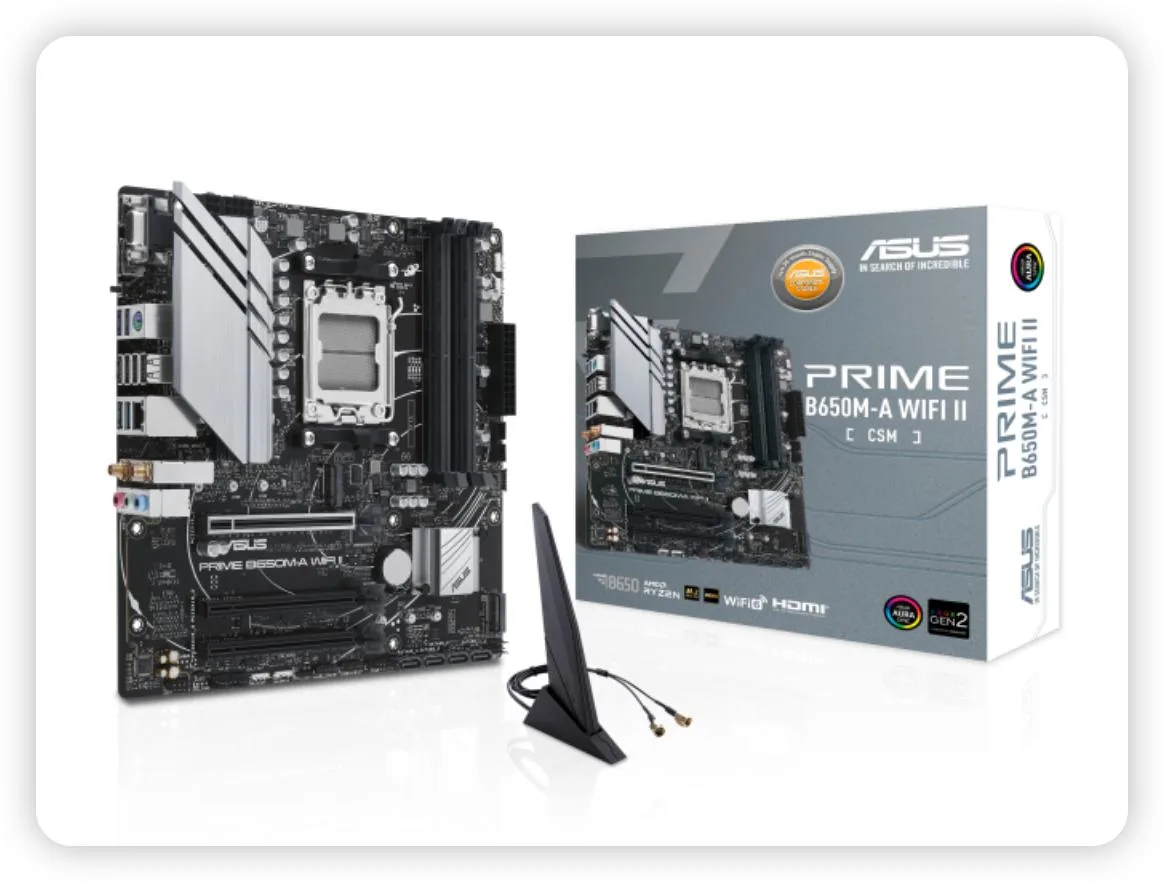
ASUS PRIME B650M-A WIFI II-CSM AMD motherboard
An AMD AM5 motherboard with DDR5 support, Wi-Fi 6, 2.5G LAN, PCIe 5.0 M.2 and USB 3.2 Gen 2 for Ryzen 7000 series CPUs
- CPU Socket TypeAM5
- Ready for AMD Ryzen 7000 series processors with AM5 socket
- Wi-Fi 6 and 2.5 Gbps wired LAN for fast network access
- PCIe 5.0 M.2 slot enables high-speed storage
- OptiMem II routing improves DDR5 signal integrity and overclocking headroom
- VRM and PCH heatsinks plus hybrid fan headers keep thermals under control
AM5 socket for Ryzen 7000 builds
This motherboard targets builders assembling compact AMD systems around the AM5 platform. The Mini-ITX form factor suits small enclosures while still exposing a PCIe 5.0 M.2 slot and DDR5 memory support. It also includes CSM validation for commercial deployment stability.
VRM and PCH heatsinks with Fan Xpert 2+
Cooling relies on dedicated VRM and PCH heatsinks paired with hybrid fan headers controlled through Fan Xpert 2+. The layout aims to keep component temperatures steady during typical desktop workloads without demanding high fan speeds. Acoustic output remains subdued in standard office or home use.
Sustained loads handled by heatsink mass
Under prolonged stress the VRM heatsink mass absorbs heat while Fan Xpert 2+ ramps attached fans according to configurable curves. The 2.5 Gb wired link and Wi-Fi 6 maintain network throughput during long transfers. Rear USB 3.2 Gen 2 and front Type-C ports sustain data rates without throttling.
Points forts
- Ready for AMD Ryzen 7000 series processors with AM5 socket
- Wi-Fi 6 and 2.5 Gbps wired LAN for fast network access
- PCIe 5.0 M.2 slot enables high-speed storage
- OptiMem II routing improves DDR5 signal integrity and overclocking headroom
- VRM and PCH heatsinks plus hybrid fan headers keep thermals under control
Caractéristiques
| CPU Socket Type | AM5 |
|---|
Questions sur cet article
How do I install the AM5 processor and what step is often missed?
Lift the socket lever, align the triangle marker on the Ryzen 7000 CPU with the socket corner, lower the lever until it clicks, then apply thermal paste and mount the cooler before powering on.
What maintenance or replacement will the VRM heatsink and PCH heatsink need later?
Clean dust from the VRM heatsink and PCH heatsink fins every few months using compressed air; replace thermal pads only if temperatures rise after several years of continuous operation.
What limit appears first under sustained load with the VRM heatsink and Fan Xpert 2+ cooling?
VRM temperature throttling will trigger before the 2.5 GbE or Wi-Fi 6 interfaces saturate, so ensure case airflow keeps the heatsink below its thermal limit during prolonged heavy workloads.
Également dans ce rayon
Les clients ont aussi comparé
Même rayon, même caisse — huit monnaies et un taux bloqué 30 minutes.


PrimoChill
PrimoChill Praxis Wetbench Open-Air Test Bench 461.8mm
- Open-Air
274,89 $US
0.0035499BTC
En stock
Silverstone Technology
SilverStone Technology Strider 1200W 80 Plus Platinum Modular Power Supply
- ATX Mid Tower
- 1200W
324,03 $US
0.00418449BTC
En stock