


ASUS
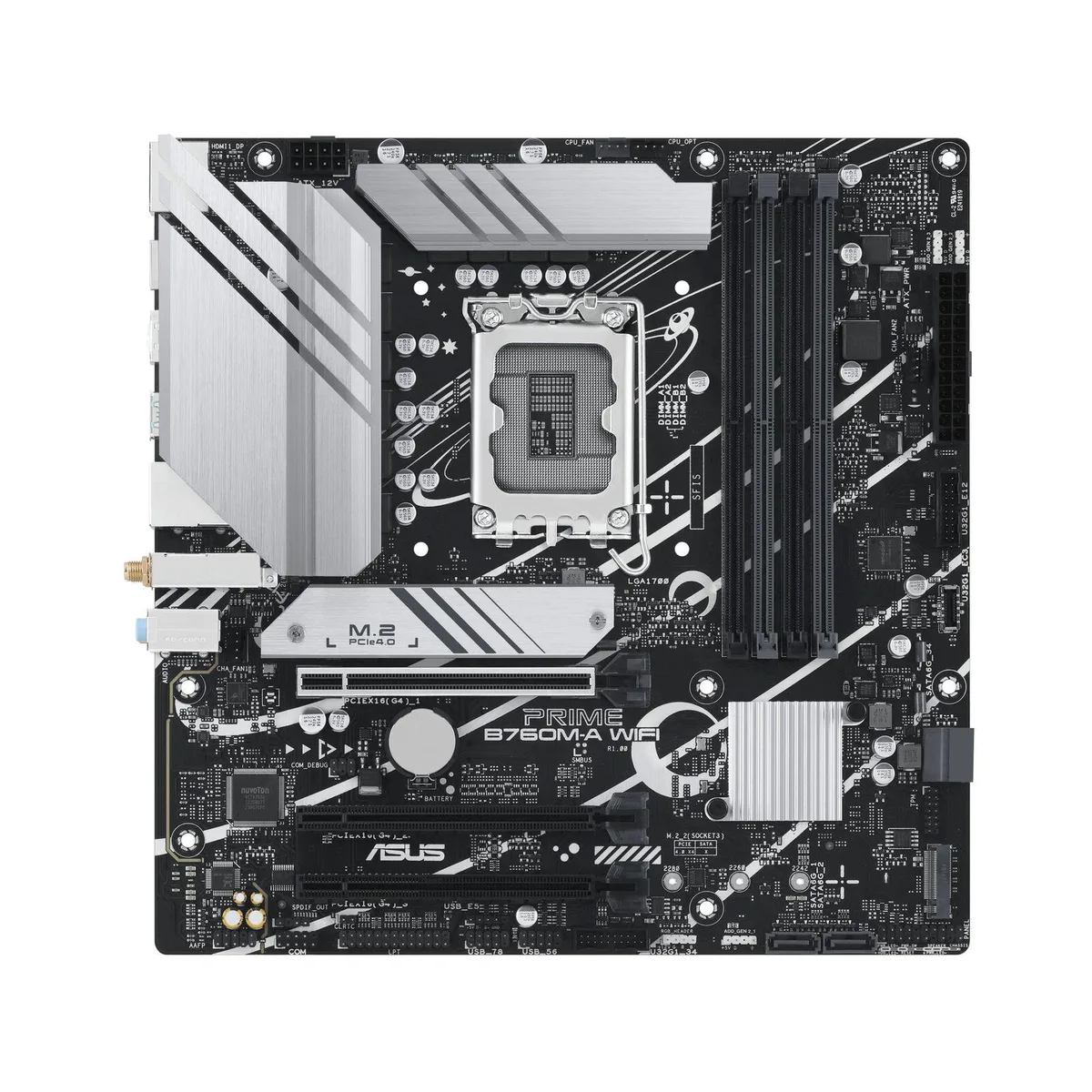
ASUS PRIME B760M-A WIFI Intel motherboard
mATX Intel B760 board for 12th and 13th Gen CPUs with DDR5 memory, Wi-Fi 6, 2.5Gb Ethernet, PCIe 4.0, dual M.2 slots and Aura Sync RGB lighting
- CPU TypeIntel Core 13th Gen (LGA 1700)
- Supports 12th and 13th Gen Intel Core processors with LGA 1700 socket
- DDR5 memory up to 7200 MHz overclocked across four DIMM slots for 128 GB capacity
- PCIe 4.0 and two M.2 slots provide fast storage connectivity
- Realtek 2.5Gb Ethernet plus Wi-Fi 6 deliver high-speed wired and wireless networking
- Rear USB 3.2 Gen 2 and front USB 3.2 Gen 1 Type-C give versatile peripheral connections
Socket LGA 1700 DDR5 mATX board
The ASUS PRIME B760M-A WIFI is a micro-ATX motherboard built around the Intel B760 chipset for LGA 1700 processors. It supports 12th and 13th Gen Intel Core, Pentium Gold and Celeron CPUs with a native DDR5 memory architecture. Integrated Wi-Fi 6 and 2.5Gb Ethernet handle networking, while DisplayPort and dual HDMI outputs drive onboard graphics.
Builders needing four DDR5 slots and twin M.2
This board suits builders who want four DIMM slots for up to 128 GB of DDR5 and two M.2 sockets for primary storage. It is not for buyers who need more than two M.2 slots, more than four memory slots, or a full-size ATX layout with additional expansion slots.
Memory speeds up to 7200 MT/s overclocked
The single specification that decides fit is the validated DDR5 frequency range: JEDEC 4800 through 5600 MT/s and overclocked profiles reaching 7200 MT/s. If your memory kit and CPU combination cannot run at the required speed, the board will not deliver the expected bandwidth.
Points forts
- Supports 12th and 13th Gen Intel Core processors with LGA 1700 socket
- DDR5 memory up to 7200 MHz overclocked across four DIMM slots for 128 GB capacity
- PCIe 4.0 and two M.2 slots provide fast storage connectivity
- Realtek 2.5Gb Ethernet plus Wi-Fi 6 deliver high-speed wired and wireless networking
- Rear USB 3.2 Gen 2 and front USB 3.2 Gen 1 Type-C give versatile peripheral connections
Caractéristiques
| CPU Type | Intel Core 13th Gen (LGA 1700) |
|---|
Questions sur cet article
How do I install the CPU into the LGA 1700 socket and what step is often missed?
Align the processor triangle with the socket marker, lower it gently, then secure the retention lever; the step often missed is removing the protective cover from the load plate before seating the CPU.
What maintenance or replacement will the DDR5 memory slots need over time?
The four DDR5 DIMM slots are fixed to the board and do not require scheduled maintenance; only a failed slot would need a full board replacement.
Which limit appears first when the VRM heatsinks run under sustained load?
The VRM heatsinks rely on passive cooling, so thermal throttling of the power delivery is the first limit during prolonged heavy workloads.
Également dans ce rayon
Les clients ont aussi comparé
Même rayon, même caisse — huit monnaies et un taux bloqué 30 minutes.


PrimoChill
PrimoChill Praxis Wetbench Open-Air Test Bench 461.8mm
- Open-Air
274,89 $US
0.00353779BTC
En stock
Silverstone Technology
SilverStone Technology Strider 1200W 80 Plus Platinum Modular Power Supply
- ATX Mid Tower
- 1200W
324,03 $US
0.00417022BTC
En stock