


ASUS
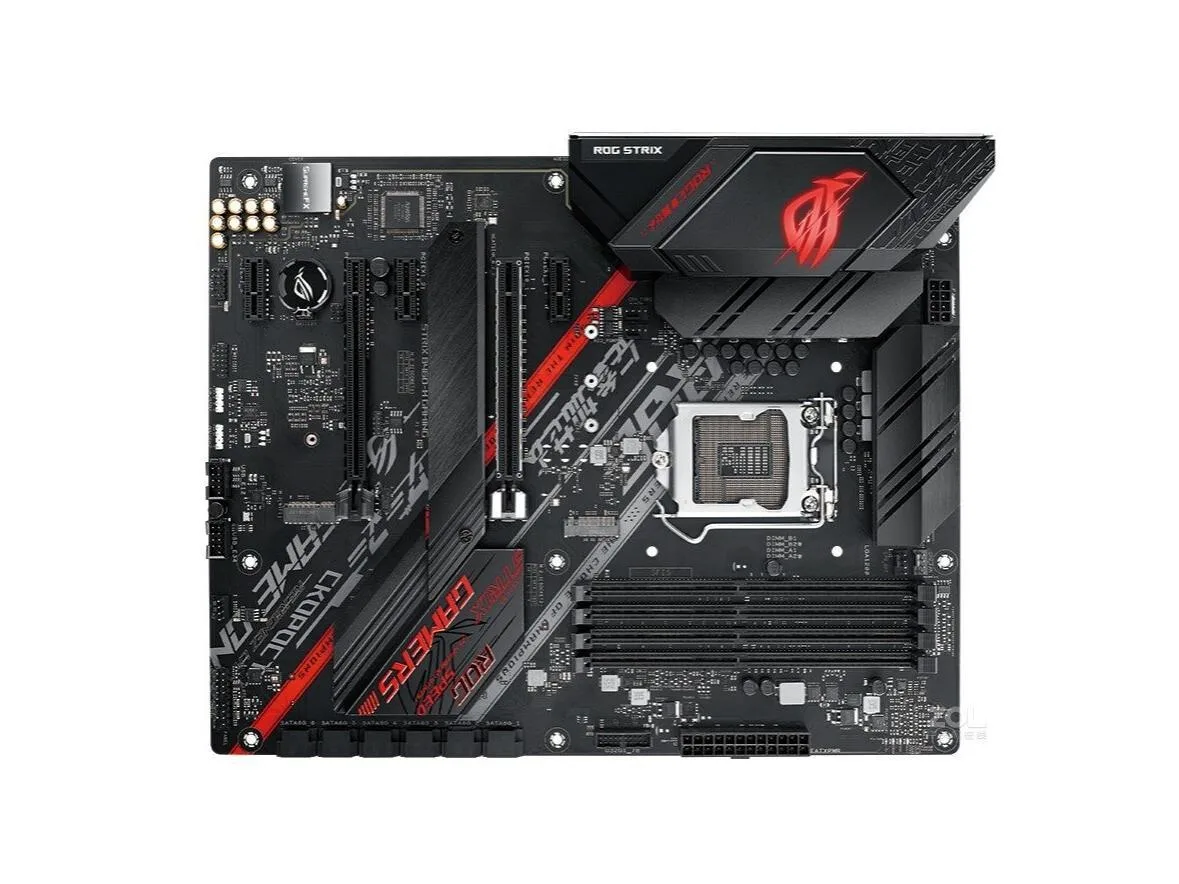
ASUS ROG STRIX B460-H GAMING Intel motherboard
LGA 1200 ATX motherboard with Intel B460 chipset supporting 128 GB DDR4
- CPU Socket TypeLGA 1200
- ChipsetIntel B460
- Maximum Memory Supported128GB
- LGA 1200 socket accepts 10th Gen Intel Core processors
- Intel B460 chipset provides mainstream desktop features
- DDR4 memory scales up to 128 GB capacity
- ATX form factor fits standard chassis layouts
- Package includes motherboard, SATA cable and I/O shield
ROG STRIX B460-H GAMING ATX motherboard
The ASUS ROG STRIX B460-H GAMING is an ATX motherboard built around the Intel B460 chipset and LGA 1200 socket. It supports DDR4 memory up to 128GB and includes a single SATA cable and an I/O back panel in the box.
Suited for LGA 1200 system builds needing four
This board fits builders assembling a system on the LGA 1200 platform who want four DDR4 slots and ATX layout. It is not for buyers who need a smaller form factor, those requiring integrated Wi-Fi or Bluetooth, or anyone looking for a brand-new retail package with full accessory bundles.
LGA 1200 socket decides CPU compatibility
The LGA 1200 socket is the single specification that determines whether a processor will fit this motherboard. Verify that your chosen CPU uses this exact socket before purchase.
Points forts
- LGA 1200 socket accepts 10th Gen Intel Core processors
- Intel B460 chipset provides mainstream desktop features
- DDR4 memory scales up to 128 GB capacity
- ATX form factor fits standard chassis layouts
- Package includes motherboard, SATA cable and I/O shield
Caractéristiques
| Brand | ASUS |
|---|---|
| Model | ASUS ROG STRIX B460-H GAMING |
| CPU Socket Type | LGA 1200 |
| Chipset | Intel B460 |
| Maximum Memory Supported | 128GB |
Questions sur cet article
What CPU socket does this board need?
The board uses an LGA 1200 socket, so you must already own a processor that fits that socket.
Can I reuse my DDR4 memory with this motherboard?
Yes, the board supports DDR4 up to 128GB, so existing DDR4 modules will work within that limit.
How do I confirm the board posts after installing the CPU and RAM?
Connect the included SATA cable and I/O back panel, power on, and watch for the BIOS screen or manufacturer logo on the display.
Également dans ce rayon
Les clients ont aussi comparé
Même rayon, même caisse — huit monnaies et un taux bloqué 30 minutes.


PrimoChill
PrimoChill Praxis Wetbench Open-Air Test Bench 461.8mm
- Open-Air
274,89 $US
0.00357218BTC
En stock
Silverstone Technology
SilverStone Technology Strider 1200W 80 Plus Platinum Modular Power Supply
- ATX Mid Tower
- 1200W
324,03 $US
0.00421075BTC
En stock