


ASUS
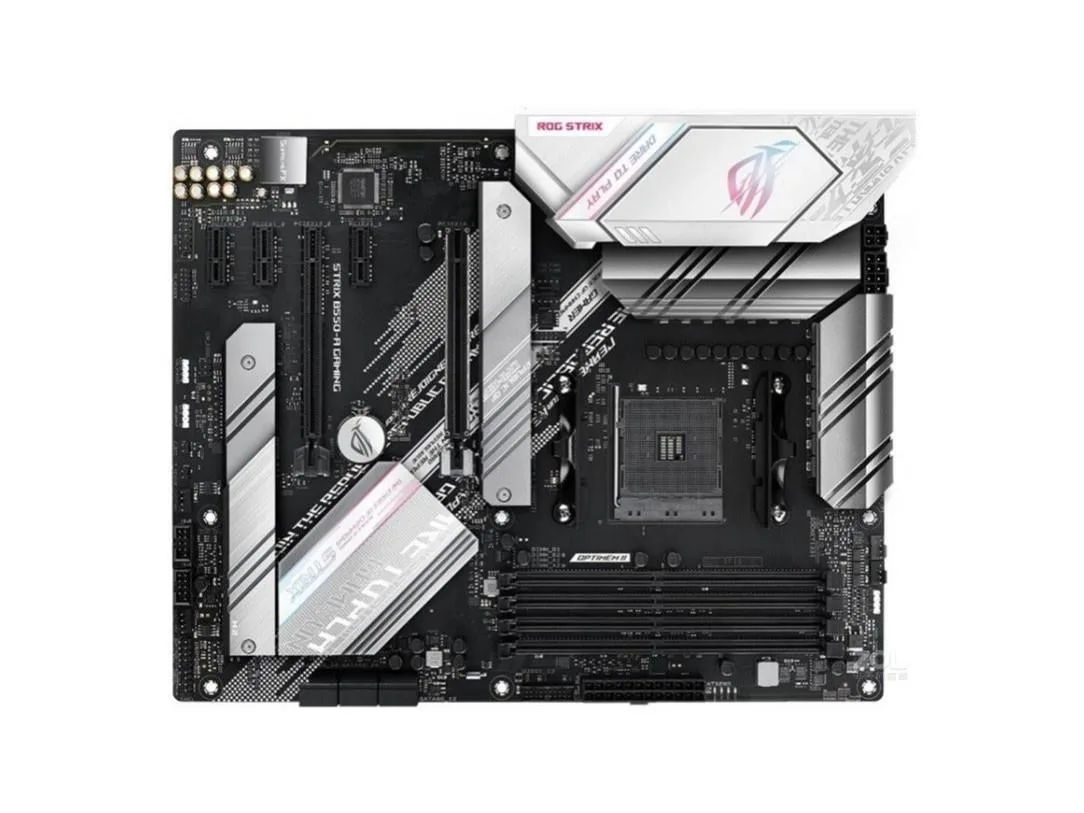
ASUS ROG STRIX B550-A GAMING AMD motherboard
Socket AM4 ATX board with AMD B550 chipset supporting up to 128 GB DDR4 memory
- CPU Socket TypeSocket AM4
- ChipsetAMD B550
- Maximum Memory Supported128GB
- Supports up to 128GB DDR4 memory for heavy workloads
- AMD B550 chipset enables modern platform features
- Socket AM4 compatibility fits a wide processor range
- ATX form factor suits standard desktop builds
- Includes SATA cable and I/O shield for quick setup
AM4 Socket B550 Motherboard
This ASUS ROG STRIX board fits the AM4 socket and uses the AMD B550 chipset. It accepts DDR4 memory up to 128GB in an ATX layout. Builders needing that specific socket and chipset combination will find the core platform features covered.
Suits AM4 DDR4 builds; not for other sockets
The board suits anyone building or repairing an AM4 system that requires DDR4 support. Users with newer AM5 processors or older AM3+ chips must choose a different motherboard because the socket and memory generation are fixed by the hardware design.
128GB maximum memory capacity
The single specification that decides fit is the 128GB memory ceiling. If the planned workload needs more than 128GB of DDR4, this board cannot meet the requirement and another platform must be selected.
Points forts
- Supports up to 128GB DDR4 memory for heavy workloads
- AMD B550 chipset enables modern platform features
- Socket AM4 compatibility fits a wide processor range
- ATX form factor suits standard desktop builds
- Includes SATA cable and I/O shield for quick setup
Caractéristiques
| Brand | ASUS |
|---|---|
| Series | ASUS ROG STRIX B550-A GAMING |
| Model | ASUS ROG STRIX B550-A GAMING |
| CPU Socket Type | Socket AM4 |
| Chipset | AMD B550 |
| Maximum Memory Supported | 128GB |
Questions sur cet article
What size case and power supply does the ATX ROG STRIX B550-A GAMING require?
The board follows the ATX form factor, so it needs a chassis with ATX mounting holes and an ATX power supply with a 24-pin connector plus an 8-pin CPU power plug.
Which screws and connectors must be seated first when installing the motherboard?
Fit the supplied I/O shield, lower the board onto the standoffs, secure all ATX mounting screws, then attach the 24-pin and 8-pin power cables before adding any expansion cards.
What replaceable item is already in the box for the board's real-time clock?
A CMOS battery is included in the package; swap it for a fresh coin cell when the system starts losing date and time settings.
Également dans ce rayon
Les clients ont aussi comparé
Même rayon, même caisse — huit monnaies et un taux bloqué 30 minutes.


PrimoChill
PrimoChill Praxis Wetbench Open-Air Test Bench 461.8mm
- Open-Air
274,89 $US
0.00354624BTC
En stock
Silverstone Technology
SilverStone Technology Strider 1200W 80 Plus Platinum Modular Power Supply
- ATX Mid Tower
- 1200W
324,03 $US
0.00418017BTC
En stock