


ASUS
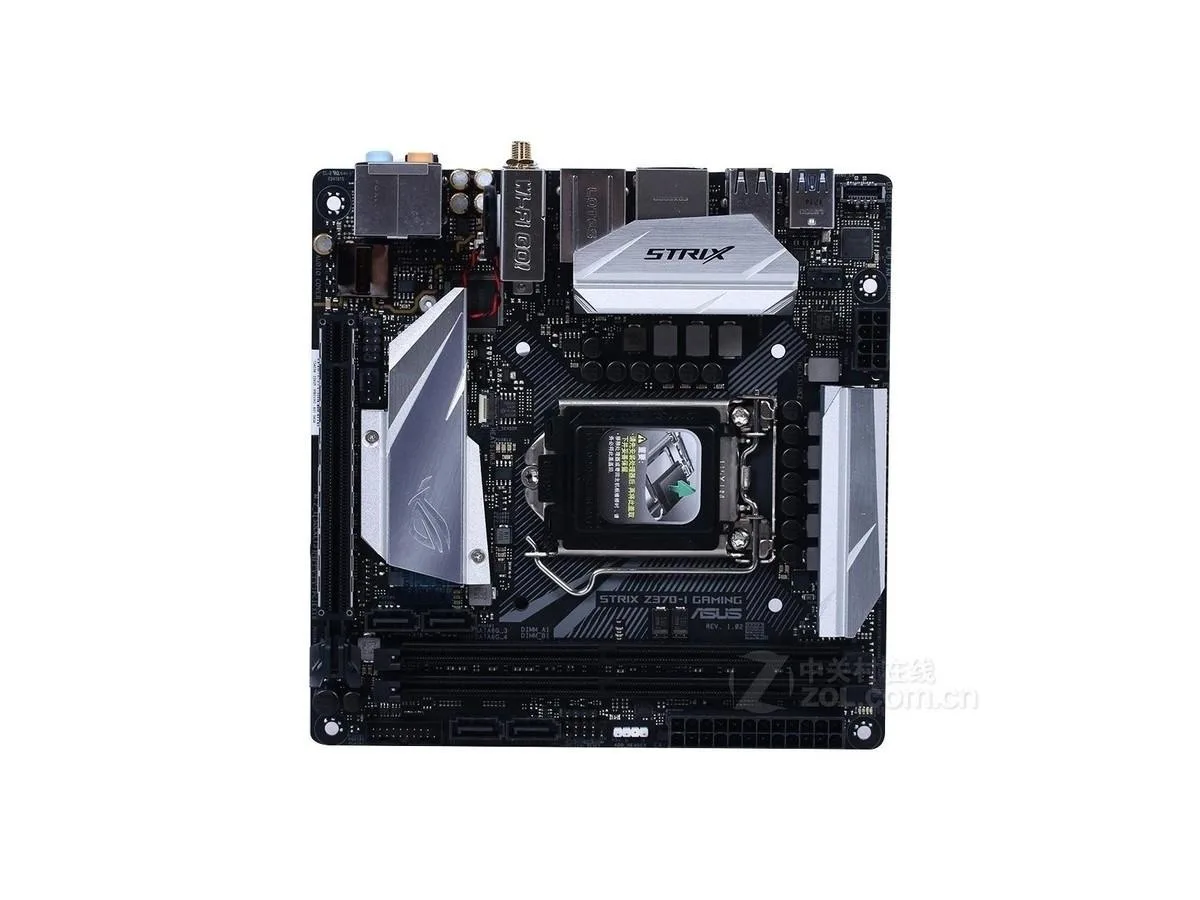
ASUS ROG STRIX Z370-I GAMING Intel motherboard
Mini-ITX board for LGA 1151 CPUs with Intel Z370 chipset supporting 32GB DDR4 memory
- CPU Socket TypeLGA 1151
- ChipsetIntel Z370
- Maximum Memory Supported32GB
- LGA 1151 socket accepts compatible Intel processors
- Intel Z370 chipset enables CPU overclocking features
- DDR4 memory support up to 32 GB capacity
- Mini-ITX form factor fits compact chassis builds
- Includes SATA cable for drive connectivity
Compact Intel Z370 platform
This Mini-ITX motherboard uses the Intel Z370 chipset and an LGA 1151 socket to support compatible processors. It provides four DDR4 slots with a maximum memory capacity of 32GB. The small form factor suits builds where space is limited.
Upgrade from larger Z370 boards
Moving to this board makes sense when a Mini-ITX chassis replaces a standard ATX case and the builder wants to keep the Z370 feature set. The change is worthwhile only if the reduced expansion slots and rear I/O count match the new build plan.
Verify CPU and cooler clearance
Confirm the processor is an LGA 1151 model supported by the Z370 chipset before ordering. Check that the chosen CPU cooler fits the Mini-ITX layout and that the power supply provides the required EPS connector. The package includes the motherboard, one SATA cable and the rear I/O shield only.
Points forts
- LGA 1151 socket accepts compatible Intel processors
- Intel Z370 chipset enables CPU overclocking features
- DDR4 memory support up to 32 GB capacity
- Mini-ITX form factor fits compact chassis builds
- Includes SATA cable for drive connectivity
Caractéristiques
| Brand | ASUS |
|---|---|
| Model | ASUS ROG STRIX Z370-I GAMING |
| CPU Socket Type | LGA 1151 |
| Chipset | Intel Z370 |
| Maximum Memory Supported | 32GB |
Questions sur cet article
Will the Mini-ITX form factor fit my case and leave room for the LGA 1151 cooler mounting holes?
The board uses the Mini-ITX layout, so it mounts in any case with Mini-ITX standoffs; the LGA 1151 socket follows Intel standard hole spacing for compatible coolers.
What is the correct order for seating the CPU, DDR4 memory and the I/O shield during assembly?
Install the I/O shield first, then lower the LGA 1151 processor into the socket, lock the lever, and finally press the DDR4 modules into the two slots until they click.
How often should the onboard metal battery be checked or swapped to keep BIOS settings intact?
The included metal battery typically lasts several years; replace it when the system loses time or BIOS settings after power-off.
Également dans ce rayon
Les clients ont aussi comparé
Même rayon, même caisse — huit monnaies et un taux bloqué 30 minutes.


PrimoChill
PrimoChill Praxis Wetbench Open-Air Test Bench 461.8mm
- Open-Air
274,89 $US
0.00353779BTC
En stock
Silverstone Technology
SilverStone Technology Strider 1200W 80 Plus Platinum Modular Power Supply
- ATX Mid Tower
- 1200W
324,03 $US
0.00417022BTC
En stock