


ASUS
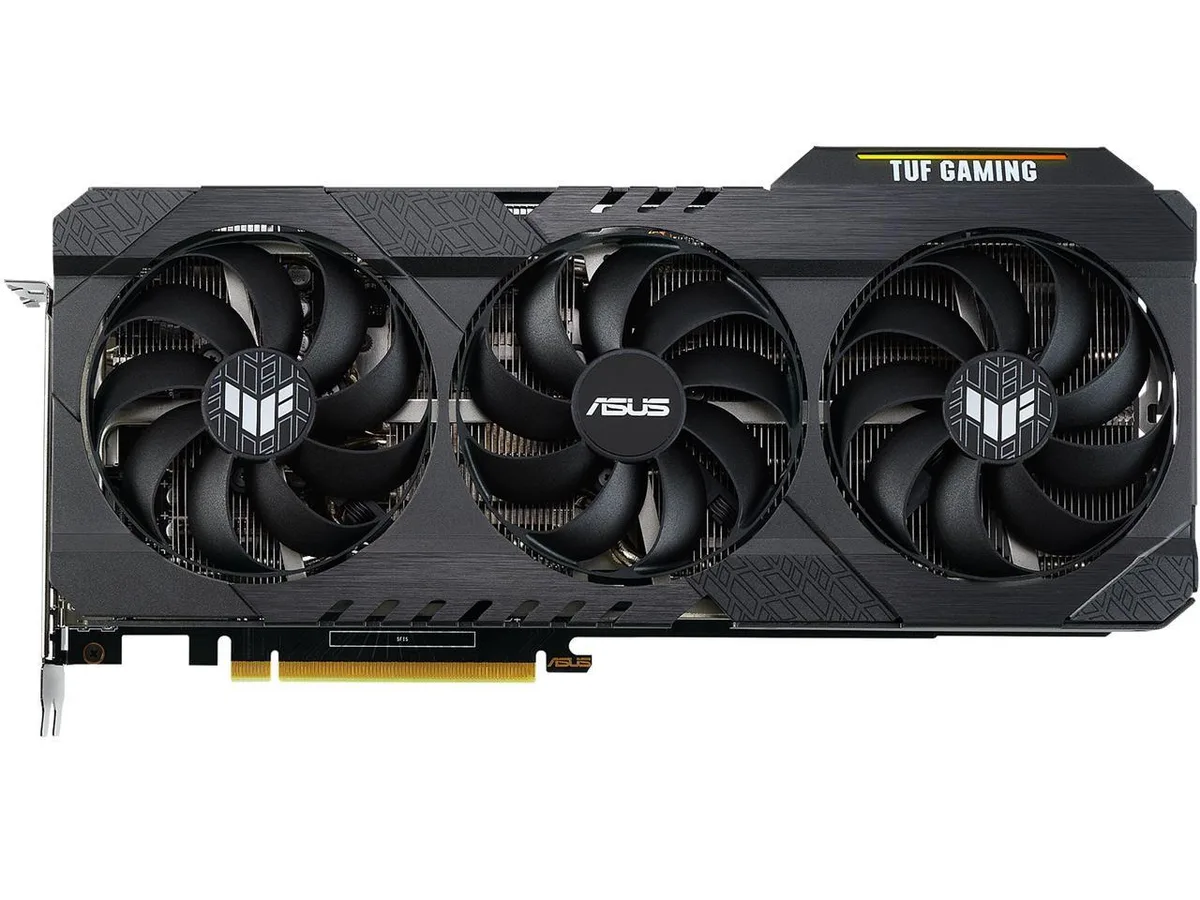
ASUS TUF Gaming GeForce RTX 3060 Ti V2 OC Edition 8GB GDDR6 graphics card
A manufacturer-refurbished RTX 3060 Ti with 8GB 256-bit GDDR6, 4864 CUDA cores and factory OC boost to 1785 MHz
- Chipset ManufacturerNVIDIA
- GPUNVIDIA RTX 3060 Ti
- Memory Size8GB GDDR6
- Memory TypeGDDR6
- Factory-refurbished by ASUS with full functional testing
- 8 GB GDDR6 memory on a 256-bit bus
- 4864 CUDA cores for parallel compute workloads
- OC boost clock reaches 1785 MHz for higher frame rates
- PCI Express 4.0 x16 interface with HDMI 2.1 and DisplayPort 1.4a outputs
ASUS TUF Gaming RTX 3060 Ti V2 OC 8GB
This manufacturer-refurbished graphics card uses the NVIDIA RTX 3060 Ti GPU with 8GB of GDDR6 memory on a 256-bit bus. It connects via PCI Express 4.0 and offers 4864 CUDA cores. The boost clock reaches 1785 MHz in OC mode and 1755 MHz in gaming mode.
Who this suits and who should look elsewhere
This card suits gamers targeting 1440p resolution with a refurbished unit that carries an ASUS warranty. Buyers who need a brand-new retail package with full accessories should look elsewhere. Systems requiring more than 8GB of video memory for heavy texture workloads will need a different model.
The deciding specification
The 8GB GDDR6 frame buffer is the specification that determines suitability. It sets the limit for texture capacity at 1440p and 4K settings. If your workflow or games demand a larger memory pool, this card will not meet that requirement.
Points forts
- Factory-refurbished by ASUS with full functional testing
- 8 GB GDDR6 memory on a 256-bit bus
- 4864 CUDA cores for parallel compute workloads
- OC boost clock reaches 1785 MHz for higher frame rates
- PCI Express 4.0 x16 interface with HDMI 2.1 and DisplayPort 1.4a outputs
Caractéristiques
| Brand | ASUS |
|---|---|
| Model | NVIDIA RTX 3060 Ti |
| Chipset Manufacturer | NVIDIA |
| GPU | NVIDIA RTX 3060 Ti |
| Memory Size | 8GB GDDR6 |
| Memory Type | GDDR6 |
Questions sur cet article
What power connectors does the RTX 3060 Ti V2 OC need from my PSU?
The card requires a single 8-pin PCIe power connector from your power supply.
Will the 1755 MHz Gaming Mode clock run stably on my older PCIe 3.0 motherboard?
Yes, the PCIe 4.0 x16 interface is fully backward compatible with PCIe 3.0 slots and will operate at 3.0 speeds without stability issues.
How can I verify the 4864 CUDA cores are active after installing the drivers?
Open NVIDIA Control Panel → System Information and confirm the CUDA Cores line reads 4864.
Également dans ce rayon
Les clients ont aussi comparé
Même rayon, même caisse — huit monnaies et un taux bloqué 30 minutes.


PrimoChill
PrimoChill Praxis Wetbench Open-Air Test Bench 461.8mm
- Open-Air
274,89 $US
0.00357046BTC
En stock
Silverstone Technology
SilverStone Technology Strider 1200W 80 Plus Platinum Modular Power Supply
- ATX Mid Tower
- 1200W
324,03 $US
0.00420873BTC
En stock