


ASUS
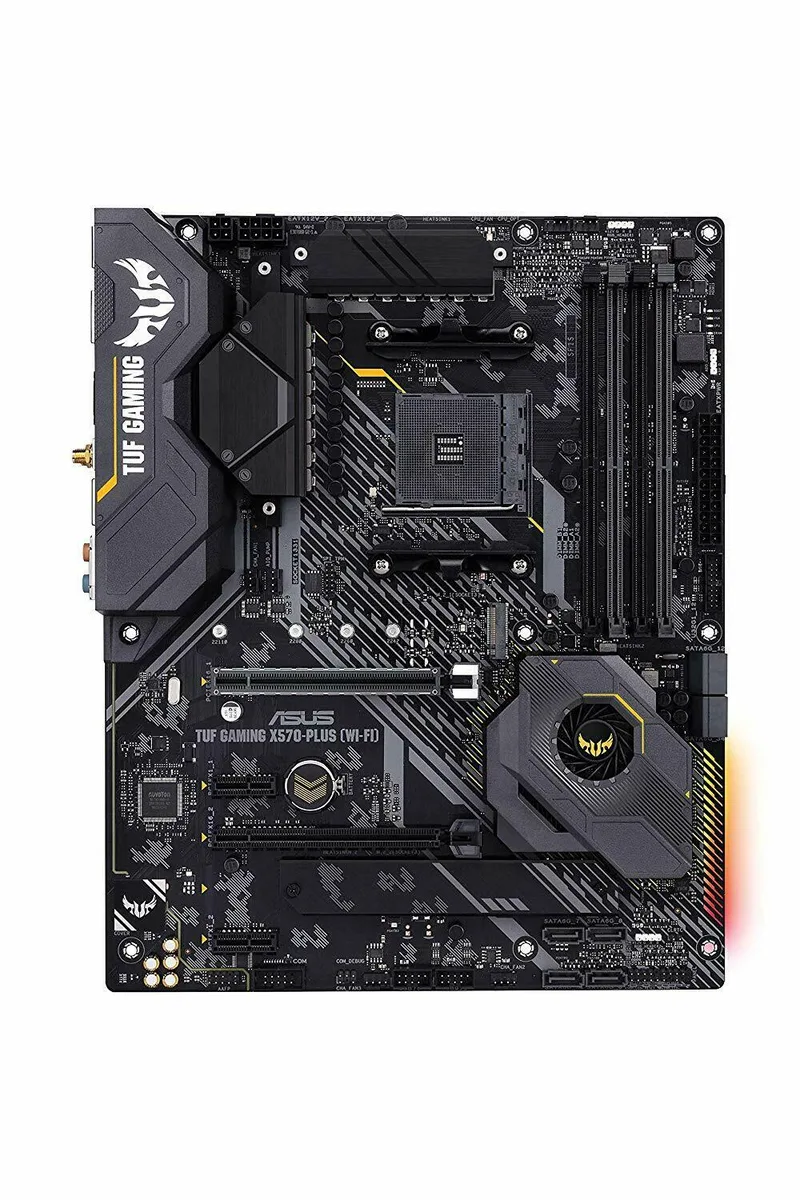
ASUS TUF Gaming X570-PLUS Wi-Fi AMD motherboard AM4 ATX M.2
ATX motherboard with X570 chipset, AM4 socket and built-in Wi-Fi for Ryzen CPUs, supporting DDR4 memory across four slots and two M.2 drives
- CPU TypeRyzen Series
- Four DDR4 memory slots for high capacity
- Dual M.2 slots for fast storage
- X570 chipset supports Ryzen processors
- PCI Express 3.0 x16 slot for graphics
- ATX form factor fits standard cases
ASUS TUF Gaming X570-PLUS Wi-Fi Motherboard
This ASUS motherboard uses the X570 chipset and AM4 socket to support AMD Ryzen series processors. It arrives in ATX form factor with four DDR4 memory slots and two M.2 slots for storage expansion. The board is supplied as a new unit in an anti-static bag and plain box without I/O shield, Wi-Fi antenna, SATA cables or any other accessories.
Built for Serious Gaming Builds
The specification suits builders assembling a high-performance gaming system who can source the missing I/O shield and antenna separately. It is not for buyers who need a complete retail package with all brackets, cables and documentation included in the box. It is also not for systems that require more than two M.2 slots or a different socket type.
X570 Chipset with AM4 Socket and PCIe 3.0 x16
The X570 chipset paired with an AM4 socket determines which Ryzen processors can be installed. The primary expansion slot runs at PCI Express 3.0 x16 for graphics cards. Two M.2 slots provide high-speed storage connections. Four DDR4 slots set the memory capacity ceiling for the platform.
Points forts
- Four DDR4 memory slots for high capacity
- Dual M.2 slots for fast storage
- X570 chipset supports Ryzen processors
- PCI Express 3.0 x16 slot for graphics
- ATX form factor fits standard cases
Caractéristiques
| Brand | ASUS |
|---|---|
| Model | TUF GAMING X570-PLUS WI-FI |
| CPU Type | Ryzen Series |
Questions sur cet article
Do I need to buy a separate I/O shield to install this motherboard in my case?
Yes, the listing states the board ships without an I/O shield, so you must supply your own.
Will my existing PCI Express 3.0 x16 graphics card work in the primary slot?
The board provides a PCI Express 3.0 x16 slot, so a 3.0 x16 card will operate at its native speed.
How can I confirm both M.2 slots are detected after assembly?
Enter the UEFI BIOS and check the storage configuration page; both M.2 slots should appear with any installed drives listed.
Également dans ce rayon
Les clients ont aussi comparé
Même rayon, même caisse — huit monnaies et un taux bloqué 30 minutes.


PrimoChill
PrimoChill Praxis Wetbench Open-Air Test Bench 461.8mm
- Open-Air
274,89 $US
0.00355284BTC
En stock
Silverstone Technology
SilverStone Technology Strider 1200W 80 Plus Platinum Modular Power Supply
- ATX Mid Tower
- 1200W
324,03 $US
0.00418795BTC
En stock