


ASUS
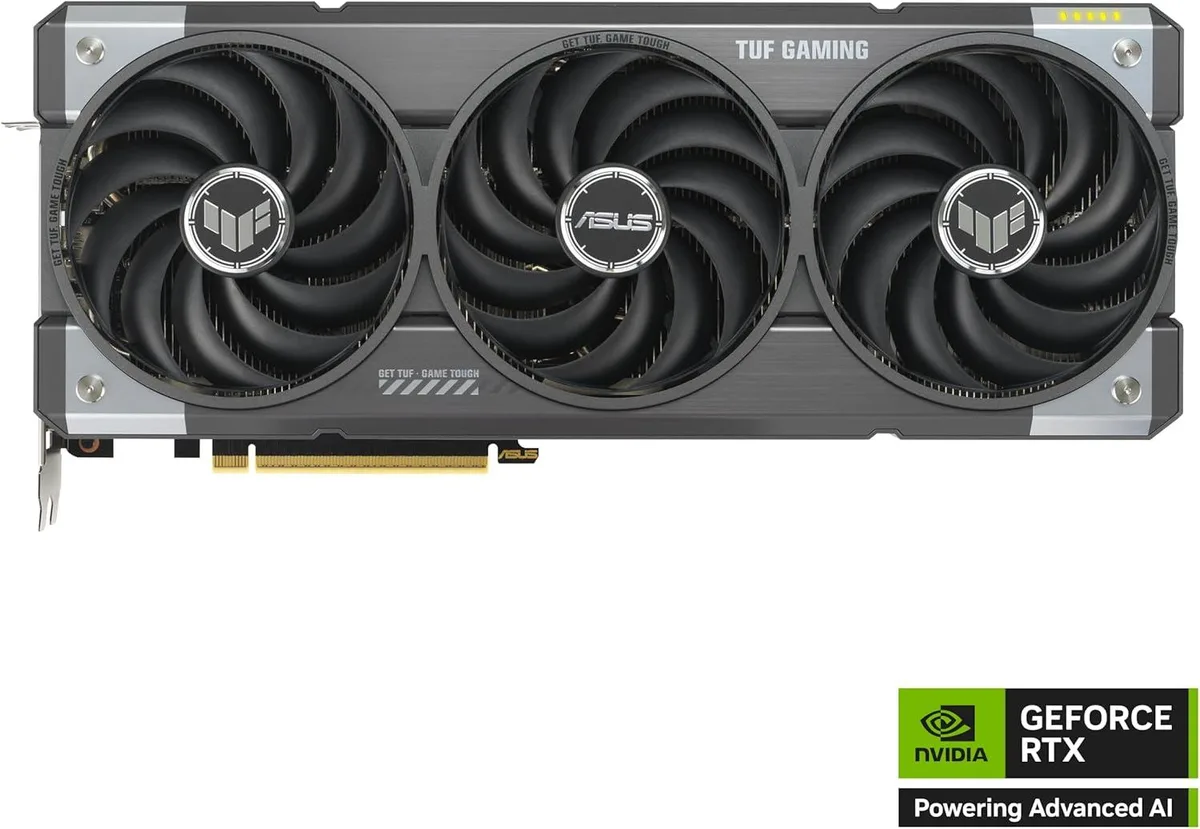
ASUS TUF RTX 5070 12GB GDDR7 OC graphics card
12 GB GDDR7 graphics card with 2.61 GHz base and 2.64 GHz boost clocks, PCIe 5.0 x16, three DisplayPort 2.1 and one HDMI 2.1 outputs, 250 W power draw and DLSS 4 support
- Chipset ManufacturerNVIDIA
- GPUNVIDIA RTX 5070
- Memory Size12GB GDDR7
- Memory TypeGDDR7
- 12 GB GDDR7 memory enables high-resolution textures
- Boost clock reaches 2.64 GHz for responsive gaming
- PCI Express 5.0 x16 slot delivers full bandwidth
- 3-slot cooler with fans keeps temperatures controlled
- 8K 4320p output via DisplayPort 2.1 and HDMI 2.1
12 GB GDDR7 for high-resolution gaming
The ASUS TUF GeForce RTX 5070 ships with 12 GB of GDDR7 memory and a 250 W total graphics power rating. It targets gamers and creators who need 8K 4320p output across four display connectors. A 750 W power supply is recommended for stable operation.
PCI Express 5.0 x16 slot requirement
The card installs into a PCIe 5.0 x16 slot and occupies a 3-slot bracket footprint. Base clock sits at 2.61 GHz with a 2.64 GHz boost, while VRAM runs at 4.0 GHz. The upgrade makes sense when moving from an older GPU that cannot saturate a PCIe 5.0 link or drive 8K 4320p content.
Three DisplayPort 2.1 and one HDMI 2.1
Three DisplayPort 2.1 ports and one HDMI 2.1 port enable multiple monitor support without adapters. The dual-fan heatsink exhausts heat into the case, so chassis airflow must handle 250 W of load. The design frees up internal space compared with thicker custom coolers.
Points forts
- 12 GB GDDR7 memory enables high-resolution textures
- Boost clock reaches 2.64 GHz for responsive gaming
- PCI Express 5.0 x16 slot delivers full bandwidth
- 3-slot cooler with fans keeps temperatures controlled
- 8K 4320p output via DisplayPort 2.1 and HDMI 2.1
Caractéristiques
| Brand | ASUS |
|---|---|
| Model | NVIDIA RTX 5070 |
| Chipset Manufacturer | NVIDIA |
| GPU | NVIDIA RTX 5070 |
| Memory Size | 12GB GDDR7 |
| Memory Type | GDDR7 |
Questions sur cet article
Will the 3-slot cooler fit in my case?
The card occupies three expansion slots, so verify your chassis has room for a triple-slot GPU and that the PCI Express 5.0 x16 slot is not blocked by other components.
What is the correct way to connect power to this card?
Use a 750 W power supply and attach the required PCIe power cables directly from the PSU; do not rely on daisy-chained adapters, which can cause instability under the 250 W graphics power draw.
How often should I clean the fan and heatsink?
Remove dust from the fan and heatsink every few months with compressed air to maintain airflow and keep the 2.64 GHz boost clock stable during extended loads.
Également dans ce rayon
Les clients ont aussi comparé
Même rayon, même caisse — huit monnaies et un taux bloqué 30 minutes.


PrimoChill
PrimoChill Praxis Wetbench Open-Air Test Bench 461.8mm
- Open-Air
274,89 $US
0.00355155BTC
En stock
Silverstone Technology
SilverStone Technology Strider 1200W 80 Plus Platinum Modular Power Supply
- ATX Mid Tower
- 1200W
324,03 $US
0.00418643BTC
En stock