


ASUS
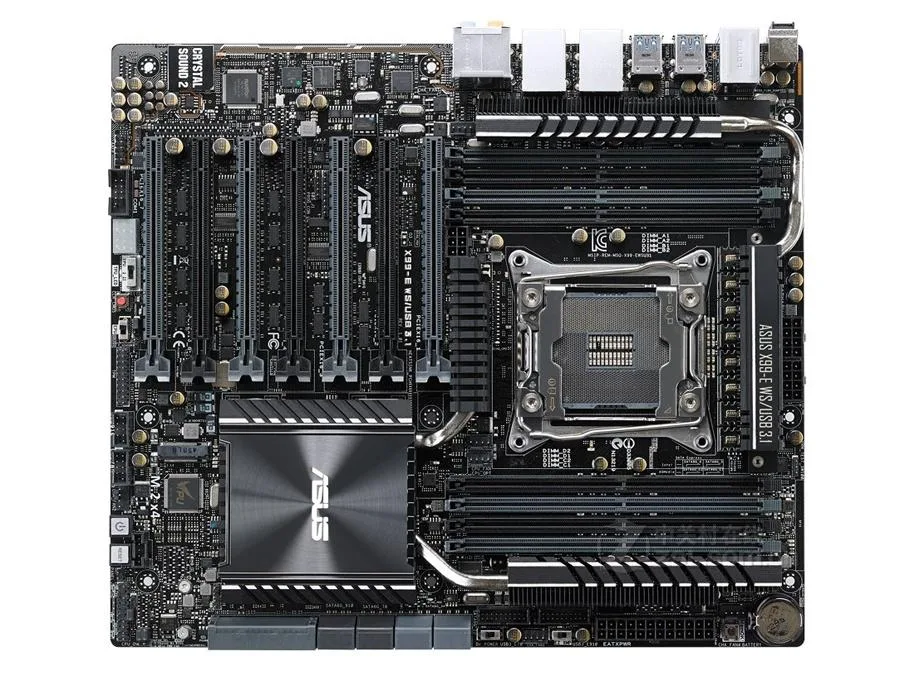
ASUS X99-E WS/USB 3.1 Intel motherboard
Supports LGA 2011-v3 CPUs with Intel X99 chipset and up to 128GB DDR4 memory
- CPU Socket TypeLGA 2011-v3
- ChipsetIntel X99
- Maximum Memory Supported128GB
- Supports up to 128GB DDR4 memory for demanding workloads
- LGA 2011-v3 socket fits compatible Intel processors
- Intel X99 chipset provides workstation-class platform features
- E-ATX form factor offers extensive expansion slot space
- Includes SATA cable and I/O shield for immediate installation
Workstation-grade X99 board
The ASUS X99-E WS/USB 3.1 is an Intel X99 chipset motherboard built for the LGA 2011-v3 socket. It supports DDR4 memory up to 128GB in an E-ATX form factor. This platform targets professionals who need multi-threaded compute performance for rendering, simulation or virtualization workloads.
Replaces older X99 boards lacking USB 3.1
Moving to this model adds native USB 3.1 connectivity while keeping the same socket and memory architecture. The jump is worth it when your current X99 system needs faster external storage or peripheral bandwidth without changing the CPU or memory kit.
Check CPU cooler clearance and case fit
Verify that your chassis accepts E-ATX dimensions before ordering. Confirm the LGA 2011-v3 processor you plan to use is already on hand, as this unit ships without original packaging and includes only the motherboard, one SATA cable and the I/O shield.
Points forts
- Supports up to 128GB DDR4 memory for demanding workloads
- LGA 2011-v3 socket fits compatible Intel processors
- Intel X99 chipset provides workstation-class platform features
- E-ATX form factor offers extensive expansion slot space
- Includes SATA cable and I/O shield for immediate installation
Caractéristiques
| Brand | ASUS |
|---|---|
| Model | ASUS X99-E WS/USB 3.1 |
| CPU Socket Type | LGA 2011-v3 |
| Chipset | Intel X99 |
| Maximum Memory Supported | 128GB |
Questions sur cet article
What chassis size does the E-ATX form factor require for this ASUS X99-E WS/USB 3.1 board?
The board uses the E-ATX form factor, so it needs a chassis that explicitly supports E-ATX dimensions and matching mounting holes.
Which CPU socket must be populated during installation, and what is the common alignment mistake?
Install an LGA 2011-v3 processor by aligning the triangle marker on the CPU with the socket corner; forcing it without that match bends pins.
What replacement does the included metal battery cover when it eventually fails?
The supplied metal battery maintains CMOS settings; replace it with an identical button cell when the system no longer retains date or time after power-off.
Également dans ce rayon
Les clients ont aussi comparé
Même rayon, même caisse — huit monnaies et un taux bloqué 30 minutes.


PrimoChill
PrimoChill Praxis Wetbench Open-Air Test Bench 461.8mm
- Open-Air
274,89 $US
0.00357BTC
En stock
Silverstone Technology
SilverStone Technology Strider 1200W 80 Plus Platinum Modular Power Supply
- ATX Mid Tower
- 1200W
324,03 $US
0.00420818BTC
En stock