DELL
DELL DELL-P2725DE 27" 2560x1440 100Hz USB-C monitor
- 27
562,49 $US756,99 $US−26%
0.00729313BTC
En stockNous acceptons la cryptomonnaie — les cryptos que vous détenez peuvent ainsi acheter du matériel réel.Payez en crypto, dépensez-la en matériel réel. Livraison assurée offerte partout dans le monde au-delà de 399 $. Cartons neutres, sans marque, expédiés depuis l’Allemagne.Livraison assurée offerte au-delà de 399 $. Votre taux est bloqué pendant 30 minutes dès l’ouverture de la caisse.Taux bloqué 30 minutes. Chaque article est scellé, son numéro de série est vérifié, et il est couvert par une garantie de 24 mois.Scellé, garanti 24 mois.


BenQ
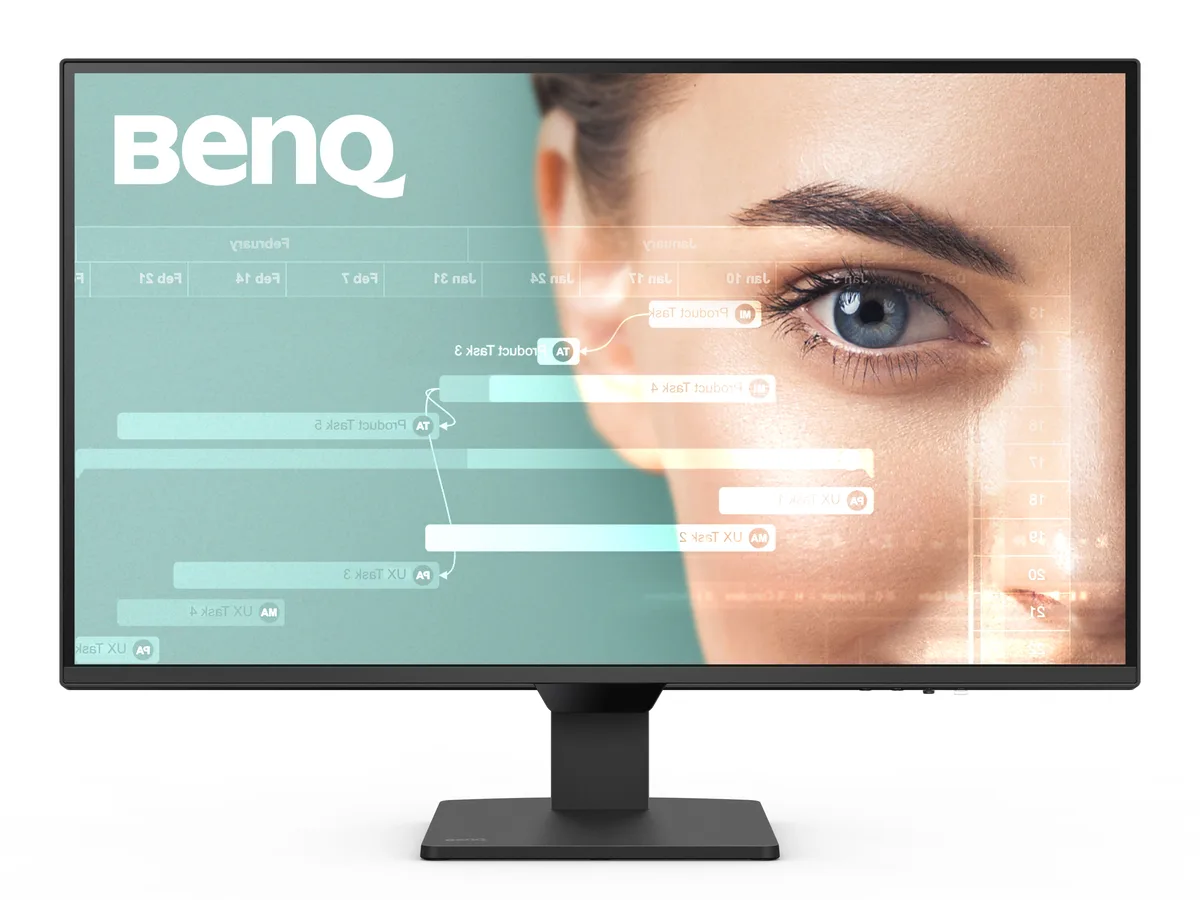
A 27 inch IPS panel delivers 2560 x 1440 resolution at 100Hz with 99% sRGB coverage and 350 cd/m2 brightness for smooth visuals and accurate colour
The BenQ GW2790Q is a 27-inch flat-panel display with a 2560 x 1440 resolution and 100 Hz refresh rate. Its IPS panel covers 99% sRGB and delivers 16.7 million colours at 350 cd/m² brightness with a 1,500:1 contrast ratio. The 178° horizontal and vertical viewing angles keep colour consistent across the 16:9 screen.
Moving from a typical 60 Hz office monitor to this 100 Hz model makes scrolling, window dragging and light gaming feel noticeably smoother. The jump is worth it if you spend long hours reading code or documents and want reduced motion blur without paying for high-end gaming refresh rates.
Your computer must provide DisplayPort 1.2 or HDMI 2.0 to reach the full 2560 x 1440 at 100 Hz. Verify cable length suits your layout and that the monitor’s 41 W typical power draw fits your available outlet. No built-in speakers are listed, so plan for external audio if needed.
| Brand | BenQ |
|---|---|
| Model | GW2790Q |
| Screen Size | 27" |
| Widescreen | Yes |
| Resolution | 2560 x 1440 (2K) |
| Refresh Rate | 100Hz |
| Viewing Angle | 178° (H) / 178° (V) |
| Monitor Pixel Density | 0.233mm |
| Display Colors | 16.7 Million |
| Brightness | 350 cd/m2 |
| Contrast Ratio | 1,500:1 |
| Aspect Ratio | 16:9 |
| Response Time | 5 ms (GtG) |
| Panel | IPS |
| Display Type | QHD |
| Color Gamut | 99% sRGB |
| Curved Surface Screen | Flat Panel |
| Video Ports | 1 x DisplayPort 1.2 / 2 x HDMI 2.0 |
| Headphone | Yes |
| Power Consumption | Power Consumption (normal): 41W Power Consumption (max): 46W Power Consumption (sleep mode): <0.5W |
| Stand Adjustments | Tilt (down/up): -5° - 20° |
| Built-in Speakers | 2 x 2W |
| VESA Compatibility - Mountable | 100 x 100mm |
| Features | Color Weakness ePaper Eye Reminder Low Blue Light Plus Flicker-free Technology |
| Dimensions | 17.70" x 24.20" x 7.20" w/ stand 12.50" x 24.20" x 2.40" w/o stand |
| Weight | 10.40 lbs. w/ stand 9.50 lbs. w/o stand |
| Package Contents | QSG, Safety Instruction, Warranty Card, 1.5m Power Cable, HDMI Cable |
| Poids d’expédition | 7.62 kg |
| Dimensions du colis | 686 × 445 × 152 mm |
Yes, the 27-inch GW2790Q supports the 100 mm VESA mounting pattern for compatible arms and stands.
Press the dedicated Input Hotkey on the bezel to toggle between the two HDMI 2.0 ports and the single DisplayPort 1.2 connection.
Power off the monitor, then gently wipe the screen with a dry microfibre cloth; avoid liquids or abrasive cleaners.
Également dans ce rayon
Même rayon, même caisse — huit monnaies et un taux bloqué 30 minutes.
Ce que vous envoyez, et ce dans quoi vous lisez les prix.
Envoyé depuis votre portefeuille à la caisse
Affichage seul — le catalogue est libellé en dollars
Aucune monnaie ne correspond.
Choisissez la langue dans laquelle le site vous parle.
Première visite ?
Vous avez déjà un compte ?
Il n’y a pas de réinitialisation automatique : cette boutique n’envoie aucun e-mail, il n’existe donc aucun lien à usage unique à demander. Laissez l’adresse sur le compte, elle sera traitée à la main.
Demande enregistrée
Rien n’arrivera dans votre boîte de réception — cette boutique n’envoie aucun e-mail. Quelqu’un s’en occupe à la main.
Vous l’avez retrouvé ?