Cswur
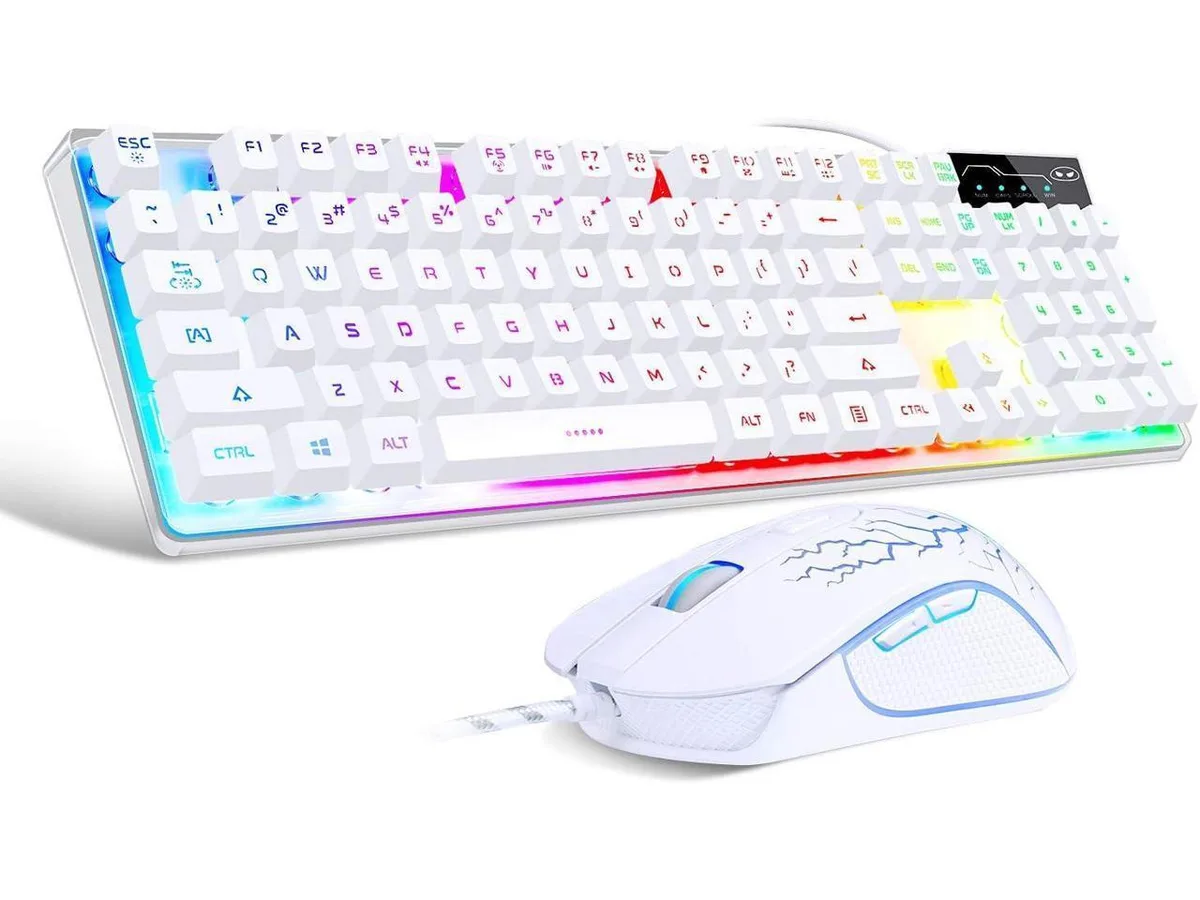
Cswur 104-Key Mechanical Gaming Keyboard Outemu Brown Switches Aluminum Frame Rainbow Backlight
- Full-size
86,99 $US
0.00110996BTC
En stockNous acceptons la cryptomonnaie — les cryptos que vous détenez peuvent ainsi acheter du matériel réel.Payez en crypto, dépensez-la en matériel réel. Livraison assurée offerte partout dans le monde au-delà de 399 $. Cartons neutres, sans marque, expédiés depuis l’Allemagne.Livraison assurée offerte au-delà de 399 $. Votre taux est bloqué pendant 30 minutes dès l’ouverture de la caisse.Taux bloqué 30 minutes. Chaque article est scellé, son numéro de série est vérifié, et il est couvert par une garantie de 24 mois.Scellé, garanti 24 mois.


Wired RGB keyboard and mouse set with silent anti-ghosting keys, 7200 DPI optical sensor, 8.78-inch wrist rest that holds devices up to 11.9 inches, and 117-key layout
The CHONCHOW US3-5010 bundles a full-size keyboard, a 7200 DPI optical mouse and a mouse pad into one USB wired set. Rainbow backlighting offers seven colours with adjustable brightness and breathing modes. Nineteen anti-ghosting keys plus dedicated multimedia controls cover gaming and daily typing. A built-in phone holder and an 8.78-inch wrist rest support tablets up to 11.9 inches.
The combo replaces a standard membrane keyboard and entry mouse with silent keys that cut noise for shared spaces and a 400 IPS tracking sensor for faster response. Anti-ghosting across 19 keys prevents missed inputs during intense sessions. The jump is worth it when you need RGB lighting, a wrist rest and a higher-DPI mouse without buying each piece separately.
Plug-and-play on Windows, Mac and Chrome systems plus PS4, PS5 and Xbox makes it versatile for living-room setups. The honeycomb mouse shell improves airflow and grip. Buyers who want mechanical switches, per-key RGB customisation, wireless freedom or a tenkeyless layout should look at other options.
| Brand | CHONCHOW |
|---|---|
| Series | US3-5010 |
| Keyboard Interface | USB |
| Layout | Phone Holder |
| Palm Rest | Backlit |
| Normal Keys | CHONCHOW RGB Gaming Keyboard and Mouse Combo, USB Wired Rainbow Backlit Anti-Ghosting Silent Keyboard with Ergonomic Wrist Rest & Phone Holder, 7D 7200DPI Gaming Mouse for PC Gamer Xbox PS4 PS5 Users |
| Mechanical Keyboard | No |
| Key Switch Type | Typing |
| Keycaps | Wrist Rest |
| Keyboard Color | Black |
| Backlit | Backlit |
| Dimensions | 6.4008 cm x 27.7876 cm x 45.2882 cm |
| Type | Usb, Corded Electric |
| Mouse Interface | USB |
| Mouse Color | Black |
| Power Source | Corded Electric, false |
| Operating Time | Corded Electric, false |
| Distance | Usb |
| System Requirement | 1 USB Port |
| Features | Backlit, Ergonomic, Wrist Rest |
| Package Contents | 1 |
The set uses one USB port for the keyboard and one USB port for the mouse, so two free USB ports are required on the PC or console.
Hold the FN key and press PgUp or PgDn to change brightness; hold FN and press the Sun key to cycle between constant, breathing and off modes.
Wipe the shell with a dry cloth every few weeks; the open honeycomb structure lets dust through, so regular light cleaning prevents buildup.
Également dans ce rayon
Même rayon, même caisse — huit monnaies et un taux bloqué 30 minutes.
Ce que vous envoyez, et ce dans quoi vous lisez les prix.
Envoyé depuis votre portefeuille à la caisse
Affichage seul — le catalogue est libellé en dollars
Aucune monnaie ne correspond.
Choisissez la langue dans laquelle le site vous parle.
Première visite ?
Vous avez déjà un compte ?
Il n’y a pas de réinitialisation automatique : cette boutique n’envoie aucun e-mail, il n’existe donc aucun lien à usage unique à demander. Laissez l’adresse sur le compte, elle sera traitée à la main.
Demande enregistrée
Rien n’arrivera dans votre boîte de réception — cette boutique n’envoie aucun e-mail. Quelqu’un s’en occupe à la main.
Vous l’avez retrouvé ?