


Corn Electronics
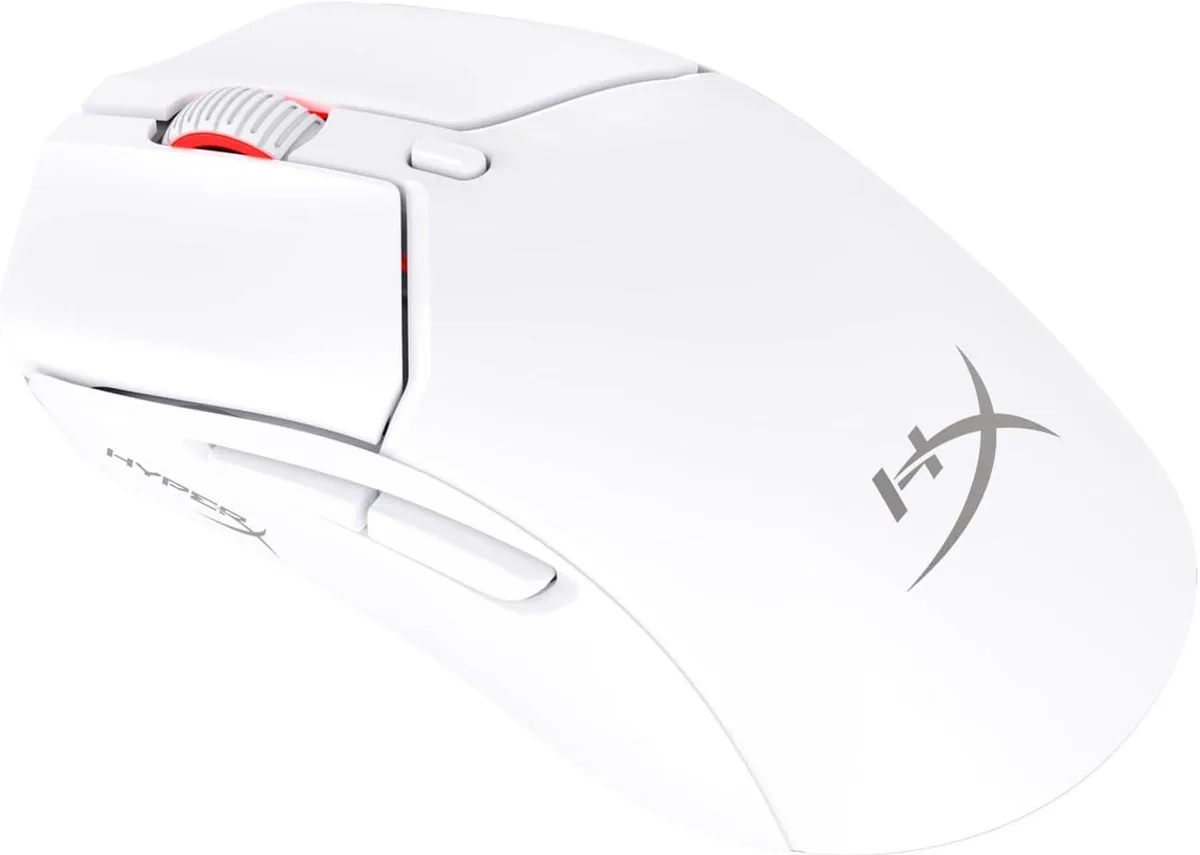
Corn Electronics gaming mouse 59 g 26000 DPI White
Ultra-light 59 g wireless gaming mouse with 26 000 DPI sensor, dual 2.4 GHz and Bluetooth connectivity, and up to 100 hours battery life
- Resolution (DPI)26000 dpi
- ColorWhite
- Ultra-light 59 g design for faster, less tiring movement
- Up to 100 hours battery life on a single charge
- Dual wireless: 2.4 GHz dongle or Bluetooth 2 connectivity
- HyperX 26K sensor delivers 26000 DPI native precision
- Tracks at up to 650 IPS for accurate high-speed control
Compact wireless mouse for smaller hands
The Corn Electronics gaming mouse weighs 59 g and uses a solid upper shell to keep the shape rigid. A HyperX 26K sensor provides native 26000 DPI and tracks at up to 650 IPS for precise cursor control. It connects through a 2.4 GHz dongle or Bluetooth 2 and is built for players who prefer a mini form factor.
Upgrade from larger or heavier mice
This model replaces bulkier wireless mice that can cause fatigue during long sessions. The reduced footprint suits smaller hands or claw grips, while the 100 hour battery life removes the need for frequent charging. The jump is worth it when a full-size mouse feels cumbersome or when desk space is limited.
Sustained wireless play with charging flexibility
The battery delivers up to 100 hours on a full charge and the mouse remains usable while plugged in with the included cable. Dual connectivity lets you switch between 2.4 GHz and Bluetooth 2 without re-pairing. The sensor maintains its 650 IPS tracking ceiling during extended use, so accuracy does not drop as the session lengthens.
Points forts
- Ultra-light 59 g design for faster, less tiring movement
- Up to 100 hours battery life on a single charge
- Dual wireless: 2.4 GHz dongle or Bluetooth 2 connectivity
- HyperX 26K sensor delivers 26000 DPI native precision
- Tracks at up to 650 IPS for accurate high-speed control
Caractéristiques
| Resolution (DPI) | 26000 dpi |
|---|---|
| Color | White |
Questions sur cet article
What USB port does the 2.4 GHz dongle need?
The included 2.4 GHz dongle plugs into any standard USB-A port on the PC.
How do I pair the mouse in Bluetooth mode, and what step is often missed?
Hold the pairing button until the LED flashes, then select the mouse in the OS Bluetooth menu; the step often missed is putting the mouse into pairing mode first.
When will the battery need replacing, and can I swap it myself?
The internal battery is not user-replaceable; after many charge cycles you would need to contact service for a replacement.
Également dans ce rayon
Les clients ont aussi comparé
Même rayon, même caisse — huit monnaies et un taux bloqué 30 minutes.



BFKK
BFKK Wireless Gaming Mouse PAW 3950Max 42000 DPI 8KHz 38g Black & Sticker
- Black
106,99 $US
0.00136378BTC
En stock