

Seagate
Seagate Cheetah NS ST3400755SSProduct 400 GB 3.5" SAS internal hard drive
- SLC
23,99 $US
0.00030554BTC
En stockNous acceptons la cryptomonnaie — les cryptos que vous détenez peuvent ainsi acheter du matériel réel.Payez en crypto, dépensez-la en matériel réel. Livraison assurée offerte partout dans le monde au-delà de 399 $. Cartons neutres, sans marque, expédiés depuis l’Allemagne.Livraison assurée offerte au-delà de 399 $. Votre taux est bloqué pendant 30 minutes dès l’ouverture de la caisse.Taux bloqué 30 minutes. Chaque article est scellé, son numéro de série est vérifié, et il est couvert par une garantie de 24 mois.Scellé, garanti 24 mois.

DELL
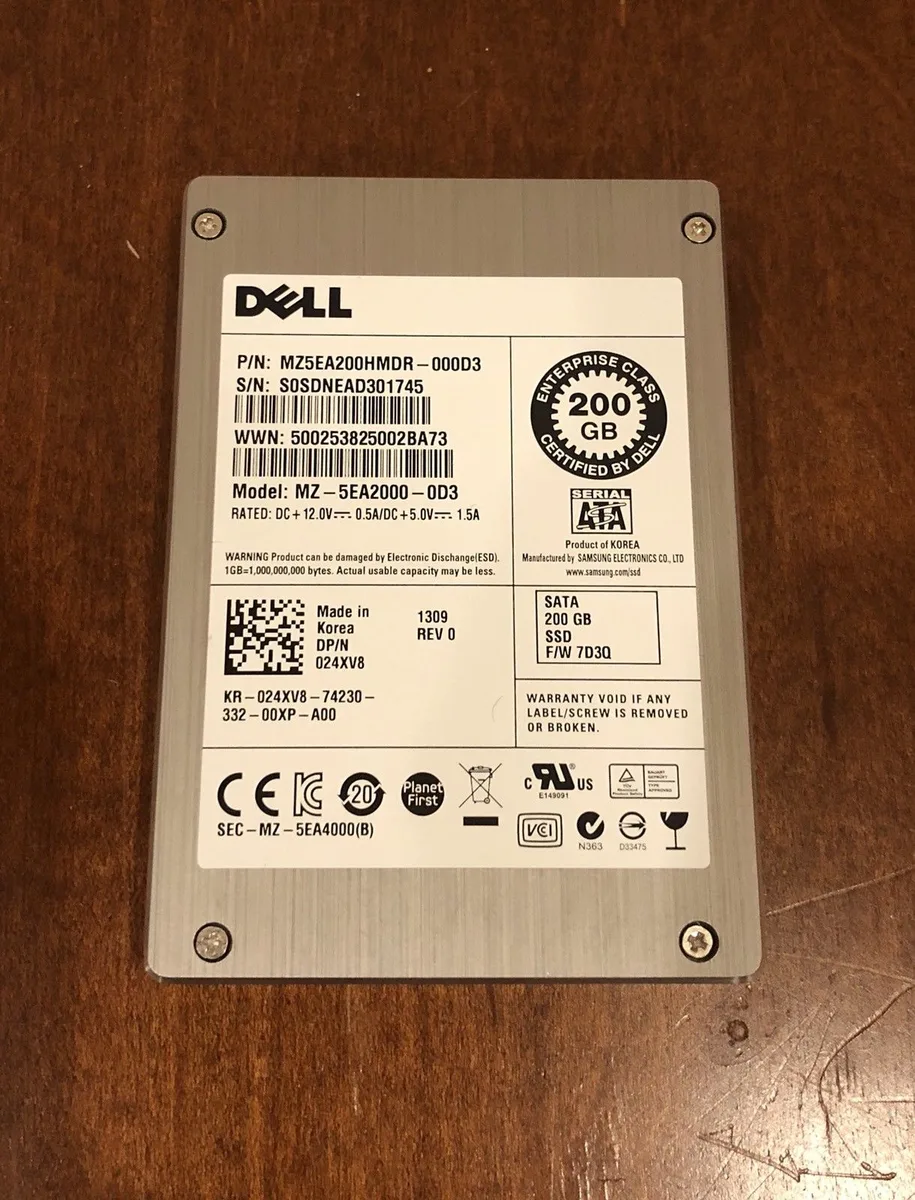
A 2.5 inch SATA enterprise SSD with 200GB capacity, refurbished
The Dell 24XV8 is a 200GB enterprise-class solid-state drive built for servers and storage arrays that demand consistent write endurance. Its MLC NAND and SATA interface suit mixed read-write workloads such as databases, virtualisation hosts or logging tiers where reliability matters more than raw throughput.
The 2.5-inch form factor allows standard drive-bay airflow to keep the controller within thermal limits during sustained operation. With no moving parts the drive runs silently, and the SATA 3Gbps link caps power draw at levels typical for enterprise SATA SSDs under normal load.
| Form Factor | 2.5" |
|---|---|
| Capacity | 200GB |
| Poids d’expédition | 1.36 kg |
| Dimensions du colis | 229 × 152 × 76 mm |
Mount the 2.5" drive in the bay, connect the SATA data and power cables, then configure the drive in the RAID controller BIOS before the OS sees it.
Track the SMART wear indicator; when it nears the rated endurance limit, replace the drive to avoid data loss.
Également dans ce rayon
Même rayon, même caisse — huit monnaies et un taux bloqué 30 minutes.
Ce que vous envoyez, et ce dans quoi vous lisez les prix.
Envoyé depuis votre portefeuille à la caisse
Affichage seul — le catalogue est libellé en dollars
Aucune monnaie ne correspond.
Choisissez la langue dans laquelle le site vous parle.
Première visite ?
Vous avez déjà un compte ?
Il n’y a pas de réinitialisation automatique : cette boutique n’envoie aucun e-mail, il n’existe donc aucun lien à usage unique à demander. Laissez l’adresse sur le compte, elle sera traitée à la main.
Demande enregistrée
Rien n’arrivera dans votre boîte de réception — cette boutique n’envoie aucun e-mail. Quelqu’un s’en occupe à la main.
Vous l’avez retrouvé ?


