

TAURKENAM
TAURKENAM Under-Desk CPU Mount 3.94–11.61 in 360° Swivel 44 lbs
51,99 $US
0.00066136BTC
En stockNous acceptons la cryptomonnaie — les cryptos que vous détenez peuvent ainsi acheter du matériel réel.Payez en crypto, dépensez-la en matériel réel. Livraison assurée offerte partout dans le monde au-delà de 399 $. Cartons neutres, sans marque, expédiés depuis l’Allemagne.Livraison assurée offerte au-delà de 399 $. Votre taux est bloqué pendant 30 minutes dès l’ouverture de la caisse.Taux bloqué 30 minutes. Chaque article est scellé, son numéro de série est vérifié, et il est couvert par une garantie de 24 mois.Scellé, garanti 24 mois.


DELL
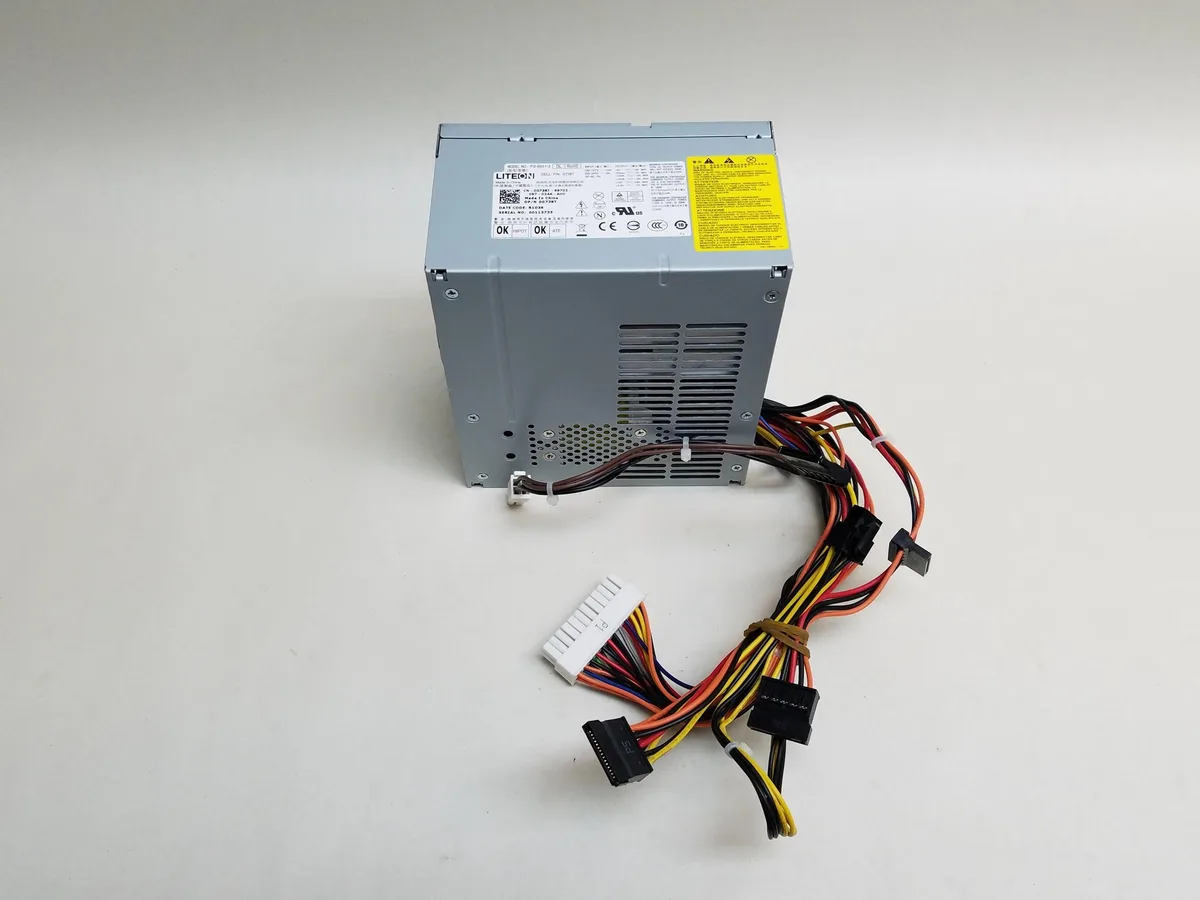
A 350 W desktop power supply with a 24-pin ATX connector and a single cooling fan
This 350 W desktop power supply is built as a direct replacement for the Dell Precision T1500 workstation. It uses the standard 24-pin ATX connector so it fits the original motherboard without adapters. Buyers who need a different form factor or higher wattage for upgraded components should look elsewhere.
A single internal fan moves air through the unit while delivering up to 350 W of continuous power. The non-modular cable set keeps the internal layout simple and matches the factory wiring harness. No efficiency rating or acoustic specification is provided by the manufacturer.
The unit supplies a maximum of 350 W through a fixed 24-pin ATX connector. This capacity determines whether the power supply can support the installed CPU, GPU and drives in the Precision T1500 chassis.
| Brand | DELL |
|---|---|
| Type | Desktop Power Supply |
| Maximum Power | 350 W |
| Fans | 1 Fan |
| Modular | No |
| Weight | 5 |
Remove the old unit, slide the G738T into the Precision T1500 chassis, secure the four mounting screws, then connect the 24-pin ATX connector to the motherboard; the step often missed is plugging the separate 4-pin CPU power lead that sits beside the main connector.
The single internal fan is the only moving part; clean dust from its intake grille every six to twelve months, and replace the entire unit if the fan becomes noisy or the 350 W output becomes unstable.
The 350 W maximum power rating is the first ceiling; continuous draw at or above that level will trigger over-current protection and shut the unit down.
Également dans ce rayon
Même rayon, même caisse — huit monnaies et un taux bloqué 30 minutes.
Ce que vous envoyez, et ce dans quoi vous lisez les prix.
Envoyé depuis votre portefeuille à la caisse
Affichage seul — le catalogue est libellé en dollars
Aucune monnaie ne correspond.
Choisissez la langue dans laquelle le site vous parle.
Première visite ?
Vous avez déjà un compte ?
Il n’y a pas de réinitialisation automatique : cette boutique n’envoie aucun e-mail, il n’existe donc aucun lien à usage unique à demander. Laissez l’adresse sur le compte, elle sera traitée à la main.
Demande enregistrée
Rien n’arrivera dans votre boîte de réception — cette boutique n’envoie aucun e-mail. Quelqu’un s’en occupe à la main.
Vous l’avez retrouvé ?


