


DELL
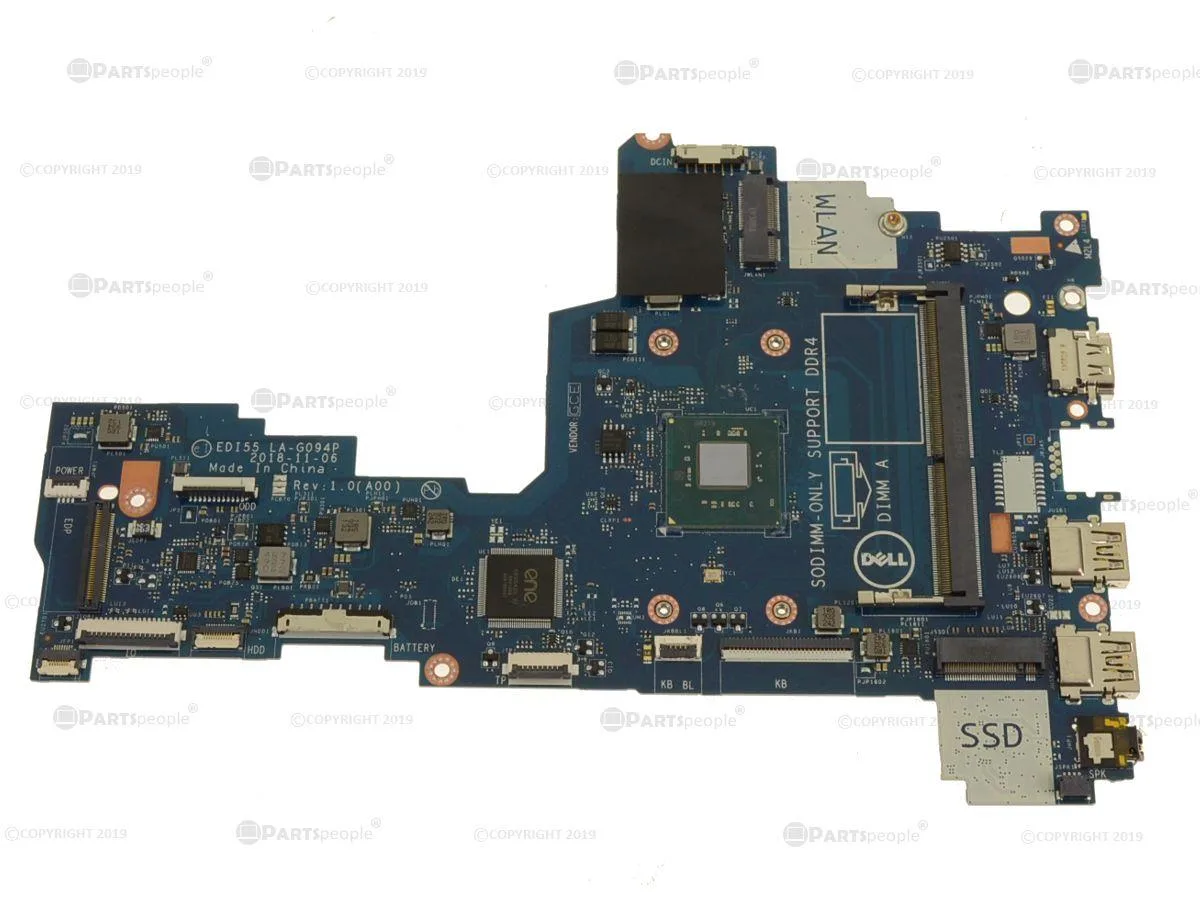
DELL Inspiron 3482 Intel Motherboard 887W5 Celeron N4000 1.1GHz 2.6GHz
Genuine Dell replacement system board with on-board Intel Celeron N4000 dual-core CPU for Inspiron 14 3482 laptops
- Genuine Dell OEM part ensures exact fit for Inspiron 3482
- On-board Intel Celeron N4000 dual-core CPU handles everyday tasks at 1.1 GHz
- Burst frequency up to 2.6 GHz provides extra speed when needed
- Dell part number 887W5 guarantees correct replacement for your laptop
- Designed specifically for the Inspiron 14 3482 model
Genuine Dell Inspiron 3482 System Board
This is a genuine Dell OEM motherboard with an on-board Intel Celeron N4000 dual-core processor. It serves as a direct replacement system board for the Dell Inspiron 14 (3482) laptop. The part number is 887W5.
Suitable for owners repairing a Dell Inspiron 14
This board fits only the specific model listed in the compatibility data. It is not suitable for other laptop models, different screen sizes, or desktop chassis. Buyers needing a board for another device must source the correct part number for that system.
On-board Intel Celeron N4000 at 1.1 GHz base
The processor is soldered to the board and cannot be upgraded or swapped. The dual-core CPU runs at a 1.1 GHz base frequency and can reach a 2.6 GHz burst frequency. This specification defines the performance ceiling for the repair.
Points forts
- Genuine Dell OEM part ensures exact fit for Inspiron 3482
- On-board Intel Celeron N4000 dual-core CPU handles everyday tasks at 1.1 GHz
- Burst frequency up to 2.6 GHz provides extra speed when needed
- Dell part number 887W5 guarantees correct replacement for your laptop
- Designed specifically for the Inspiron 14 3482 model
Caractéristiques
| Brand | DELL |
|---|
Questions sur cet article
What interface does the on-board Celeron N4000 use and what clock speed does it cap at?
The Celeron N4000 is soldered directly to the board and runs at a base 1.1 GHz with a burst frequency of 2.6 GHz.
What laptop chassis and part number must this motherboard match for a correct fit?
It is built for the Inspiron 14 (3482) chassis and carries Dell part number 887W5.
How is the board installed in the Inspiron 3482 and what step is often missed?
Remove the bottom case, disconnect the battery, swap the board, then reconnect the battery before closing the case — skipping the battery reconnect is the common error.
Également dans ce rayon
Les clients ont aussi comparé
Même rayon, même caisse — huit monnaies et un taux bloqué 30 minutes.


PrimoChill
PrimoChill Praxis Wetbench Open-Air Test Bench 461.8mm
- Open-Air
274,89 $US
0.00355854BTC
En stock
Silverstone Technology
SilverStone Technology Strider 1200W 80 Plus Platinum Modular Power Supply
- ATX Mid Tower
- 1200W
324,03 $US
0.00419467BTC
En stock