


DELL
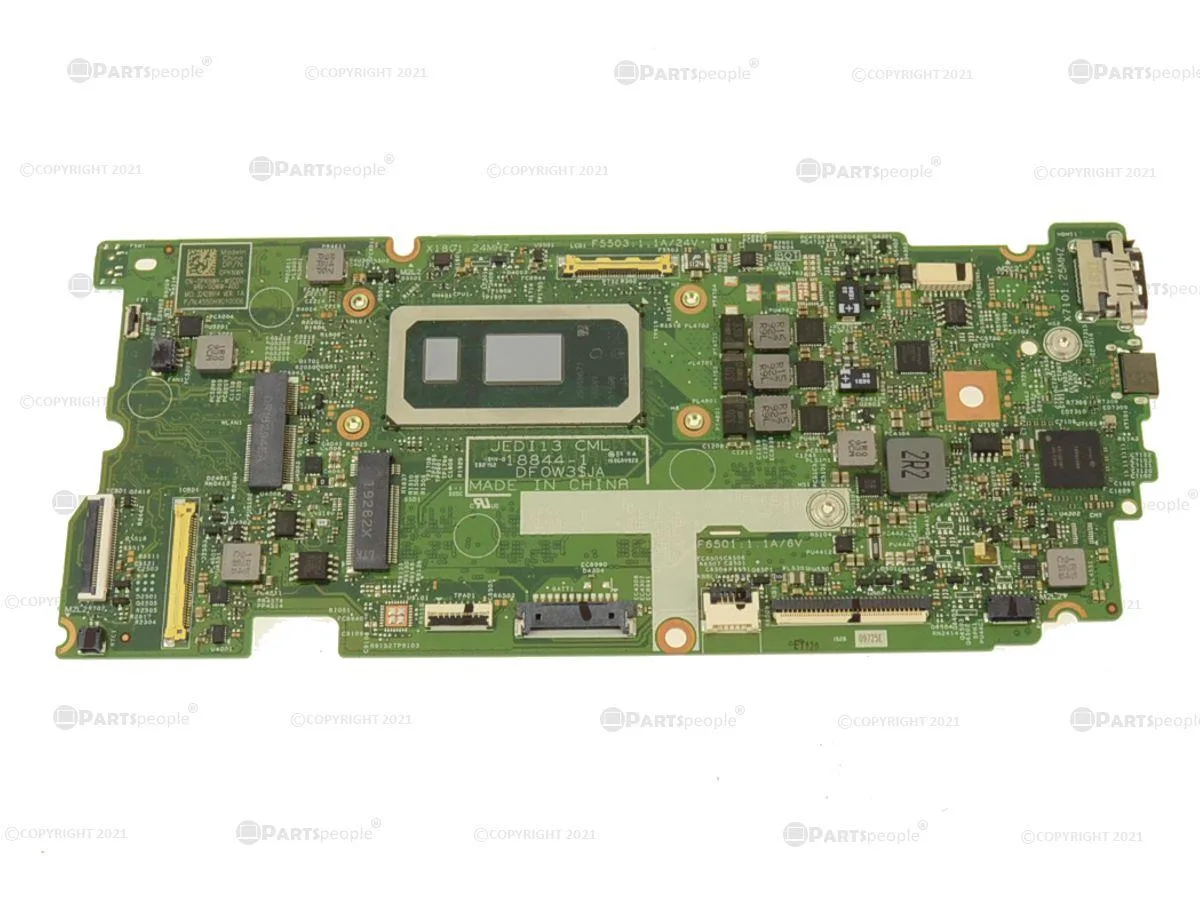
DELL Inspiron 7391 2-in-1 Motherboard Core i5-10210U 1.6GHz 8GB
Genuine Dell OEM system board with on-board Intel Core i5-10210U 1.6GHz quad-core CPU and 8GB soldered RAM for the Inspiron 7391 2-in-1
- CPU TypeATOM
- Genuine Dell OEM replacement board for Inspiron 7391 2-in-1
- On-board Intel Core i5-10210U quad-core processor running at 1.6 GHz
- 8 GB of soldered memory integrated on the system board
- Exact-fit part number PKNWK matches factory specifications
- Ready-to-install assembly with CPU and RAM already mounted
Genuine Dell OEM replacement board for Inspiron
This genuine Dell OEM motherboard carries the Dell part number PKNWK and is built for the Inspiron 7391 2-in-1 laptop. It arrives with an on-board Intel Core i5-10210U quad-core processor running at 1.6 GHz and 8 GB of soldered memory already installed.
Direct swap for a failed original system board
The board replaces the factory system board in an Inspiron 7391 2-in-1 when that board has failed or been damaged. Because the CPU and RAM are integrated, the upgrade path is limited to a straight like-for-like exchange rather than a component-level improvement.
Verify the exact model
Confirm that the laptop is an Inspiron 7391 2-in-1 and that the service tag or chassis label references part number PKNWK. The processor and memory are not removable, so the unit cannot be adapted to other Dell models or configurations.
Points forts
- Genuine Dell OEM replacement board for Inspiron 7391 2-in-1
- On-board Intel Core i5-10210U quad-core processor running at 1.6 GHz
- 8 GB of soldered memory integrated on the system board
- Exact-fit part number PKNWK matches factory specifications
- Ready-to-install assembly with CPU and RAM already mounted
Caractéristiques
| Brand | DELL |
|---|---|
| CPU Type | ATOM |
Questions sur cet article
Will the PKNWK motherboard fit my Inspiron 7391 2-in-1 chassis?
The PKNWK board is a genuine Dell OEM part built for the Inspiron 7391 2-in-1, so it matches the original mounting points and connector layout exactly.
What is the correct way to install this board, and which step is often missed?
Replace the board, reconnect every flex cable and the battery, then run the Dell service-tag BIOS update; skipping the BIOS flash leaves the new i5-10210U unrecognised.
Since the RAM is soldered, what maintenance or replacement should I expect later?
The 8 GB is on-board and cannot be upgraded; if a memory fault appears the whole board must be swapped, so keep the system cool and dust-free to extend its life.
Également dans ce rayon
Les clients ont aussi comparé
Même rayon, même caisse — huit monnaies et un taux bloqué 30 minutes.


PrimoChill
PrimoChill Praxis Wetbench Open-Air Test Bench 461.8mm
- Open-Air
274,89 $US
0.00355238BTC
En stock
Silverstone Technology
SilverStone Technology Strider 1200W 80 Plus Platinum Modular Power Supply
- ATX Mid Tower
- 1200W
324,03 $US
0.00418741BTC
En stock