


DELL
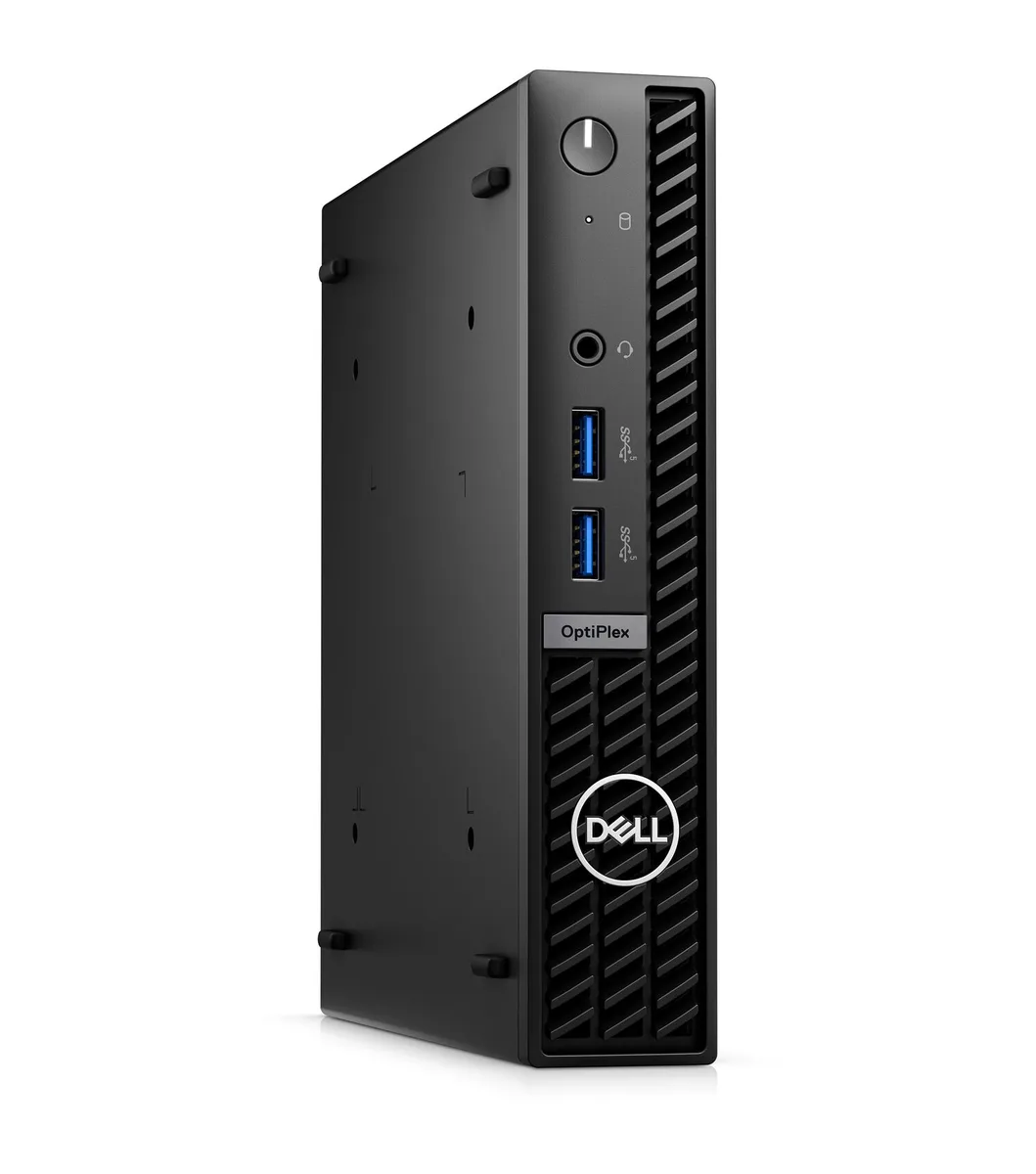
DELL J1-7010MA07 OptiPlex 7010 Micro mini PC i5-13500T 32GB 512GB
A refurbished micro desktop with a 13th-gen Intel Core i5, 32 GB DDR4 and a 512 GB NVMe drive, running Windows 11 Pro
- TypeBusiness Desktops & Workstations
- Form FactorMicro Tower
- UsageBusiness / Mainstream
- ColorBlack
- ProcessorIntel Core i5-13500T
- Memory32GB DDR4
- Refurbished business desktop ready for immediate deployment
- 13th Gen Intel Core i5-13500T with 24 MB L3 cache
- 32GB DDR4 memory handles multitasking smoothly
- 512GB NVMe SSD provides fast boot and load times
- Windows 11 Pro 64-bit pre-installed for enterprise features
OptiPlex 7010 Micro refurbished mini PC
The refurbished Dell OptiPlex 7010 Micro fits into tight desk spaces with a 7.17 x 1.42 x 7.01 inch Micro Tower chassis. It ships with an Intel Core i5-13500T processor, 32GB DDR4 memory and a 512GB NVMe SSD. Windows 11 Pro 64-bit is pre-installed alongside a USB keyboard and mouse.
Sustained workload behaviour
The 13th Gen Intel Core i5-13500T runs at a 1.6GHz base clock with 24MB L3 cache to maintain steady throughput during extended office tasks. Six performance cores and eight efficient cores share the load so background services and foreground applications run together without throttling. The 32GB DDR4 capacity keeps large datasets resident, reducing swap activity on the NVMe drive.
Thermals noise and power draw
The compact 2.87 lb Micro Tower uses an internal blower that draws air across the CPU heatsink and exhausts it through the rear vent. Under typical business loads the fan remains at low RPM, producing minimal audible noise in a quiet office. Power consumption stays modest thanks to the 35W T-series processor and integrated graphics, leaving headroom on standard office circuits.
Points forts
- Refurbished business desktop ready for immediate deployment
- 13th Gen Intel Core i5-13500T with 24 MB L3 cache
- 32GB DDR4 memory handles multitasking smoothly
- 512GB NVMe SSD provides fast boot and load times
- Windows 11 Pro 64-bit pre-installed for enterprise features
Caractéristiques
| Brand | DELL |
|---|---|
| Series | OptiPlex |
| Model | 7010 |
| Part Number | J1-7010MA07 |
| Type | Business Desktops & Workstations |
| Form Factor | Micro Tower |
| Usage | Business / Mainstream |
| Color | Black |
| Processor | Intel Core i5-13500T |
| Memory | 32GB DDR4 |
| Storage | 512GB NVMe SSD |
| Keyboard | USB Keyboard |
| Mouse | USB Mouse |
| Operating System | Windows 11 Pro 64-bit |
| CPU Type | Intel Core i5 13th Gen |
| CPU Name | Intel Core i5-13500T |
| L3 Cache Per CPU | 24 MB |
| Memory Capacity | 32GB DDR4 |
| SSD | 512GB NVMe |
| WLAN | Yes |
| Bluetooth | Yes |
| Video Ports | 1 x DisplayPort 1.4a / 1 x HDMI |
| RJ45 | 1 port |
| Dimensions (H x W x D) | 7.17" x 1.42" x 7.01" |
| Weight | 2.87 lbs. |
| Poids d’expédition | 2.72 kg |
| Dimensions du colis | 508 × 406 × 127 mm |
Questions sur cet article
How loud and hot does the OptiPlex 7010 Micro get when the i5-13500T runs at 1.6 GHz all day?
The Micro form factor measures 7.17 x 1.42 x 7.01 inches and weighs 2.87 lbs, so the small chassis relies on a single internal fan; sustained loads will raise the exhaust temperature noticeably, though the 35 W T-series processor limits peak heat output compared with higher-wattage CPUs.
Which display cables and monitor inputs do I need to use the HDMI and DisplayPort 1.4a ports on this unit?
You must provide your own HDMI cable for the HDMI port and a DisplayPort 1.4a cable for the DisplayPort output; the system includes no video cables, only a USB keyboard and USB mouse.
Will my existing DDR4 SODIMMs work if I want to expand the 32 GB already installed in this OptiPlex 7010 Micro?
The system ships with 32 GB of DDR4 memory; any additional modules must be DDR4 SODIMMs matching the same speed and voltage, but the Micro chassis only has two slots, so total capacity is limited by the board's maximum supported amount.
Également dans ce rayon
Les clients ont aussi comparé
Même rayon, même caisse — huit monnaies et un taux bloqué 30 minutes.



HPE
HPE P22020B21 2U Cable Management Arm for DL38X Gen10 Plus Rail Kit
52,99 $US67,99 $US−22%
0.00067501BTC
En stock
Lenovo
Lenovo ThinkSystem ST250 V3 7DCEA01YNA Tower Server Xeon E-2434 16 GB RAM
1 267,99 $US
0.01615212BTC
En stock