

Acer America
Acer America Aspire Go 15 AG15-51P-510U 15.3" WUXGA i5-1334U 8GB 256GB Steel Gray
- Steel Gray
- Windows 11 Home
431,99 $US
0.00547065BTC
En stockNous acceptons la cryptomonnaie — les cryptos que vous détenez peuvent ainsi acheter du matériel réel.Payez en crypto, dépensez-la en matériel réel. Livraison assurée offerte partout dans le monde au-delà de 399 $. Cartons neutres, sans marque, expédiés depuis l’Allemagne.Livraison assurée offerte au-delà de 399 $. Votre taux est bloqué pendant 30 minutes dès l’ouverture de la caisse.Taux bloqué 30 minutes. Chaque article est scellé, son numéro de série est vérifié, et il est couvert par une garantie de 24 mois.Scellé, garanti 24 mois.
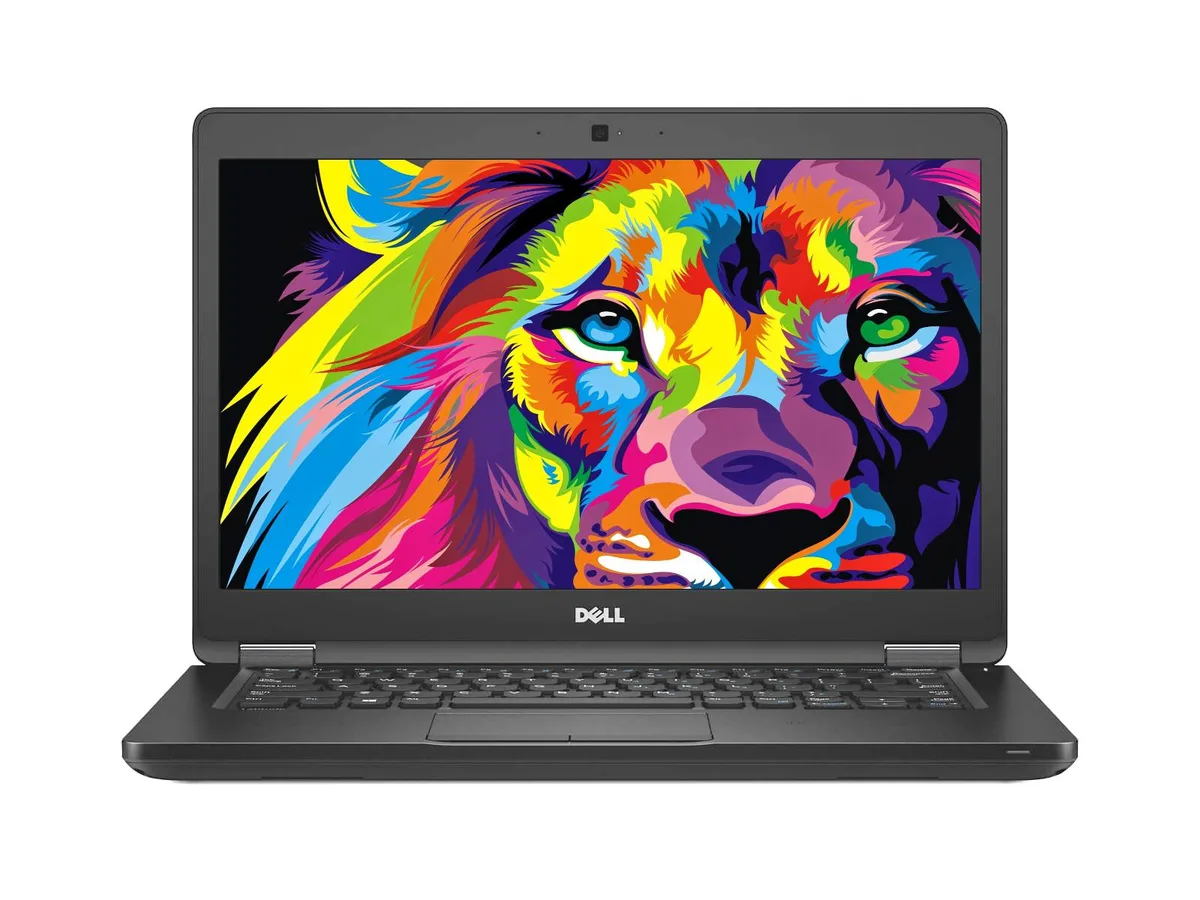


DELL
14-inch business laptop with a 2.4 GHz dual-core processor, 16 GB DDR4 memory and a 256 GB NVMe drive
The Dell Latitude 5480 is a compact 14.0-inch laptop built for everyday office tasks. It runs Windows 10 Pro on an Intel Core i5-6300U processor clocked at 2.4 GHz. The system includes 16GB of DDR4 memory and a 256GB NVMe PCIe M.2 SSD for fast boot and load times. Integrated Intel HD Graphics 520 drives the 1366 x 768 non-touch display.
This unit suits travellers and client-facing staff who rely on a built-in VGA port, HDMI output and a USB-C/DisplayPort connection for projectors or external screens. Gigabit Ethernet and 802.11 wireless cover wired and mobile networks. Buyers who want a touchscreen, a higher-resolution panel or a dedicated graphics chip should look elsewhere.
The 256GB NVMe drive determines whether this laptop fits your workload. It offers solid-state speed for the operating system and core applications while keeping weight low. Users who store large media libraries, engineering datasets or multiple virtual machines on the local drive will find the capacity limiting and should consider a model with a larger SSD.
| Brand | DELL |
|---|---|
| Series | Latitude |
| Model | 5480 |
| Color | Black |
| Operating System | Windows 10 Pro |
| CPU Type | Intel Core i5 6th Gen |
| Processor Name | Intel Core i5-6300U |
| Core Name | Skylake |
| Number of Cores | Dual-core Processor |
| CPU L2 Cache | 3MB |
| Screen Size | 14.0" |
| Touchscreen | Non-Touch Screen |
| Wide Screen Support | Yes |
| Display Type | HD |
| Resolution | 1366 x 768 |
| GPU/VPU | Intel HD Graphics 520 |
| Graphic Type | Integrated Card |
| SSD | 256GB |
| Storage Spec | NVMe PCIe M.2 SSD |
| Memory | 16GB |
| Max Memory Supported | 16 GB |
| Optical Drive Type | No |
| LAN | 10/100/1000Mbps |
| WLAN | 802.11a/b/g/n Wireless LAN |
| USB | 3 |
| HDMI | 1 x HDMI |
| Audio | Integrated Sound card |
| Webcam | Yes |
| Card Reader | 3-in-1 |
| Style | Standard |
| Type | Mainstream |
| Usage | Business |
| AC Adapter/Charger | 65-watt AC Adapter |
| Software Included | Fresh install and activated Windows 10 with zero bloatware. Your very own genuine Windows COA sticker will be attached to the unit and in some laptops, under the battery. |
| Consumer Alert | Previously Used, Seller Refurbished. Unit may show minor signs of use but will be in great condition. Vinyl skin cover may be applied. |
The system includes a battery and a charger, so it will run on battery power without the adapter connected.
Yes, the laptop provides one VGA port and one HDMI port, allowing both an older VGA monitor and a newer HDMI display to be connected at the same time.
Open the BIOS or UEFI setup on boot and check the storage information or boot order; the 256 GB NVMe PCIe M.2 SSD should appear there as the primary boot drive.
Également dans ce rayon
Même rayon, même caisse — huit monnaies et un taux bloqué 30 minutes.
Ce que vous envoyez, et ce dans quoi vous lisez les prix.
Envoyé depuis votre portefeuille à la caisse
Affichage seul — le catalogue est libellé en dollars
Aucune monnaie ne correspond.
Choisissez la langue dans laquelle le site vous parle.
Première visite ?
Vous avez déjà un compte ?
Il n’y a pas de réinitialisation automatique : cette boutique n’envoie aucun e-mail, il n’existe donc aucun lien à usage unique à demander. Laissez l’adresse sur le compte, elle sera traitée à la main.
Demande enregistrée
Rien n’arrivera dans votre boîte de réception — cette boutique n’envoie aucun e-mail. Quelqu’un s’en occupe à la main.
Vous l’avez retrouvé ?



