DELL
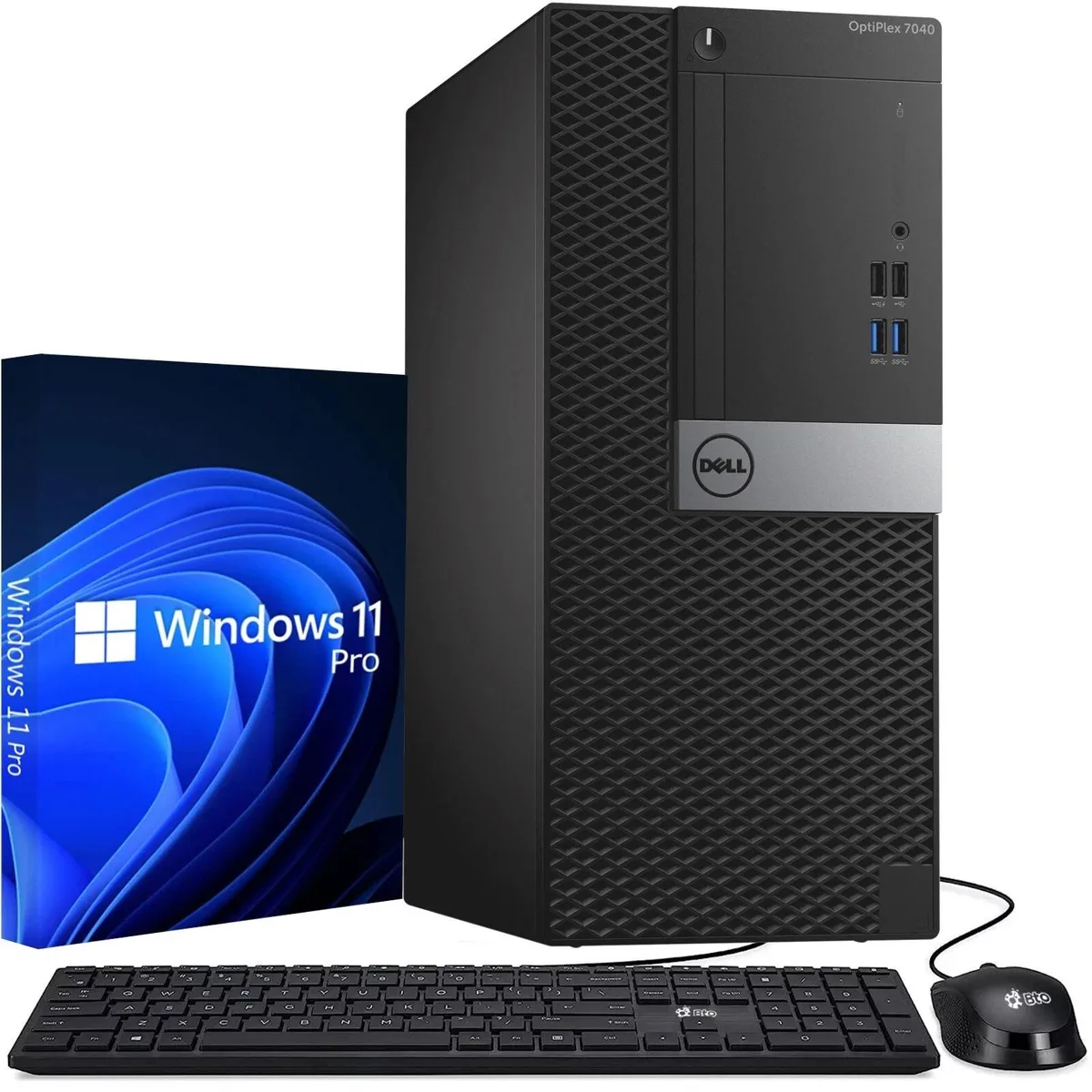
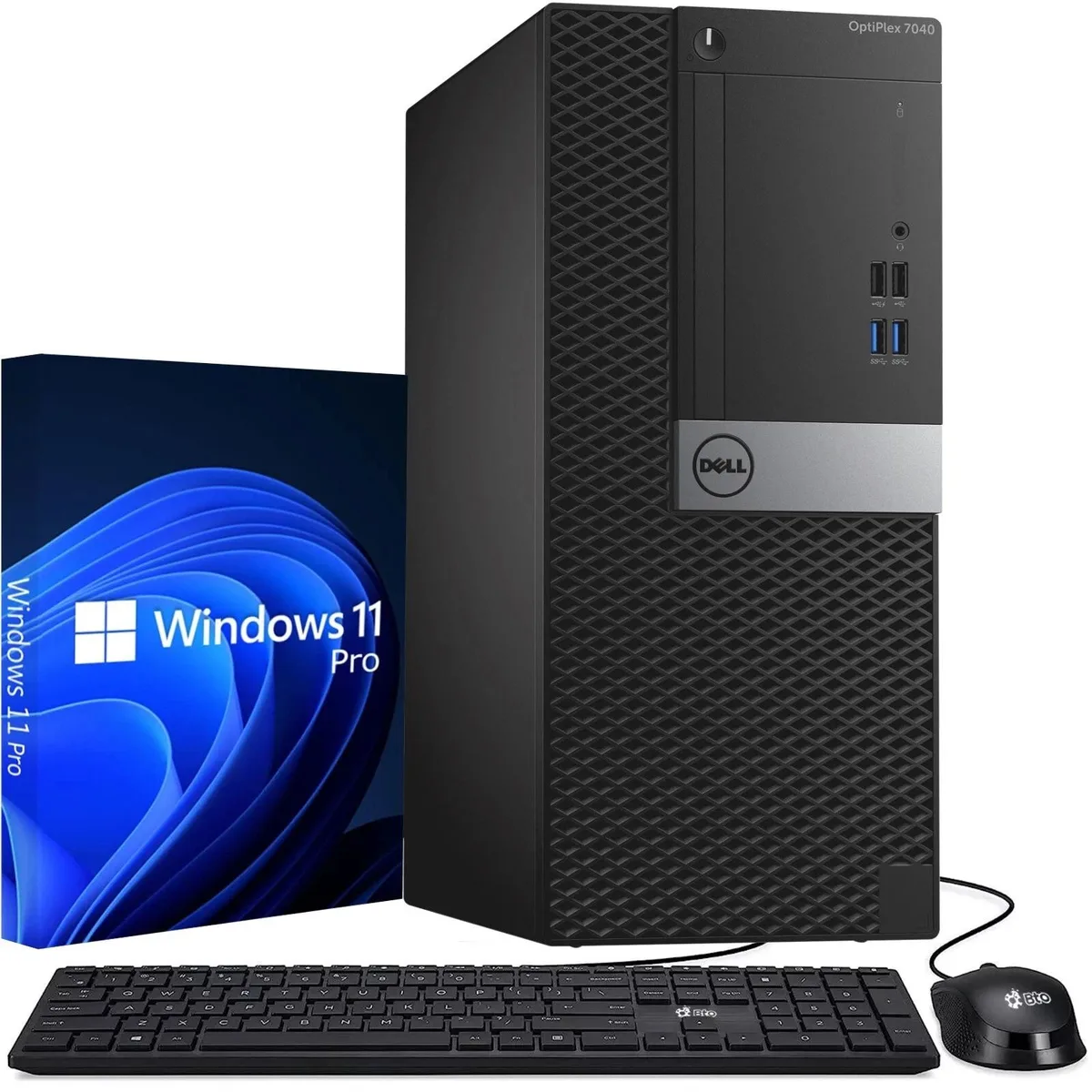
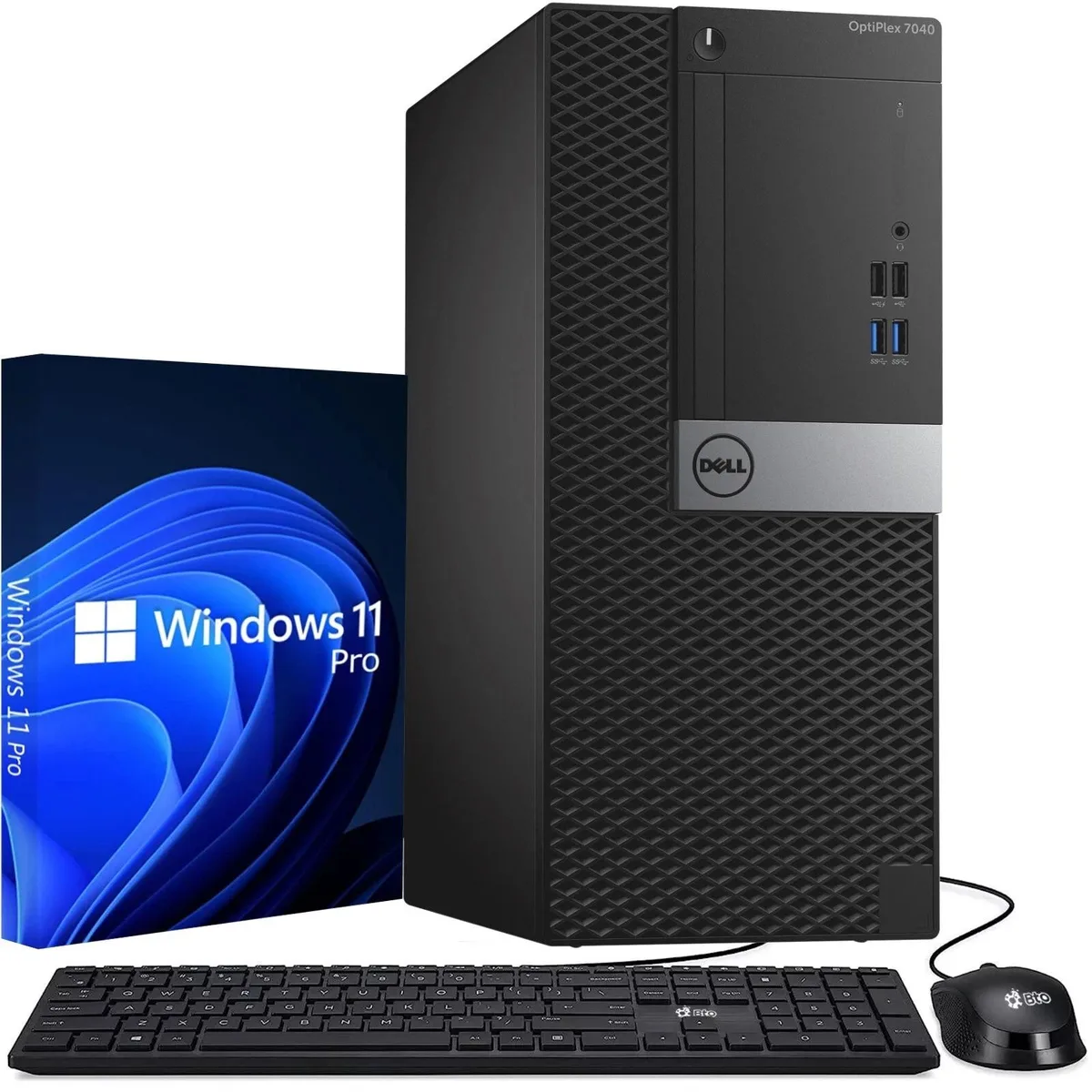
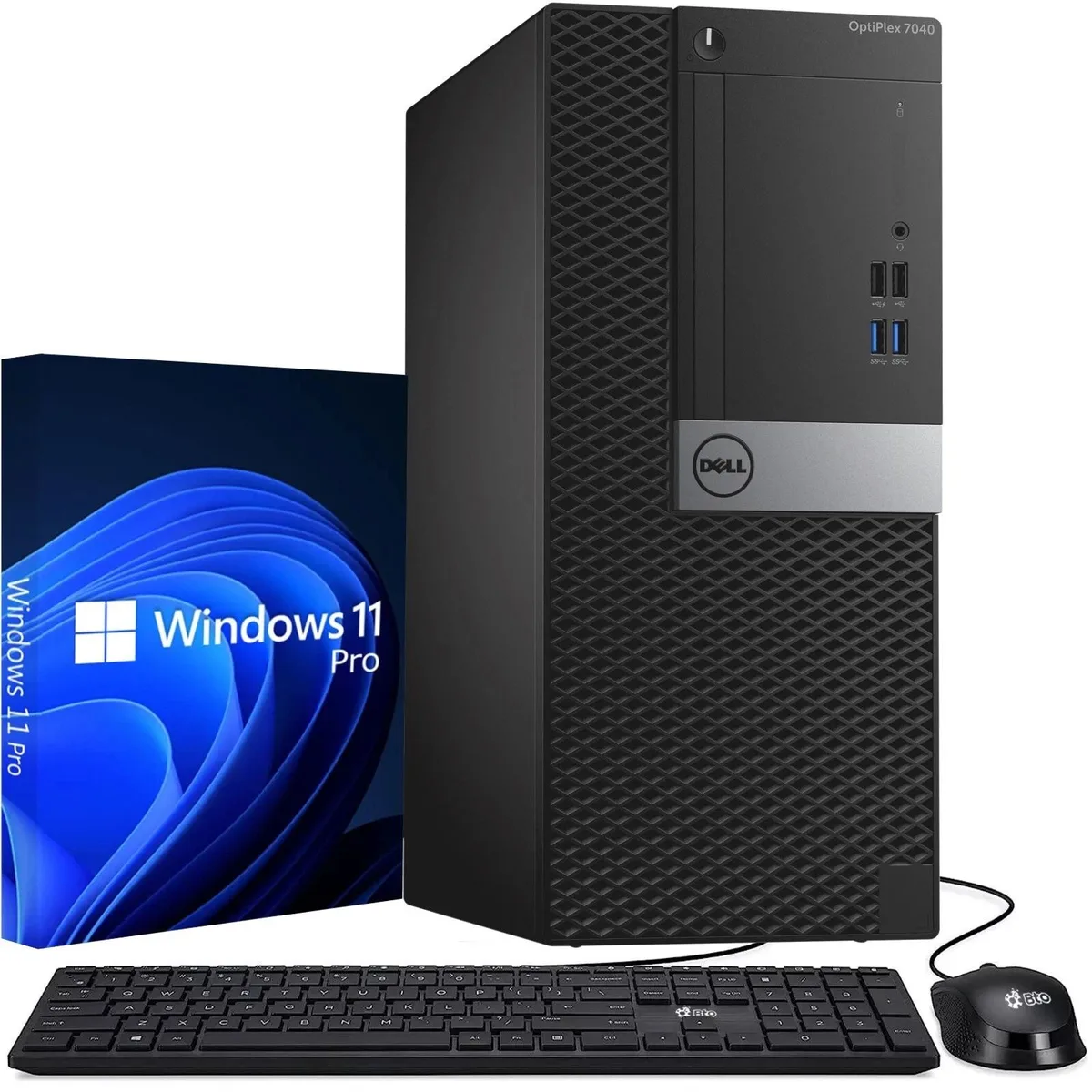
DELL OptiPlex 7040 Tower desktop PC Intel Core i5-6500 3.60GHz 8GB DDR4 512GB SSD Windows 11 Pro
158,99 $US
0.00202866BTC
En stockNous acceptons la cryptomonnaie — les cryptos que vous détenez peuvent ainsi acheter du matériel réel.Payez en crypto, dépensez-la en matériel réel. Livraison assurée offerte partout dans le monde au-delà de 399 $. Cartons neutres, sans marque, expédiés depuis l’Allemagne.Livraison assurée offerte au-delà de 399 $. Votre taux est bloqué pendant 30 minutes dès l’ouverture de la caisse.Taux bloqué 30 minutes. Chaque article est scellé, son numéro de série est vérifié, et il est couvert par une garantie de 24 mois.Scellé, garanti 24 mois.


DELL
Tower desktop with a 3.6 GHz quad-core processor, 16 GB DDR4 memory, 256 GB SSD, Wi-Fi, Windows 11 Pro and included keyboard and mouse
Ram 16GB
Les versions barrées existent, mais ne sont pas disponibles ici.
The Dell OptiPlex 7040 Tower is a new desktop computer built around an Intel Core i5-6500 processor reaching 3.60GHz. It ships with 16GB of DDR4 memory and a 256GB SSD, running Windows 11 Pro 64-bit. This configuration suits office professionals and home users who need a ready-to-use system for everyday productivity tasks.
Six USB 3.0 ports and four USB 2.0 ports provide ample connections for keyboards, mice, external drives and other peripherals. Dual DisplayPort outputs and one HDMI port support multi-monitor setups without adapters. A combo audio jack handles headset or speaker connections, and the included power cord means the system is operational straight from the box.
The platform relies on integrated graphics, so it handles standard business applications and video playback but is not suited to demanding 3D workloads or modern gaming. The 256GB SSD offers fast boot and application launch times, yet capacity may require supplementation for users with large local media libraries or extensive project files. Buyers who need discrete graphics performance or greater onboard storage should consider alternative configurations.
Aucune caractéristique publiée pour cet article pour l’instant.
Autres versions de ce modèle
Même famille, mémoire, ventirad ou fréquence différents — comparez avant de vous décider.
Six USB 3.0 ports are available, each operating at up to 5 Gbps for fast peripheral transfers.
The Tower form factor stands upright on a desk or floor; ensure clearance for the 2.0 and 3.0 USB ports, dual DisplayPort, HDMI, and audio jack on the rear panel.
Connect keyboard and mouse to USB 2.0 or 3.0 ports, attach the Wi-Fi antenna, plug in the power cord, then power on to complete the Windows 11 Pro 64-bit setup.
Également dans ce rayon
Même rayon, même caisse — huit monnaies et un taux bloqué 30 minutes.
Ce que vous envoyez, et ce dans quoi vous lisez les prix.
Envoyé depuis votre portefeuille à la caisse
Affichage seul — le catalogue est libellé en dollars
Aucune monnaie ne correspond.
Choisissez la langue dans laquelle le site vous parle.
Première visite ?
Vous avez déjà un compte ?
Il n’y a pas de réinitialisation automatique : cette boutique n’envoie aucun e-mail, il n’existe donc aucun lien à usage unique à demander. Laissez l’adresse sur le compte, elle sera traitée à la main.
Demande enregistrée
Rien n’arrivera dans votre boîte de réception — cette boutique n’envoie aucun e-mail. Quelqu’un s’en occupe à la main.
Vous l’avez retrouvé ?