
DELL
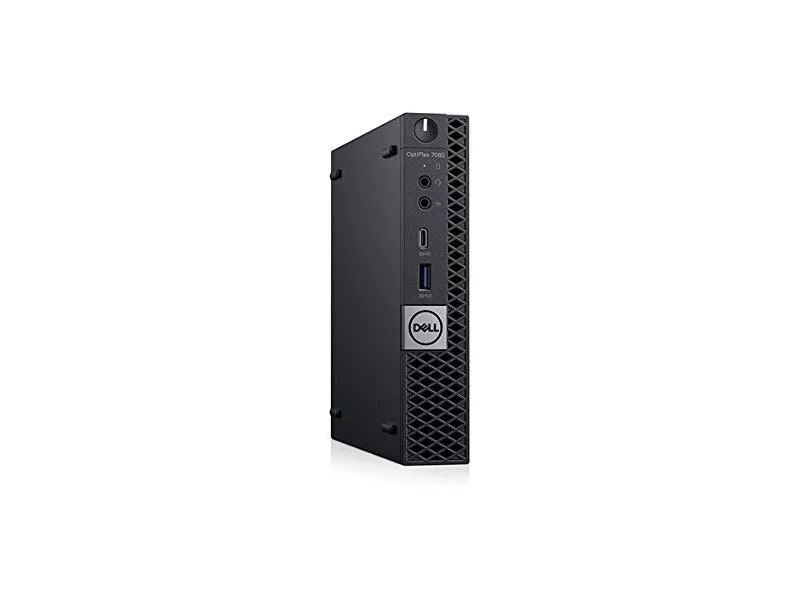
DELL OptiPlex 7060 Micro i5-8500T 2.1GHz 16GB 256GB desktop PC
A compact desktop with a 2.1 GHz Intel Core i5-8500T, 16 GB DDR3 memory and a 256 GB solid state drive
- TypeStudent / Home Office
- MonitorMonitor not included
- Screen SizeNo Screen
- Reliable performance from Intel Core i5-8500T 2.1GHz processor
- 16GB DDR3 memory for multitasking power
- 256GB solid state drive for fast computing
- Windows 10 Professional 64-bit operating system
- Multiple ports including USB Type-C and DisplayPort
Micro Desktop for Office Tasks
The Dell OptiPlex 7060 Micro is a compact desktop computer built around an Intel Core i5-8500T processor running at 2.1GHz. It comes with 16GB of DDR3 memory and a 256GB solid state drive. Windows 10 Professional 64-bit is installed and the unit is supplied in new condition. Video output is provided through two DisplayPort connectors.
Suited for General Business Use
This system suits office workers, students and home users who need a small footprint PC for everyday productivity, web browsing and video conferencing. The 16GB memory allowance supports multiple open applications. Buyers who require discrete graphics performance, additional internal drive bays or user-upgradeable CPU options should consider a larger form factor.
256GB SSD Determines Storage Capacity
The single 256GB solid state drive sets the total amount of space available for the operating system, applications and local files. No extra internal storage devices are included. If your workflow demands more local capacity for large media libraries or project archives, you will need to add external storage or select a different configuration.
Points forts
- Reliable performance from Intel Core i5-8500T 2.1GHz processor
- 16GB DDR3 memory for multitasking power
- 256GB solid state drive for fast computing
- Windows 10 Professional 64-bit operating system
- Multiple ports including USB Type-C and DisplayPort
Caractéristiques
| Type | Student / Home Office |
|---|---|
| Monitor | Monitor not included |
| Screen Size | No Screen |
Questions sur cet article
What display cables do I need for the two DisplayPort outputs on this OptiPlex 7060 Micro?
You will need two DisplayPort cables to connect monitors to the two DisplayPort outputs on this OptiPlex 7060 Micro.
Can I keep using my PS/2 keyboard and mouse with the two PS/2 ports on this desktop?
Yes, the two PS/2 ports on this desktop let you keep using a PS/2 keyboard and mouse alongside the newer USB 3.1 and USB Type-C ports.
How can I confirm the 16 GB DDR3 memory is recognised after I power on the system?
Open Task Manager in Windows 10 Professional 64-bit and check the Performance tab; it will show 16 GB of DDR3 memory if the modules are seated correctly.
Également dans ce rayon
Les clients ont aussi comparé
Même rayon, même caisse — huit monnaies et un taux bloqué 30 minutes.



HPE
HPE P22020B21 2U Cable Management Arm for DL38X Gen10 Plus Rail Kit
52,99 $US67,99 $US−22%
0.0006748BTC
En stock
Lenovo
Lenovo ThinkSystem ST250 V3 7DCEA01YNA Tower Server Xeon E-2434 16 GB RAM
1 267,99 $US
0.01614719BTC
En stock